Journal: Notes, Planner, PDFs
Version: 46
64.72MB
4.3
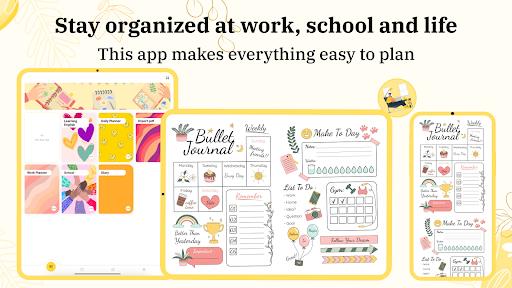
Journal: Notes, Planner, PDFs is an all-in-one productivity workspace that blends note-taking, schedule planning and PDF handling into a single app designed for busy days and long-term projects. Journal: Notes, Planner, PDFs helps you capture ideas quickly, sketch or annotate with a built-in drawing tool, and arrange content across notebooks and folders so everything stays organized. Whether you need a place to draft meeting notes, plan milestones across weeks, or keep annotated PDF resources for reference, this app aims to keep those tasks together and accessible across devices.
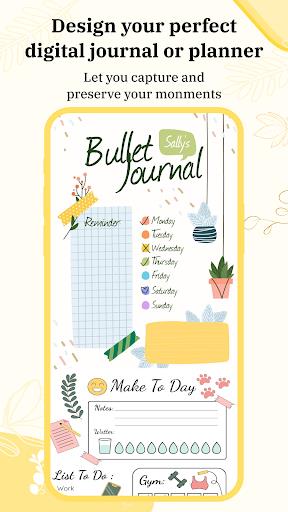
The core of Journal: Notes, Planner, PDFs is a flexible page model that supports typed notes, freehand sketches and embedded PDFs on the same virtual page. Pages can be grouped into notebooks and folders that mirror a typical paper workflow, and templates recreate lined, grid or blank paper for different work modes. The planner section provides day, week and month views where you can pin tasks or goals to specific dates; tasks and goals persist across views so you can track progress without recreating entries. For longer projects, users can create multi-page notebooks and use internal links to jump between related notes, creating a lightweight progression system where tasks move from idea to planning to completion.
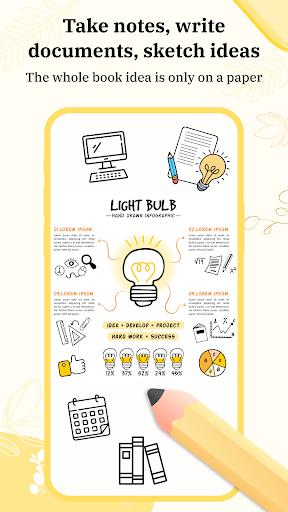
Text entry uses a standard keyboard input with rich formatting controls for bold, italic, lists and headings, making it easy to structure notes for readability. The drawing tool supports finger or stylus input for handwriting, sketches and annotations directly on the page; stroke smoothing and an eraser tool make it simple to correct and refine diagrams. Drag-and-drop gestures are used to reorganize pages, move items between folders and attach PDFs to pages. Tap-and-hold and swipe actions speed common tasks like deleting, duplicating or pinning notes, so the app feels responsive whether you prefer typing, tapping or drawing.
Organization in the app is designed as a progression from capture to completion. New notes start as quick captures; you can tag, prioritize and schedule them to move them into planning views. Goal tracking and progress labels let you monitor steps toward a target, and recurring tasks help build habits by automatically reappearing on your schedule. These lightweight challenge systems encourage steady progress without gamification, supporting routines like study schedules, work sprints or personal habit tracking.
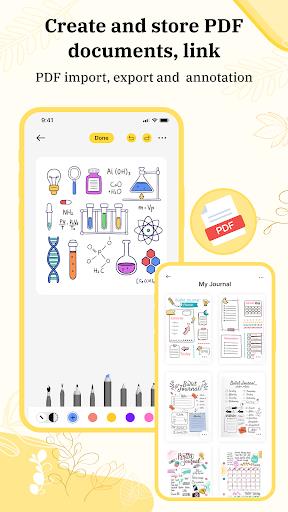
PDF support is integrated so you can import documents into a notebook, annotate pages with highlights, freehand marks and text notes, and attach the annotated PDF back to the related note. The app preserves page layout and makes it straightforward to reference documents alongside meeting notes or planning pages. Export options let you share annotated pages as PDFs or image files for external review, while embedded PDFs remain linked to the notebook structure for easy retrieval.
Journal: Notes, Planner, PDFs offers theme and template options so you can choose a clean, minimal interface for focused work or a more colorful layout to highlight important content. Paper templates include ruled, squared and dot-grid options, and adjustable font sizes and color accents improve readability. Custom stickers and cover colors help visually distinguish notebooks; these cosmetic controls are intended to speed navigation and personalize the workspace without overwhelming the interface.
The app emphasizes clarity and fast capture: a streamlined home view surfaces recent notes and upcoming tasks, and search finds keywords across notes and PDFs. Accessibility settings include adjustable text sizes and contrast-friendly themes to support different visual needs, while touch targets and gesture options accommodate varied input styles. Notes and planner entries remain available offline and synchronize when a connection is restored, so you can work on airplanes or in low-coverage areas and keep content consistent across devices when online.
Because Journal: Notes, Planner, PDFs consolidates note-taking, planning and document annotation, it becomes more valuable the longer you use it: notebooks accumulate context, recurring task patterns support habit formation and annotated PDFs form a searchable library. The combination of rapid capture, flexible organization and persistent planning views encourages repeated use across work cycles, study terms and ongoing personal projects.
The app packs many productivity tools, which can feel dense at first; spend a short session creating a single notebook and moving a few notes through capture, scheduling and completion to learn the flow. Use templates to standardize meeting notes or study pages, and attach PDFs directly to related notebook entries for faster reference. With consistent use Journal: Notes, Planner, PDFs can replace several separate tools by keeping ideas, plans and documents together in one organized space.