Cool text and symbols
Version: 5.2.1
8.12MB
4.4
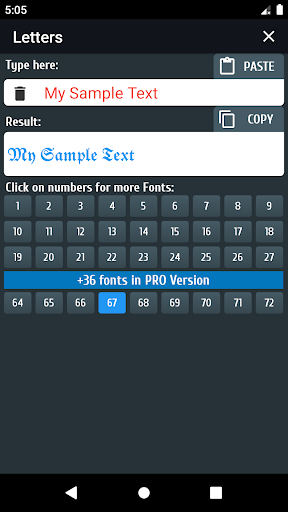
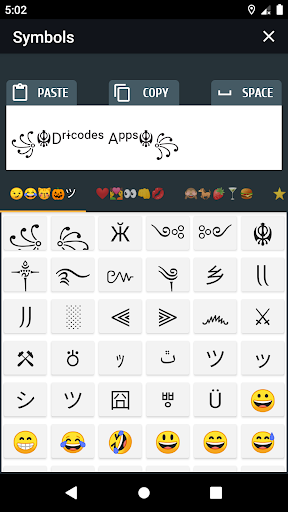
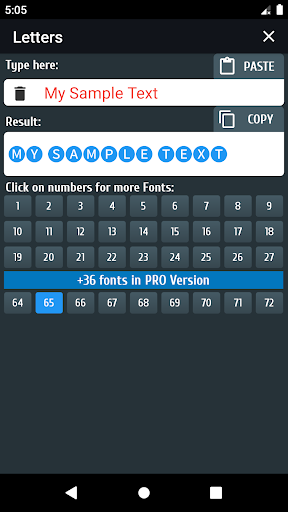
Cool text and symbols is a compact Android utility that helps you craft expressive messages, stylish bios, and unique usernames with minimal effort. It bundles a wide variety of fonts, Unicode symbols, and quick-copy tools so you can customize text for social media, chats, and profiles without needing design skills.
At its core, Cool text and symbols converts plain input into dozens of decorative styles and symbol combinations. Use the app to transform a simple word into the same text rendered in bold, italic, bubble, or script-like alphabets, then add arrows, stars, currency signs, or emoji clusters. The collection is organized for easy browsing, letting you preview styles in real time and copy results to the clipboard with one tap.
Cool text and symbols keeps the interface minimal and functional. The main screen presents an input field, a live preview area, and a horizontally scrollable list of style cards. Tap a card to apply that style to your text; use the symbol drawer to append characters without switching screens. The app supports dark and light themes to match system preferences, and adjustable font size in previews so you can judge how results will look on different devices.
People use Cool text and symbols for a range of simple creative tasks: sprucing up social posts, making eye-catching usernames, designing formatted bios, or adding flair to messages. Because the styles rely on Unicode, most outputs display correctly in chat apps, social networks, and profile fields. You can create standout headings, emphasize key words, or build playful separators to break up long descriptions.
Beyond preset styles, the app lets you layer symbols and manually edit output. Combine a decorative font with left and right ornament symbols, or insert line breaks and spacing characters for custom layout. The template editor supports placeholders so you can quickly generate repeated patterns — for example, inserting your name into a chosen style each time you open the app.
Lightweight and optimized for mobile devices, Cool text and symbols launches quickly and runs smoothly on a broad range of Android versions. Because it uses Unicode characters instead of bundled fonts, the app avoids large asset downloads and keeps storage use minimal. While most characters render correctly across platforms, a small subset of specialized symbols may appear differently on older devices or specific apps; the preview function helps you verify compatibility before copying.
The app requests only essential permissions needed to offer clipboard and storage features. It does not require access to contacts or location data. Local history and favorites are stored on-device, and clipboard operations are performed directly on your phone, ensuring your styled text stays private unless you choose to share it.
To begin, type a phrase into the input box, swipe through style cards to preview different looks, then tap the copy button to send the styled text to any chat or social app. Save combinations you like to Favorites for repeated use, or create a template for signatures and tags. The onboarding hints guide you through the basic functions so you can start creating attractive text within minutes.
Whether you want quick decorative text or a custom-styled bio, Cool text and symbols offers practical tools for enhancing written content on Android. Its clean design, useful feature set, and efficient workflow make it a handy companion for anyone who wants to add personality to messages and profiles without complexity.