Simple Launcher
Version: 5.1.0
8.00MB
4.1

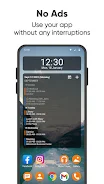
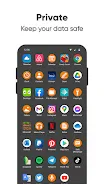
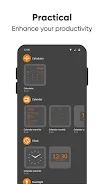
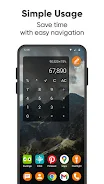
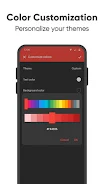
Simple Launcher transforms your Android home screen into a clean, fast workspace that prioritizes speed and clarity. It replaces clutter with essential apps, intuitive gestures, and straightforward settings, making navigation quicker and battery-friendly—ideal for users who want a minimal, efficient interface without sacrificing control or useful customization options.
Simple Launcher focuses on reducing friction between you and the apps you use most. Instead of piling features into a single interface, it keeps core functionality accessible: app shortcuts, notification badges, and a compact app drawer. The design philosophy favors light resource use and predictable behavior over flashy visuals.
At its heart, Simple Launcher provides a few well-implemented tools that cover everyday needs. These include a grid-based home layout, adaptive icon resizing, a fast search field, and gesture mappings for common tasks. Together they form a coherent system that feels intentional and easy to learn.
The interface intentionally avoids heavy animations so transitions feel immediate. Menus and settings are organized into predictable categories that reduce the number of taps needed to change behavior. For power users, a handful of toggles adjust grid size, shortcut behavior, and animation speed.
Simple Launcher is minimalist but not restrictive. Customization is focused on decisions that improve efficiency: rearranging icons, creating folders, and assigning primary gestures. Theme choices are limited by design to keep the app lightweight, but they cover the most requested visual adjustments.
One of Simple Launcher’s selling points is modest resource consumption. Background processes are minimized, and the app avoids frequent polling that drains battery. Users typically report lower memory use compared with feature-heavy launchers, which translates into smoother multitasking on mid-range devices.
Installation is straightforward: grant the minimal permissions requested, select Simple Launcher as the default home app, and follow the quick setup guide. The first-run wizard helps you choose grid size, default gestures, and what to show in the dock so the home screen is ready in a few minutes.
Across everyday tasks—launching apps, switching between work and personal profiles, and responding to notifications—Simple Launcher keeps interactions short and predictable. The reduced visual noise helps users concentrate on tasks rather than hunting for controls, which is why many adopt it as their primary launcher.
For anyone who values speed, clarity, and low system overhead, Simple Launcher offers a focused alternative to bloated launchers. It balances practical customization with a clean baseline experience, making it a sensible choice for older phones, productivity-focused setups, or users who prefer a distraction-free home screen.