Desh Tamil Keyboard
Version: 14.6.3
19.70MB
4.3
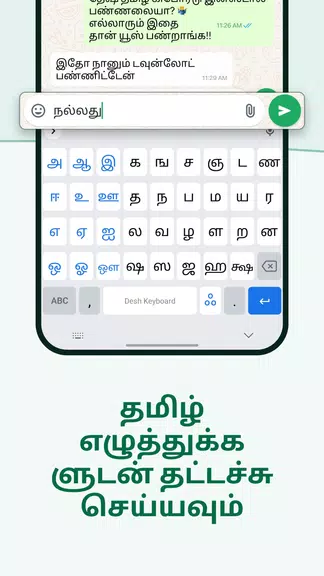
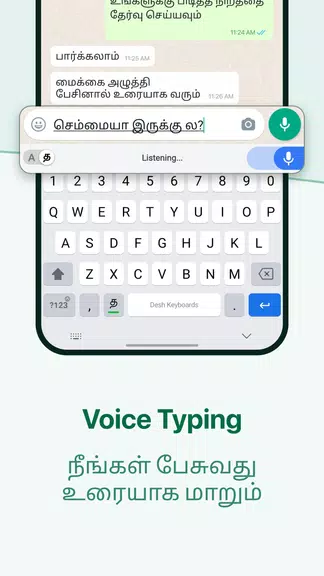
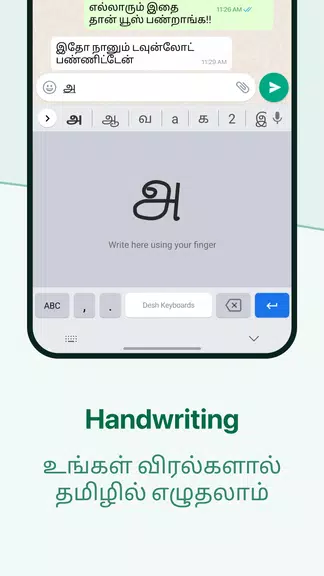
Desh Tamil Keyboard is a lightweight Android keyboard focused on fast Tamil typing and easy customization. It brings Tamil layouts, predictive text, emoji and sticker support, plus voice input in a compact package. The app aims to reduce typing errors while giving users flexible themes and layout choices.
Designed for native Tamil speakers and learners, Desh Tamil Keyboard targets everyday messaging and productivity. It combines multiple input methods — phonetic transliteration, Tamil99 and stacked Tamil characters — so users can choose the approach that matches their typing habits. The interface keeps commonly used keys visible while hiding advanced options behind simple menus.
Typing with Desh Tamil Keyboard is straightforward. The phonetic mode lets you type Tamil using Latin characters and converts entries on the fly. For native layout users, Tamil99 or custom layouts render complex characters and vowel signs accurately. Predictive algorithms adapt to frequently used words, improving suggestions over time without needing a lot of training data.
Switch between typing modes from the keyboard toolbar. Voice entry uses the device’s speech recognition to transcribe Tamil; results appear inline for quick edits. The clipboard manager stores recent phrases so repetitive text is easy to paste. Haptic and sound feedback are optional to suit different environments.
One of Desh Tamil Keyboard’s strengths is customization. Theme options let you adjust colors, key shapes and background translucency. Users can resize the keyboard height and adjust key spacing for comfort. Create custom shortcuts for long phrases or common signatures and assign them to quick keys.
The app maintains a small footprint and performs well even on older devices. Animations are minimal to preserve responsiveness. Memory usage remains conservative when predictive features are active. Load times for opening the keyboard are quick, and switching between languages happens without lag.
Clear typography and high-contrast keys aid legibility. Button zones are large enough to reduce mistypes, and long-press menus reveal diacritics and additional letters. The layout balances access to punctuation and numbers, so typing mixed-language messages becomes smooth.
Privacy is a common concern with input tools. Desh Tamil Keyboard supports offline typing modes so suggestions and language models can run locally. Permissions are limited to what’s necessary for voice input and clipboard access, and there are settings to opt out of cloud sync for typed content or personalization data.
Begin with phonetic mode if you’re more comfortable with Latin characters; switch to Tamil99 when you want full script control. Explore theme and key-size adjustments to find a comfortable layout. Use the shortcut manager to save long signatures and repetitive phrases, and enable local prediction if you prefer faster, device-only suggestions.
Install Desh Tamil Keyboard from your preferred app store, enable it in Android → Languages & Input settings, and select it as the default keyboard. Run the quick setup to import preferences and choose a theme. Spend a few minutes in settings to activate voice input and define the input layout that suits your workflow.
Users appreciate its combination of flexibility and speed. The ability to switch between transliteration and native layouts, coupled with lightweight performance, makes Desh Tamil Keyboard a practical choice for daily communication, social media posts and quick replies. The customization options let people tailor the tool to how they type rather than forcing a single method.
For anyone seeking a focused Tamil typing solution on Android, this keyboard balances functionality, privacy controls and responsive design to support both beginners and experienced typists.