Lite Writer: Writing/Note/Memo
Version: 1.81.3
10.90MB
4.2
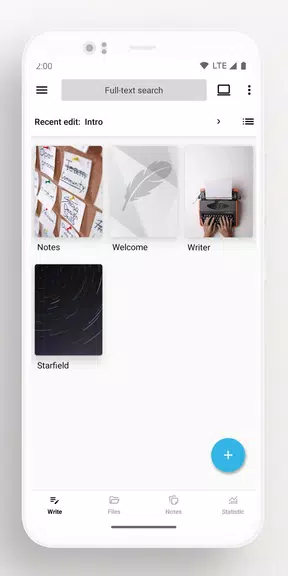
Lite Writer: Writing/Note/Memo is a lightweight, distraction-minimizing editor built for writers, students, and anyone who needs a reliable place to capture ideas and manage text projects on Android. The app opens to a tidy workspace where notes and manuscripts sit in a familiar folder-file layout, letting you start drafting or resume work with a minimum of taps. Designed for offline editing with optional cloud backup, Lite Writer: Writing/Note/Memo keeps the interface simple while offering practical tools that scale with your workflow.
Whether you write short memos, draft chapters of a novel, collect research snippets, or maintain long-form articles, this app aims to be a steady companion. The structure is intentionally file-focused: projects become folders, chapters become files, and you can rename, reorder, and manage groups of items without digging through nested menus. That approach fits novelists, bloggers, students, and professionals who prefer plain-text organization and quick access over feature-dense editors.
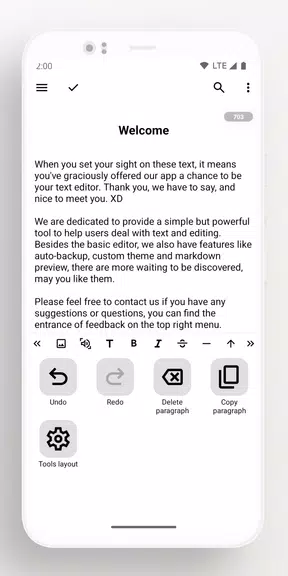
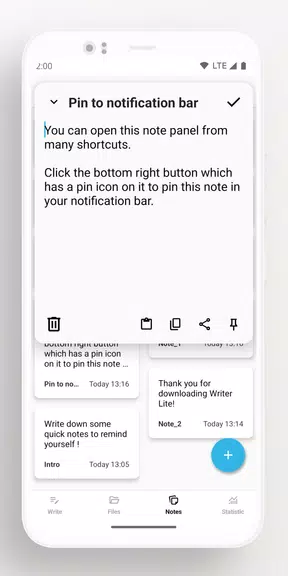
The editing area supports standard Android text gestures and keyboard input so you can work comfortably with a soft keyboard or an attached hardware keyboard. Quick-access shortcuts open a compact note panel from anywhere on the device, and pinned notifications keep important notes one swipe away. Built-in bulk tools let you move, duplicate, or delete multiple files at once, while custom covers help you visually identify projects. The editor displays live word and character counts and offers a floating counter for uninterrupted writing sessions.
Lite Writer includes unobtrusive progress tools that help you maintain momentum without becoming a distraction. Use the floating counter to monitor a single session, consult seven-day word trends to see how output changes over time, and set personal daily targets using the visible counters and simple reminders. These lightweight goal mechanics are designed to encourage steady progress rather than gamified rewards, so you can measure achievement while staying focused on the text itself.
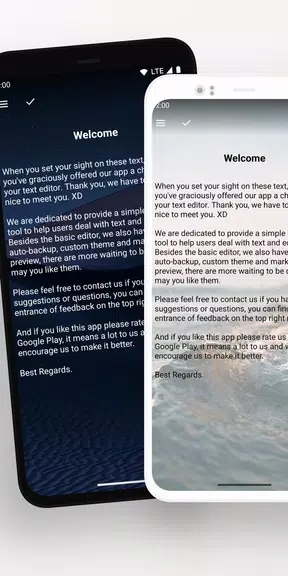
The app provides light, dark, and colorful themes, and you can import your own wallpaper to create a comfortable writing environment for long sessions. Project covers and folder colors give a visual layer to organization, and display settings allow you to adjust text size and line spacing for readability. The minimal toolbar and optional distraction-free mode let you collapse extras when you need a single-column view for uninterrupted composition.
Automatic backups can be configured to Google Drive or WebDav, and a local backup folder is available for manual control. Single-click export produces a full project copy that is easy to open on a desktop, and the app supports history recovery and a recycle bin for accidental deletions. For users who edit on a PC, Lite Writer: Writing/Note/Memo can map a home folder so desktop edits sync back to the Android device; you can rely on offline editing at any time and sync changes when you have a connection.
Privacy features include fingerprint or pattern lock to protect the app, an auto-lock option when the device is idle, and blurred screenshots in the recent apps view to keep content private during multitasking. Combined with configurable backups and local export options, these settings give you control over where your text is stored and who can access it on a shared device.
The editor handles CJK characters and other non-Latin scripts so counts remain accurate for many languages. A clean interface and adjustable text display make the app approachable for users who prefer larger type or simplified navigation. Because the design favors straightforward gestures and keyboard compatibility, it works well with assistive tools that integrate with Android.
Turn on cloud backup early to protect drafts, keep the quick note accessibility shortcut handy for sudden ideas, and use project covers plus consistent folder names so chapters sort predictably as your manuscript grows. If you need to work on a desktop, map your home folder to ensure a smooth round-trip between devices. If you want to recover a removed file, check the recycle bin or restore from history before relying on a backup copy.
Install the app, create a project folder, and add a first chapter to see how the folder-file model speeds navigation. Use the floating counter during a timed session to measure productivity, enable automatic cloud backups for peace of mind, and customize a theme to keep your writing environment comfortable. Lite Writer: Writing/Note/Memo keeps the essentials near at hand so you can focus on the writing itself without losing access to practical project tools.