Ultra GPS Logger
Version: 3.195
9.61MB
4.1
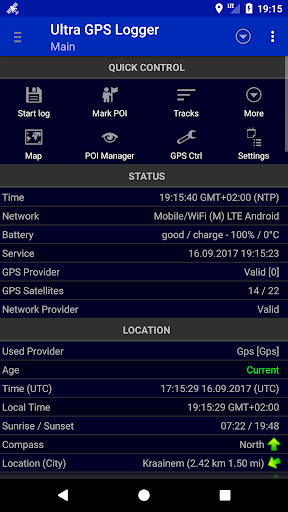
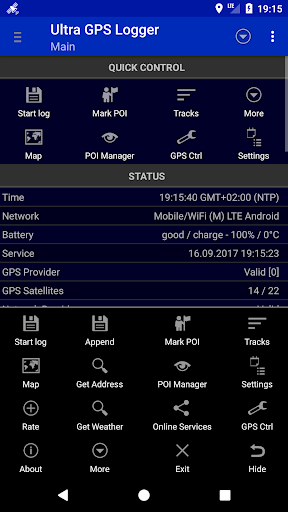
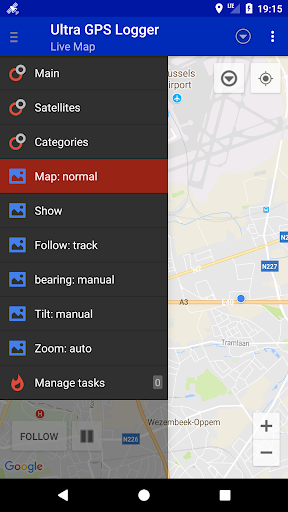
Ultra GPS Logger is a lightweight Android utility that captures precise location tracks and sensor data for mapping, fitness, or field research. It records high-frequency points, supports multiple export formats, and runs efficiently in the background. Designed for reliability, it makes gathering accurate GPS logs straightforward and flexible.
This app focuses on collecting raw GPS and sensor information with minimal fuss. Whether you are tracking a bike ride, documenting a hiking route, or collecting waypoints for a survey, Ultra GPS Logger stores timestamps, latitude/longitude, altitude, and optional NMEA sentences. Its aim is not to replace full mapping suites but to provide dependable, portable recording that integrates cleanly with third-party tools.
Ultra GPS Logger acquires location updates from the device’s GPS chip and optionally fuses data from network providers and onboard sensors. Users can set filters for minimum distance or elapsed time between points, and apply speed or accuracy thresholds to discard noisy readings. The app timestamps each entry and builds sequences that can later be visualized on desktop or web mapping tools.
The interface prioritizes clarity: a compact status display shows current speed, satellite count, and the active log filename. Start/stop is a single tap, while advanced settings live behind a settings menu that groups options logically. For people who prefer automation, schedule-based start/stop and geofence triggers are available in advanced configurations.
Constant GPS polling can drain batteries; Ultra GPS Logger addresses this with adaptive sampling and low-power modes. Select a coarser interval for all-day excursions or a high-frequency rate for short, detailed surveys. The app also supports batching writes to storage to reduce I/O overhead, and it respects Android’s power management to avoid unintended wakeups.
Files are stored in accessible folders so you can transfer them with a cable or cloud service. Exported GPX and KML files include route segments and waypoints, while CSV output makes it easy to import positional data into spreadsheets. Many users feed Ultra GPS Logger output into mapping platforms, fitness apps, or GIS programs for post-processing and analysis.
Installation is straightforward through the usual Android app store. After granting location permissions, pick a default folder for logs and set your preferred export format. If you plan to run long sessions, test a short recording to confirm file visibility and transfer workflow.
Ultra GPS Logger is ideal for outdoor enthusiasts, researchers, and professionals who require unembellished, reliable GPS traces. Its straightforward approach to collecting and exporting data makes it a solid choice when accuracy, file compatibility, and autonomy are priorities. For users who want quick setup and predictable results, the app offers a powerful, no-frills logging experience.