
Image Crop - (Photo Resizer)
Version: 1.0
13.00MB
4.5
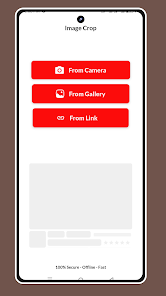
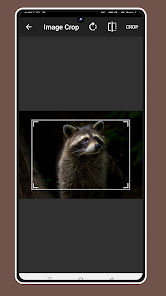
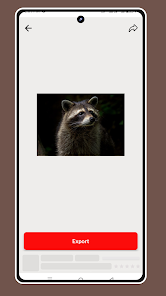
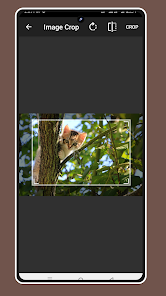
Image Crop - (Photo Resizer) is a lightweight Android utility that lets you crop, resize and optimize photos quickly for social media, messaging apps, or storage. The interface focuses on speed and clarity, offering presets, manual controls, and fast export options so you can prepare images for profiles, thumbnails, or messages in seconds.
This app brings a focused set of tools designed to handle everyday image adjustments without unnecessary complexity. Image Crop - (Photo Resizer) includes aspect-ratio presets for popular platforms, freeform crop tools, and pixel-precise resize settings. Additional features include rotation, flip, automatic trimming of transparent or solid-color borders, and an undo history to revert edits step by step.
The layout is uncluttered: a central preview area shows changes in real time, while easy-to-reach controls sit along the bottom and sides of the screen. Sliders allow for smooth scaling and numeric input fields provide exact width and height values when precision matters. Hints and short tooltips guide new users so common tasks become intuitive after a couple of uses.
Typical workflows are fast and repeatable. Open a photo, choose a preset or enter custom dimensions, crop or reposition the subject, then export in the desired quality. The app supports saving export profiles so recurring tasks—like preparing 800x800 product images or 1080x1920 story images—can be completed in two taps.
For users with multiple images, batch mode is a major time-saver. Select a group of photos, apply a single crop ratio or resize value, and let the tool process files in sequence. Progress is shown with a simple indicator, and output files are automatically named or can follow a user-defined pattern. Batch support preserves original files in a separate folder to prevent accidental data loss.
Image Crop - (Photo Resizer) supports common image formats including JPEG and PNG, and offers control over compression quality to balance file size and visual fidelity. Options include keeping metadata, stripping EXIF information for privacy, or converting PNGs to JPEGs where transparent backgrounds are not required. Exported images can be saved to device storage or shared directly to installed apps.
Designed to run smoothly on a wide range of Android devices, performance adapts to available hardware. Smaller phones handle basic crops instantly, while larger edits leverage multi-core processing when available. Memory usage is optimized to avoid crashes during batch operations, and the app scales its preview resolution to maintain responsiveness on older devices.
The app processes images locally on the device, which reduces the need to upload photos to external servers. Temporary files are cleaned up automatically after export, and original images remain untouched unless the user chooses to overwrite them. Users can disable metadata retention to protect location and camera details before sharing images.
After installing, grant the app access to your photos and try a simple crop using a preset. Explore the numeric resize controls for precise output and experiment with export quality to find a balance between file size and clarity. Image Crop - (Photo Resizer) is built to slot into daily image tasks, whether you’re preparing content for a marketplace listing, optimizing photos for messaging, or organizing a portfolio for mobile viewing.




Time stamp photos: Photo Proof
4.499.00MB

Photo book editor dual frames
4.521.20MB
Photo Enhancer & Blurry Fixer
4.1134.90MB
HD Camera for Android 2024
4.017.60MB

Fizzer
4.523.43MB

Face Beauty Makeup Camera
4.167.50MB

Head morph: photo warp 3D face
4.2146.00MB
Head morph: photo warp 3D face
4.2146.00MB