Face Beauty Makeup Camera
Version: 4.16
67.50MB
4.1
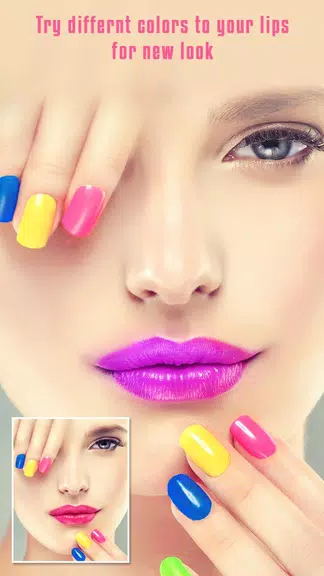
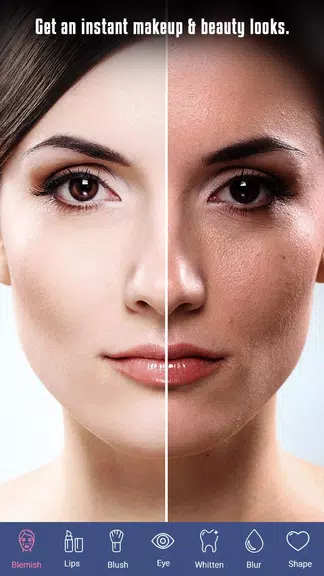
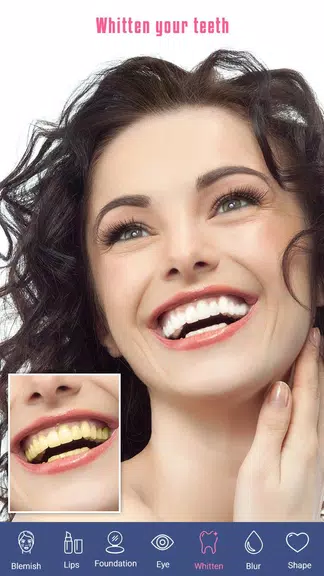
Face Beauty Makeup Camera is a photo and selfie editor that helps users quickly apply realistic makeup, smooth skin, and enhance facial features with a single tap. It combines automatic face detection, layered filters, and detailed controls to create polished portraits for social media, profile photos, and creative projects.
Face Beauty Makeup Camera focuses on making beauty editing accessible without steep learning curves. The interface guides you through makeup, retouching, and lighting adjustments while keeping results natural. It works for beginners and people who want quick touch-ups as well as creators seeking consistent, professional-looking images.
The toolset prioritizes common photo enhancements and beauty effects. You can apply foundation, blush, lipstick, and eyeshadow with adjustable intensity. Skin smoothing and blemish removal are handled through smart brushes and automatic modes. Color correction, vignette, and bokeh simulate different lighting environments so portraits feel cohesive.
Face Beauty Makeup Camera uses an intuitive step-by-step workflow: detect facial points, choose a preset look or build one from scratch, fine-tune individual elements, then export. Face detection ensures makeup follows facial contours as you pose. Live preview shows changes in real time, which speeds up experimentation and decision-making.
Customization is a strong point. Preset makeup looks provide a quick starting point, while sliders let you control hue, brightness, and saturation for each makeup element. You can mix eyeshadow tones, layer lashes, and modify eyebrow thickness to match your style. Save favorite combinations as custom presets for consistent results across sessions.
The app is optimized for mobile devices with responsive controls and fast rendering. Most edits are processed locally, reducing the need for internet access and preserving user privacy. The visual layout groups tools logically: primary adjustments on the main bar and secondary options inside expandable menus for a decluttered workspace.
Content creators, beauty professionals, and casual users find value in Face Beauty Makeup Camera. It helps influencers produce consistent feeds, makeup artists showcase digital portfolios, and everyday users polish photos for special occasions. The balance between automated tools and manual controls accommodates diverse workflows.
Begin with subtle adjustments to preserve realism. Use presets to learn how different elements affect the overall look, then step into manual sliders for refinement. When smoothing skin, reduce intensity to avoid a plastic appearance. Utilize saved presets for repeatable edits and batch processing for multiple images.
Installing Face Beauty Makeup Camera takes a few minutes: download, grant basic camera and storage permissions, and allow the app to detect facial features. A brief welcome tutorial outlines primary tools and shows how to lock edits to prevent accidental changes. Most users feel confident after the first session.
Photos are typically stored on the device unless you choose cloud backups. The app requests minimal permissions needed for camera access and file saving. Check the settings to control auto-save behavior, export quality, and whether images include embedded metadata.
People keep using Face Beauty Makeup Camera because it streamlines portrait retouching into a few predictable steps while offering depth for finer control. Frequent updates with new makeup trends and seasonal filters help maintain creative options without overwhelming the interface.
Whether you need a simple selfie upgrade or a polished photograph for public profiles, Face Beauty Makeup Camera offers a practical mix of automation and detailed editing that suits a wide range of users.