CCTV RUSH HOUR
Version: 1.0.0
20.94MB
4.1




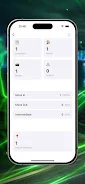
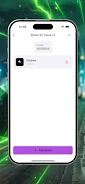
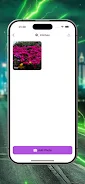
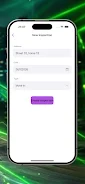
CCTV RUSH HOUR is a focused productivity app designed for property managers who need to keep visual inspections and paperwork aligned during busy move-ins, move-outs, and routine checks. CCTV RUSH HOUR places room-based logging and fast photo capture at the center of the inspection workflow, letting teams attach date- and time-stamped images to specific rooms and properties so records remain consistent with CCTV footage and on-site walkthroughs. Whether you are documenting minor wear or preparing dispute-ready evidence, CCTV RUSH HOUR helps reduce missed issues and cuts administrative time when every minute of the inspection hour matters.
The app offers rapid photo capture designed to minimize interruptions during inspections: with simple controls you can take a picture, pick or create the room entry, and add a short note without interrupting the flow of a walkthrough. Built-in room templates let teams standardize entries for bedrooms, bathrooms, kitchens and other common spaces so reports are consistent across properties. A central dashboard organizes multiple addresses and their inspection logs so managers can quickly switch between units and review recent activity. Date- and time-stamped records keep CCTV feeds and physical checks synchronized, making it easier to cross-check incidents and resolve tenant or owner questions.
Workflows in CCTV RUSH HOUR mirror how teams actually inspect properties: create or select an address, open the room list, and capture evidence in sequence as you move through the space. Controls are intentionally simple to reduce training time: taps to capture, clear fields for short descriptions, and straightforward labeling for defects. As teams use the app, their inspection process becomes faster because room templates are refined and commonly reported defects populate as quick-entry choices; that soft progression reduces repetitive typing and improves consistency across inspectors.
The interface favors clarity over clutter with readable timestamps and high-contrast labels so photos and notes are easy to scan at a glance. Level structure is organized around properties, units, and rooms rather than abstract menus, which keeps inspections linear and predictable when the schedule is tight. Administrators can customize room templates and default fields to reflect building types or company standards, so the same app adapts to small single-family homes or larger multi-unit blocks without changing core behaviors.
Revisiting past inspections is straightforward: logs are presented in date order with attached photos and short notes so managers can replay the state of a room at a given time. That replay value supports dispute resolution and warranty checks because each entry reads like a timestamped record that complements CCTV material. The app is most valuable for teams that perform recurring inspections; repeated use tightens procedures and increases the usefulness of templates and quick-entry options.
Usability is a priority in CCTV RUSH HOUR: large capture buttons, clear room labels, and minimal text fields help inspectors focus on observation rather than form-filling. The app’s layout accommodates different screen sizes and should be usable with one hand while moving through a property. Accessibility considerations include legible fonts and obvious contrasts to aid visibility in bright or dim environments, and the straightforward workflow reduces cognitive load for new users.
Initial setup requires adding addresses and creating room lists, which can take a little time but pays dividends once templates are in place and teams standardize their entries. Teams should plan a short pilot run to tune default fields and response options so the app fits existing inspection checklists. Be aware the quality of records depends on clear photos and consistent logging by users; good lighting and a brief habit of adding concise notes will improve the long-term value of inspection logs.
For the most efficient use during peak periods, build a small set of room templates and the most frequent defect descriptions first, then expand as new situations arise. Encourage inspectors to take two quick shots—an overview and a close-up—and to add the timestamped note immediately; those small habits make CCTV RUSH HOUR logs robust under pressure and easier to correlate with CCTV footage when review is required.