Filezy.
Version: 1.0.8
40.60MB
4.1
Filezy. is a focused utility built to keep your documents safe and intact while preserving the original quality of each file. From scanned receipts and high-resolution photos to text documents and PDFs, Filezy. emphasizes integrity so that stored items remain true to the originals without lossy conversion or visible degradation. This introduction explains how the app approaches secure preservation, what you can expect from the interface, and practical workflows for long-term document care.
At its core Filezy. uses a storage model that reduces unnecessary rewriting of files: when you add a document the app stores the original byte stream and maintains a lightweight index so that previews and quick access do not alter the source media. The app performs integrity checks using file fingerprints to detect accidental changes, and it offers optional local encryption to protect files from casual access on a shared device. These measures are intended to maintain visual and textual fidelity over time.
Unlike apps that recompress or transcode images on import, Filezy. keeps the original encoding intact. That preserves sharpness in scans and minimizes artifacts in photographs. The app also retains metadata where possible so timestamps, camera data, and other identifying information remain attached to the stored file for future reference.
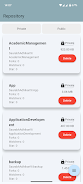
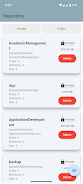
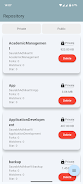
Filezy. presents a simple, task-oriented interface that focuses on quick import, clear previews, and straightforward file browsing. Controls are touch-friendly: swipe gestures move between documents, pinch gestures zoom into images, and a persistent toolbar provides access to common actions like export, rename, or lock. The design aims to reduce friction when organizing or verifying documents, so users can work efficiently on phones and tablets.
Importing is flexible and intentionally low-friction. You can add files from the device camera, pick existing files from local storage, or import from an SD card if available. During import the app shows a brief verification step where checksums are computed and displayed so you can confirm a file was preserved without modification.
Filezy. supports a simple folder and tag structure to help you progress from ad-hoc storage to an organized archive. Create folders for different projects or categories and add tags for quick filtering. The app saves manual sort order and remembers last-viewed positions so you can resume review workflows without hunting for content. Basic version history is available for recent edits such as renames or moved files, making it easier to undo simple mistakes while still keeping the focus on preservation rather than heavy file management.
Customization focuses on what affects readability and security: adjustable preview quality to balance responsiveness and clarity, a choice of light or dark themes to suit ambient lighting, and configurable passcode or biometric locking to limit access. These options let you tailor the app to your workflow without introducing complexity that might compromise file fidelity.
The visual design in Filezy. is intentionally neutral and utility-driven, with high-contrast text, scalable UI elements, and clear thumbnails that make it easy to locate documents at a glance. Accessibility features include support for system font scaling and screen reader compatibility so users with varying needs can navigate and verify stored documents. Large tap targets and predictable navigation help reduce errors during file operations.
Filezy. is built to be effective offline. Because it stores originals locally, you can add, view, and export documents without an Internet connection. This makes the app practical for fieldwork, travel, or situations where connectivity is limited. For long-term safety the app provides simple export options so you can copy archives to external storage or a secure backup drive under your control.
The app intentionally maintains a narrow scope: its priority is preservation and integrity rather than comprehensive collaboration or advanced cloud syncing. Filezy. does not attempt to replace full-featured file managers or team collaboration suites, and it may lack some advanced sharing or simultaneous editing functionality that larger platforms provide. This design choice reduces complexity and keeps the main goal—preserving documents in their original state—front and center.
To get the best results with Filezy. name files consistently, use descriptive tags, and keep the app updated so integrity checks and security fixes remain current. When scanning documents, aim for sufficient resolution to retain legibility without creating unnecessarily large files. Regularly export critical archives to an external drive as part of your backup routine so you maintain control over multiple copies. These simple practices complement the app's preservation-first design.
Overall Filezy. offers a clear, dependable option for users who prioritize secure, high-quality document preservation on their Android devices. The app brings together careful storage practices, easy-to-use controls, and sensible customization to make long-term document care straightforward and reliable.