DISH Anywhere
Version: 24.2.30
75.50MB
4.3
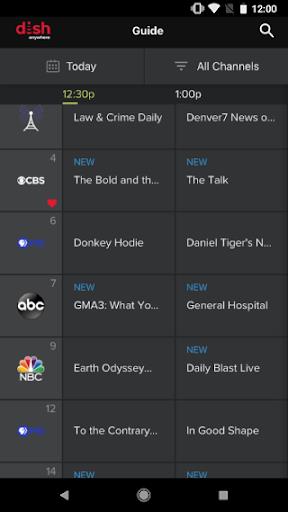
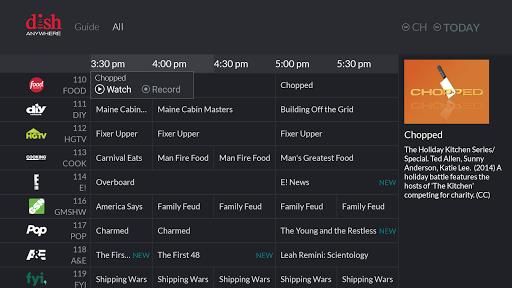

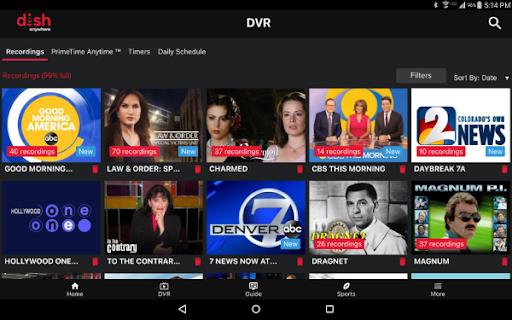
DISH Anywhere delivers flexible live TV, on-demand shows, and DVR access for subscribers, giving users remote viewing and management of their home entertainment. The app streamlines streaming, scheduling, and downloading for offline playback while supporting multiple devices and casting options for a consistent viewing experience on the go.
DISH Anywhere consolidates television control and content discovery into one mobile-friendly interface. Users can watch live channels, browse on-demand titles, and manage their DVR library from outside the home network. The app includes search and recommendations, customer account tools, and the ability to stream locally recorded programs to compatible devices.
The design focuses on quick access to what matters: live TV, the DVR queue, and on-demand catalogs. Menus are organized into clear tabs, and large artwork and metadata make it easy to identify shows and movies. Search supports voice or text input, while filters let you narrow results by genre, channel, or recording status. For frequent users, recent and continue-watching rows speed up return visits.
One of the most practical aspects is remote DVR management. Subscribers can schedule recordings while away, change recording settings, and delete or prioritize shows. Downloading recorded or on-demand content for offline playback is supported on many devices, making long flights or commutes hassle-free. Downloads are encrypted and tied to the account to protect content rights.
Playback adapts to network conditions to reduce buffering and preserve picture quality. The app supports multiple bitrates and can switch automatically between them, or you can set a preferred quality level to conserve data. Closed captions, audio language options, and fast-forward/rewind controls are available during playback. For live streams, channel change latency is minimized so switching between channels feels responsive.
DISH Anywhere works on a wide range of Android phones and tablets and integrates with casting technologies to send video to smart TVs and streaming devices. The app detects available devices on the same network and provides easy pairing. Multi-device support allows different household members to use the service simultaneously, subject to the subscriber plan’s limits.
Profiles and viewing preferences help tailor recommendations and keep the home viewing experience organized. Parental controls let administrators restrict access to age-rated content and require PIN entry for purchases or restricted categories. These controls are managed through the app’s settings area, where you can also set default playback quality and notification preferences.
Performance is optimized for both Wi-Fi and cellular connections. The app provides clear indicators of connection quality and allows users to select a cellular playback limit to avoid unexpected data usage. Background updates and smart caching help reduce startup time. Occasional updates add features or resolve compatibility issues with new Android releases.
Within the app you can view subscription details, check billing information, and contact customer support. Troubleshooting tools include diagnostics for streaming quality and guidance on resolving connectivity issues. Push notifications can be enabled for recording reminders, new episode alerts, and special offers.
Download and sign in with your subscriber credentials to get started. The initial setup walks you through linking your home receiver and authorizing remote access where required. Once connected, take a moment to configure download storage preferences, set parental controls, and choose a default playback quality to match your data plan.
DISH Anywhere brings your television experience into your pocket with tools for live streaming, DVR control, and offline viewing. With attention to accessibility, compatibility, and account control, it aims to simplify how subscribers access and manage their entertainment across devices.