HdToday
Version: 1.3
28.87MB
4.5

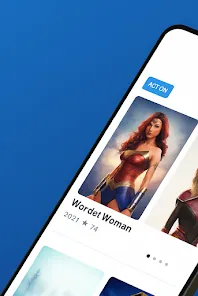

HdToday is a lightweight Android utility designed to deliver high-resolution wallpapers, daily visual content, and quick customization tools for your home screen and lock screen. The app emphasizes fast downloads, simple organization, and curated collections so users can refresh their device look without complicated setup or heavy resource use.
HdToday combines a clean interface with practical tools to manage visual assets. The app offers a catalog of crisp images, a favorites system, and one-tap application for wallpapers. Built-in sorting and search functions help you find themes by color, mood, or category, while an auto-change scheduler rotates images at intervals you choose.
The design of HdToday prioritizes speed and clarity. Menus are laid out so common tasks—browsing, previewing, and applying—are three taps or fewer. Thumbnails load progressively so you can browse large libraries without lag. A preview mode shows how an image will appear on both the home screen and lock screen, including status bar and widget overlays.
Navigation relies on a simple bottom bar and swipable content panes. Long-press actions reveal quick options such as setting custom crop, marking favorites, or sharing with other apps. The settings panel centralizes customization options, letting you tweak image scaling behavior and cache limits.
Personalization is where HdToday stands out. Users can create themed collections—travel, abstract, nature, minimal—and sync them locally. A built-in editor provides basic crop, rotate, and color adjustment tools so you can tailor an image before applying it. Preferences store your default crop style and preferred image quality to avoid repeated steps.
Curated packs are updated regularly with seasonal and trending visuals. For users who prefer automation, the app supports tag-based playlists: set rules like "blue landscapes" or "portrait photos" and the scheduler will cycle matching images automatically.
HdToday is engineered to be resource-friendly. Memory usage is optimized through smart caching; images are downscaled when necessary to preserve battery life and reduce storage footprint. The downloader is tolerant of flaky connections and resumes interrupted transfers cleanly.
The app supports a wide range of Android versions and adapts to different screen densities. It respects system privacy and permissions: access requests are limited to what’s necessary for wallpaper application and storage access. Background tasks are designed to minimize wakeups so routine updates don’t drain the battery.
To begin, install HdToday and grant the minimal permissions requested during setup. Browse categories or use the search function to explore available images. Tap any image to preview it, then choose whether to apply it to the home screen, lock screen, or both. You can create a favorites list to save items for quick reuse.
For regular refreshes, enable the scheduler and set an interval. Use collection creation to group images for specific moods or seasons. Adjust cache and download settings in the preferences to balance quality and storage.
Optimize your experience by tailoring the image quality setting to your device storage. Use the preview mode to check for visibility conflicts with widgets and icons. If you have limited data, enable Wi-Fi-only downloads. Creating several small collections rather than one large library can speed up browsing and make rotation feel more curated.
HdToday aims to be a polished, unobtrusive tool for personalizing Android devices. Its combination of curated content, efficient performance, and straightforward controls makes updating your device’s look a quick, enjoyable task without unnecessary complexity.