realme Link
Version: 3.20.819.1112
71.70MB
4.5

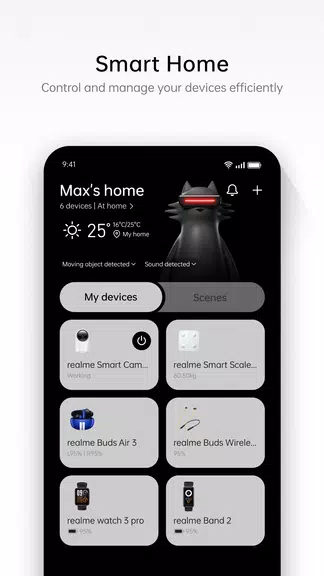
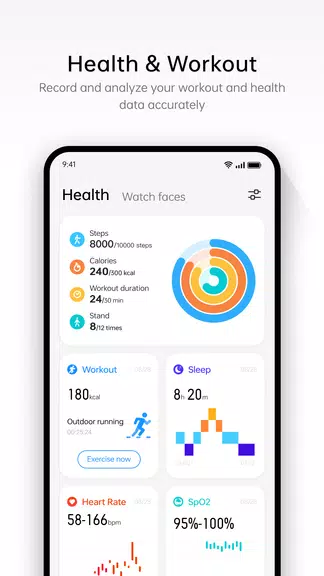
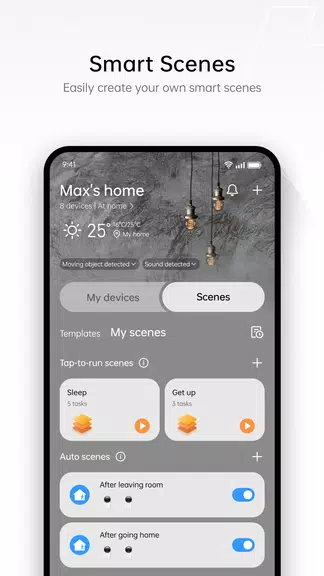
realme Link is a centralized control app designed to manage realme smart devices from a single interface. It simplifies setup, device grouping, automation rules, and firmware updates while providing quick access to wearables, smart plugs, and lighting profiles for everyday convenience.
At its core, realme Link acts as a hub for connected products. The app supports a growing list of realme peripherals—smartwatches, earbuds, bulbs, sockets and home sensors—and puts device settings, status, and system notifications into one place. It helps users reduce the friction of moving between manufacturer tools and third-party platforms.
Users can pair new hardware, build rooms or groups for synchronized control, and create simple automation scenarios that react to time or sensor triggers. The design emphasizes quick access: a single tap can mute notifications on a wearable, set a lighting scene, or run routines when you arrive home.
Navigation follows a typical smart‑home app pattern: a home dashboard, a device list, and a scenario editor. The dashboard prioritizes recently used gadgets and active automations. Accessing device-level options reveals controls and detailed status readouts, such as battery percentage and firmware version. Transition between screens is generally responsive, making routine adjustments quick.
realme Link offers multiple ways to personalize behavior. You can name devices, assign icons, and create thematic scenes for specific moods or daily schedules. Automation rules support multiple triggers and actions and can be edited with a simple drag-and-drop rhythm. For users who want granular control, per-device settings expose options like notification toggles, Do Not Disturb scheduling, and sensor thresholds.
The interface is clean and minimal, leaning on flat icons and concise labels. Performance depends on the number and type of connected hardware; managing a handful of smart products is smooth, while very large setups may show slight lag during synchronization. Background syncing and push notifications work reliably, though network interruptions can delay status updates until devices reconnect.
Beginners benefit from the stepwise pairing process. For faster setup, enable Bluetooth and keep devices close to your phone during onboarding. If you rely on automations, test each rule immediately after creating it to verify trigger conditions. Regularly check firmware notices in the app to maintain security and improve device stability.
realme Link works best with compatible realme hardware but can also integrate with select third-party devices that follow common smart home protocols. Connection methods include Bluetooth for nearby accessories and Wi‑Fi for stationary products. Keep your phone and devices on the same network during setup to avoid pairing errors.
Installation is straightforward: download the app, sign in or create an account, and follow the prompts to add your first device. The initial walkthrough covers permissions for location and Bluetooth—necessary for device discovery. After the first device is added, expanding your system to include additional items takes only a few minutes per product.
realme Link suits users who prefer a single app to manage multiple smart items while keeping automation simple and accessible. With incremental updates and expanding hardware support, it continues to improve as a practical tool for building a cohesive connected home experience.