Blink Home Monitor
Version: 31.0
80.50MB
4.1
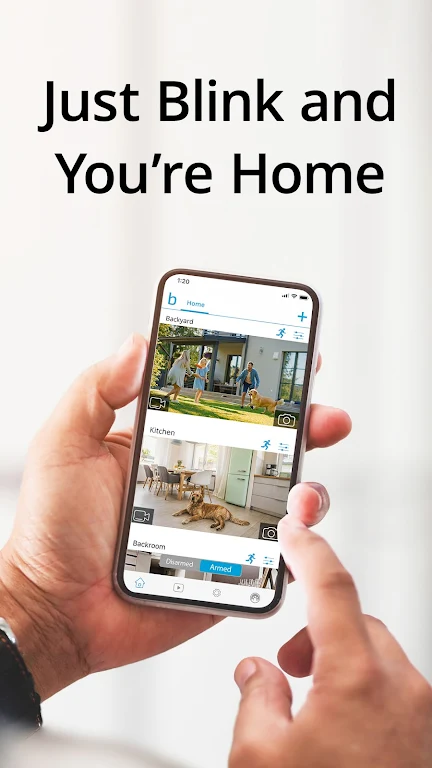
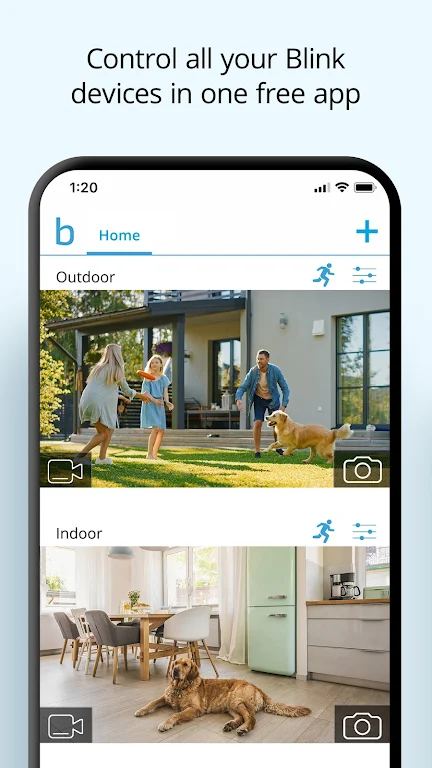
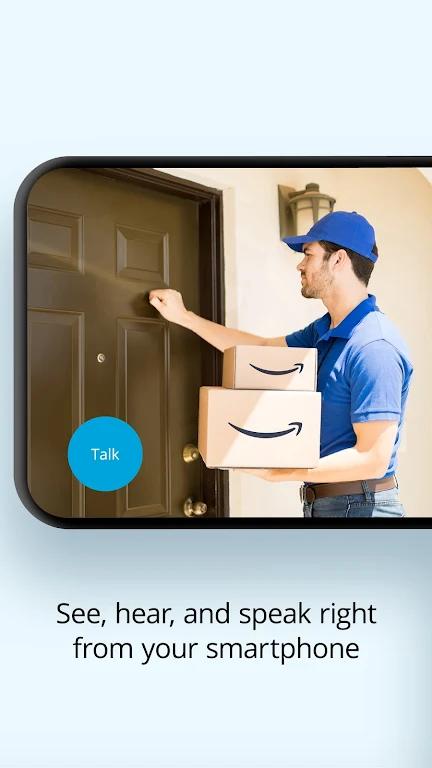
Blink Home Monitor helps you view and manage your Blink cameras from Android devices, delivering real-time video, motion alerts, and cloud/local playback in a compact interface. The app centralizes camera control, scheduling, and notifications so homeowners and small businesses can monitor activity and review events easily.
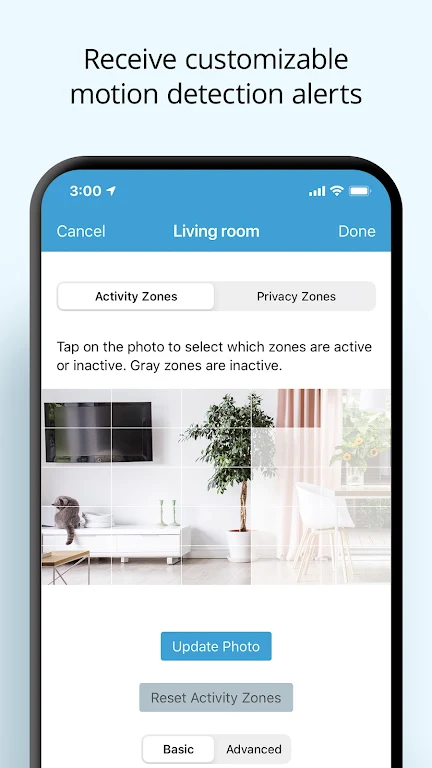
Blink Home Monitor provides a collection of tools designed for straightforward home security. Use live view to check a camera feed instantly, review recorded clips stored in the cloud or on a local drive, and respond with two-way audio where supported. Motion detection, customizable sensitivity, and scheduling let you reduce false alarms while keeping essential events captured. The app also supports multiple camera systems, account linking, and user permissions for shared monitoring.
The app connects to Blink cameras either directly over Wi-Fi or through a Sync Module when deployed. When motion is detected the camera sends a notification to your phone, and the app presents a short clip so you can quickly assess the event. For continuous observation, use live streaming; for incident review, access thumbnails and a timeline to jump to recorded segments. Devices stay synchronized across the app, the web interface, and compatible smart-home platforms.
Notifications are configurable per camera and per time window, so you can receive alerts only during hours that matter. Each motion alert links to a short video clip, and you can tag, download, or share clips directly from the app. A history view organizes events chronologically and offers basic filtering to find activity by camera or date. Notification prioritization and do-not-disturb settings help avoid alert fatigue.
Blink Home Monitor supports multiple storage choices, including cloud-hosted clips and local storage when using a compatible USB drive with a Sync Module. Account-level security includes two-factor authentication and password protection to restrict access. The app shows clear indicators when cameras are active so users know when recording or live streaming is in progress, helping maintain transparency for households and guests.
The user interface is organized around a camera grid and a simple navigation bar to switch between live view, events, and settings. Adding a camera is guided with step-by-step prompts and QR codes or serial numbers for faster setup. From the main screen you can arm or disarm cameras, toggle motion detection, and create custom schedules. Frequent tasks such as viewing recent clips or sharing footage require only a few taps, improving everyday usability.
Designed for Android, the app performs reliably on a wide range of phones and tablets. Video streams adapt to network conditions to reduce buffering while preserving clarity. Battery-powered cameras include power-saving modes that coordinate with the app to balance responsiveness and battery life. Blink Home Monitor is compatible with most modern Android releases and works with a variety of Blink camera models and Sync Modules for expanded configuration.
The platform integrates with common smart-home ecosystems and voice assistants, enabling routines that include camera activation and status checks. You can link cameras to other devices such as smart lights or locks through supported services to create automated responses when motion is detected. Integration options expand how the system fits into an existing connected home setup.
To begin, install Blink Home Monitor, create or sign into your account, and follow the in-app setup assistant to add a camera or Sync Module. Update firmware when prompted and configure notification preferences, schedules, and storage options. For shared access, invite household members and assign appropriate permissions so everyone can monitor while maintaining account security. Regularly review recorded events and adjust motion sensitivity to match your environment.
Blink Home Monitor offers a focused set of tools for monitoring property with minimal complexity. Its combination of instant alerts, straightforward playback, and flexible storage makes it a practical option for users seeking dependable remote camera management from their Android device.