
P6SLite
Version: 8.2.10
128.64MB
4.2
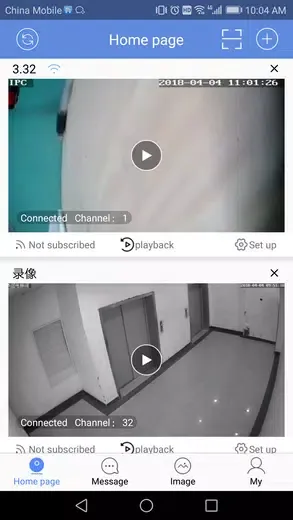
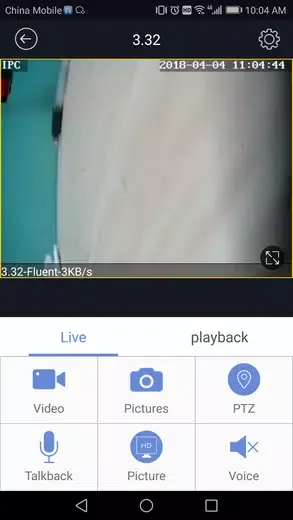
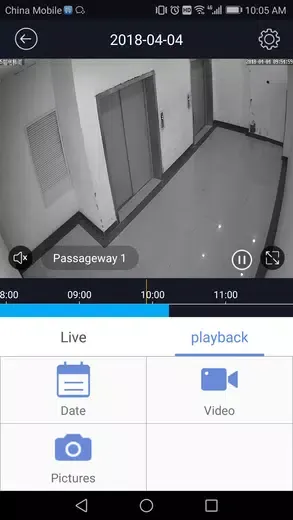

P6SLite is a compact productivity app designed to streamline everyday mobile tasks with minimal resource use. It brings core utilities—file management, quick sharing, and lightweight editing—into a fast, uncluttered interface that prioritizes speed and battery efficiency for older or budget Android devices.
P6SLite focuses on delivering essential tools without the bloat of larger suites. The app includes a straightforward file explorer, a fast photo and document viewer, one-tap sharing capabilities, and simple text editing. Each feature is optimized to load quickly and run smoothly on devices with limited RAM, making it ideal for users who value responsiveness over extra bells and whistles.
The user interface in P6SLite emphasizes clarity. Navigation uses a minimal menu structure with clearly labeled icons and a customizable home area for frequently used tools. Typical tasks such as moving files, renaming folders, or previewing media are completed in two or three taps, which reduces friction during routine workflows and helps keep daily operations efficient.
Performance is a central design goal. P6SLite runs with a small memory footprint and reduces background activity to conserve battery life. Compatibility extends across a broad range of Android versions and hardware profiles, including older models. Users can expect steady load times, reliable file operations, and a responsive interface even on entry-level smartphones.
Beyond basic file management, P6SLite offers utilities that enhance everyday productivity. A built-in search function locates files quickly, while batch operations let users copy, move, or delete multiple items with one action. The app also includes a quick compressor for shrinking images and documents when storage space is limited or when preparing attachments to send.
P6SLite allows modest personalization to match individual preferences. Choose a compact or relaxed list layout, toggle between light and dark themes, and configure the home shortcuts to reflect daily priorities. Lightweight customization ensures the app stays fast while still letting users tailor the experience for comfort or better accessibility.
Security features are designed to be straightforward but effective. P6SLite supports basic file encryption for sensitive documents and offers options to clear temporary caches. Permission requests are limited to necessary functions, and the app provides clear prompts when actions might affect privacy, such as granting storage access or sharing files externally.
P6SLite plays well with common Android services and apps. Sharing intents are fully supported so files can be sent to messaging apps, email, or cloud storage with minimal steps. The app also integrates with system-level file pickers and can be set as a default handler for specific file types to speed up routine tasks.
The development approach behind P6SLite prioritizes stability and incremental improvements. Updates typically focus on performance optimizations, bug fixes, and small feature additions that maintain the lightweight philosophy. Users receive changelogs that highlight improvements relevant to device performance and usability.
Installation and setup are simple. After installing P6SLite, grant the required storage permissions, set any preferred home shortcuts, and choose the display theme. Most users can begin organizing files and sharing content within minutes, thanks to the app's minimal onboarding and intuitive controls.
If you need a fast, no-nonsense utility app that conserves resources and keeps core functions accessible, P6SLite is a practical choice. It avoids unnecessary complexity while covering the essential tasks that matter day to day: managing files, previewing media, and sharing content quickly and securely.