Agent Assist
Version: 4.2.2
50.63MB
4.3
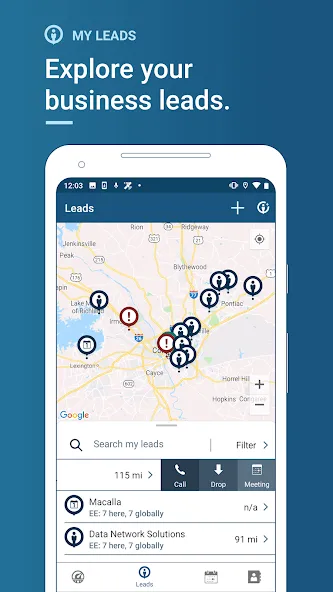
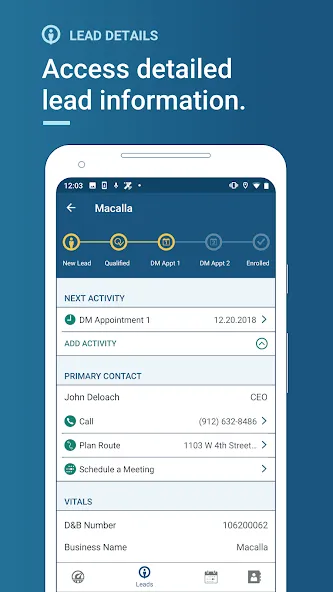
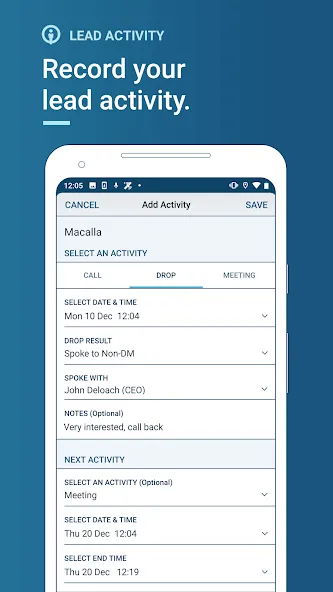
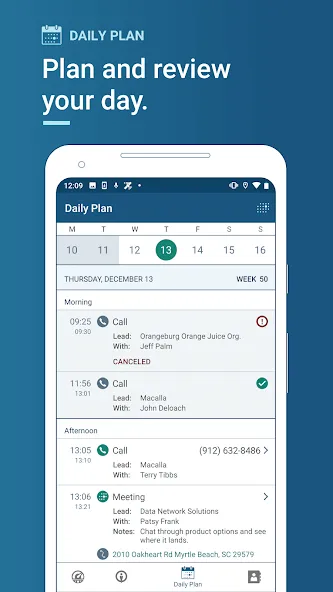
Agent Assist is a mobile productivity app designed to help field agents, sales teams, and service technicians manage tasks, capture notes, and streamline workflows on Android devices. It centralizes client details, schedules, and on-site forms while syncing with cloud services to reduce paperwork and improve response times.
Built for people who spend more time outside the office than at a desk, Agent Assist delivers a compact suite of tools to coordinate visits, record outcomes, and keep records updated. The interface prioritizes quick data entry and reliable offline access so work continues even without a network connection.
Agent Assist reduces friction in recurring field processes. A typical workflow starts with a route or task list pushed to the device. The agent checks in, completes a pre-built form, captures photos, and marks the job complete. All entries are time-stamped and tied to the customer record so managers can audit activity without chasing paper reports.
The app connects to cloud services and common back-office systems to reduce duplicate data entry. Sync frequency can be adjusted to balance battery life and immediacy. Data mappings are configurable, which helps when teams need to align mobile fields with CRM or ticketing platforms.
Design choices favor clarity over bells and whistles. Large buttons, readable fonts, and compact forms speed up on-site interactions. On mid-range Android devices the app is responsive, and developers have included options to limit background syncing for better battery life. Error messages are concise and actionable so users can resolve issues quickly.
Agent Assist requests only the permissions needed for its functions: camera, storage, location, and optionally contacts or calendar. Data is encrypted in transit and at rest when configured with the right backend. Administrators can enforce PINs or biometric unlocks to protect sensitive records on shared devices.
Initial setup benefits from a short pilot with a small group. That phase surfaces mapping tweaks and permission settings that need adjustment. Short video tutorials and one-page cheat sheets often reduce support requests during the first month of adoption.
Managers appreciate measurable improvements in record accuracy and reduced administrative overhead. Field staff value the speed of completing reports on a single device. The combination of offline functionality, customizable forms, and simple synchronization makes Agent Assist a pragmatic choice for teams that need reliability more than novelty.
Download and install from the Android store, sign in with a corporate account, and follow the setup wizard to configure templates and sync preferences. Trial periods are useful for testing integrations and estimating data usage. Support channels typically include email help and documentation for administrators.
For anyone responsible for field operations, Agent Assist is worth evaluating as a tool to simplify documentation, improve accountability, and speed up customer-facing tasks without adding complexity to everyday workflows.