
Saral
Version: 1.7.5
71.61MB
4.2

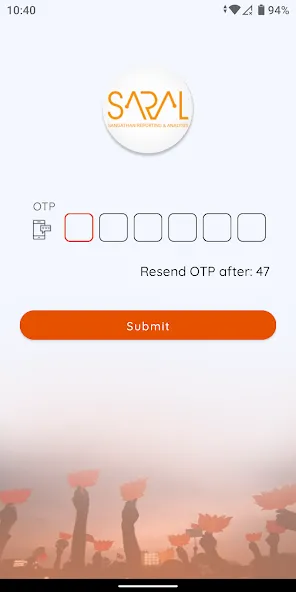



Saral is a lightweight productivity app that streamlines routine tasks and document handling for busy users. With quick templates, efficient file management and clear navigation, Saral helps minimize steps for common workflows so teams and individuals can move from idea to result faster.
Saral targets people who need a focused, no-friction toolkit for everyday office and personal workflows. It combines essential utilities—templates, file organization, reminders and export options—into a single interface. The goal is to reduce app-switching and repetitive tapping so work gets done with fewer distractions.
Saral opens to a clean dashboard where recent files and pinned templates appear. Creating a new document takes two or three taps: choose a template, add content, then select an action such as save, export or share. The workflow is intentional: every extra screen is avoided unless it adds value to the current task.
The app relies on tags and a minimal folder tree rather than deep nested structures. When you tag a file it becomes discoverable by topic or project. A global search supports keyword and tag filters, helping you find items quickly even when your archive grows.
Saral offers several ways to tailor the experience. Customize default templates to match your branding, set export formats per document type, and adjust notification behavior to prevent interruptions. Integrations with popular cloud providers let you back up work or send finished files to collaboration platforms.
The interface favors clarity over ornamentation: neutral colors, readable type, and clear action buttons. That makes the app feel responsive on modest hardware. Memory usage is kept low by design, and loading times are brief, even for libraries with hundreds of documents.
Users appreciate that Saral focuses on essentials rather than packing in rarely used features. The learning curve is short: basic tasks are intuitive and advanced functions are discoverable through contextual help prompts. Accessibility options, like larger text and high-contrast mode, make the app usable in varied environments.
Another helpful habit is to pin frequently used templates to the dashboard; the few seconds it saves per task add up over a week. Notifications should be set to priority only so deadlines are visible without constant interruptions.
Installing Saral is straightforward. After a quick permission check, the onboarding tutorial walks through creating your first document and setting up at least one backup destination. Completion takes a few minutes and prepares the app for immediate daily use.
Saral is a practical choice if you want a focused productivity tool that simplifies common tasks and minimizes cognitive overhead. It won’t replace comprehensive office suites for complex projects, but for rapid document creation, lightweight file management and day-to-day task handling, it provides a balanced mix of simplicity and utility.