
GPS Status
Version: 7.0
5.74MB
4.1
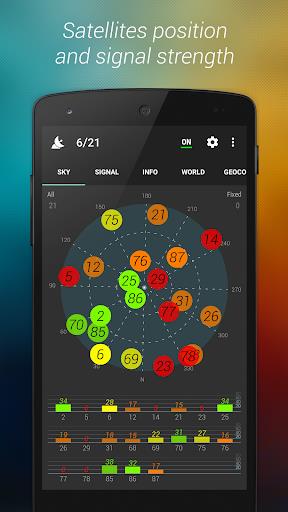
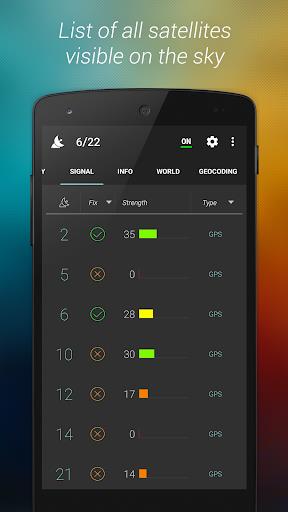
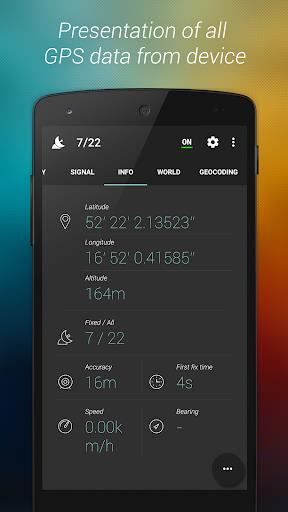
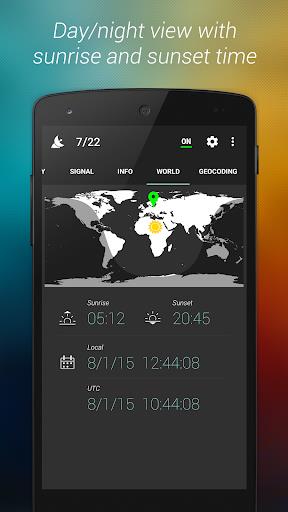
GPS Status helps Android users monitor and improve satellite reception, offering real-time satellite maps, signal strength meters, and calibration tools. The app aggregates sensor data to display location accuracy, speed, and bearing while providing quick fixes for common GPS issues across devices and environment conditions.
Designed for people who rely on location precision, GPS Status presents raw GNSS information in a clear, actionable way. It supports multiple satellite constellations, exposes sensor outputs (accelerometer, magnetometer, gyroscope), and supplies utilities like A-GPS reset and waypoint bookmarks to enhance navigation and mapping workflows.
GPS Status converts low-level GNSS signals into an easy-to-grasp dashboard. When you open the app, it immediately scans for satellites and populates the sky view. The signal strength graph updates continuously, allowing you to see how buildings, foliage, or device cases affect reception. The app also logs fixes so you can check historical accuracy during a trip.
The layout focuses on readability: prominent numbers for accuracy and speed, color-coded satellite icons, and a compact status bar. Performance is lightweight; the app samples sensors at configurable intervals, balancing responsiveness with battery life. On modern phones it runs smoothly, but some older devices may show slower refresh rates when many sensors are active.
Customization options let you tailor the display to your needs. Switch between map and sky views, toggle which satellite constellations are shown, and choose unit systems for speed and distance. The app includes export features to save waypoints or diagnostic logs for later analysis or sharing with mapping tools.
To maximize accuracy, keep the phone away from dense metal enclosures and hold it with an unobstructed view of the sky. Enable high-accuracy location mode in system settings and use the app’s A-GPS refresh if fixes are slow. For repeatable diagnostics, record a short log in different locations to compare signal performance.
Advanced users appreciate the transparency GPS Status provides: it exposes raw GNSS data that other apps hide, making it easier to evaluate receivers, antennas, and environmental impacts. The combination of visual feedback and practical utilities turns an everyday smartphone into an effective field instrument for positioning tasks.
Installation is straightforward from your app store. After granting location and sensor permissions, allow the app a minute to acquire satellites. Explore the settings to match sampling rates and visual preferences to your workflow. With just a few taps, GPS Status becomes a valuable assistant for navigation, testing, and location-aware projects.


32bit or 64bit
4.2782.68MB
Resource Monitor Mini Pro
4.03.19MB

Stick - Remote Control For TV MOD Premium Unlocked
4.155.27MB

Trending Searches MOD Premium Unlocked
4.34.53MB

PDownloader MOD Premium Unlocked
4.598.95MB

Swift Backup MOD Premium Unlocked
4.031.06MB

Edge VPN – Simple & Fast MOD Premium Unlocked
4.528.16MB

CetusPlay MOD Pro Unlocked
4.324.72MB