Resource Monitor Mini Pro
Version: 1.0.191
3.19MB
4
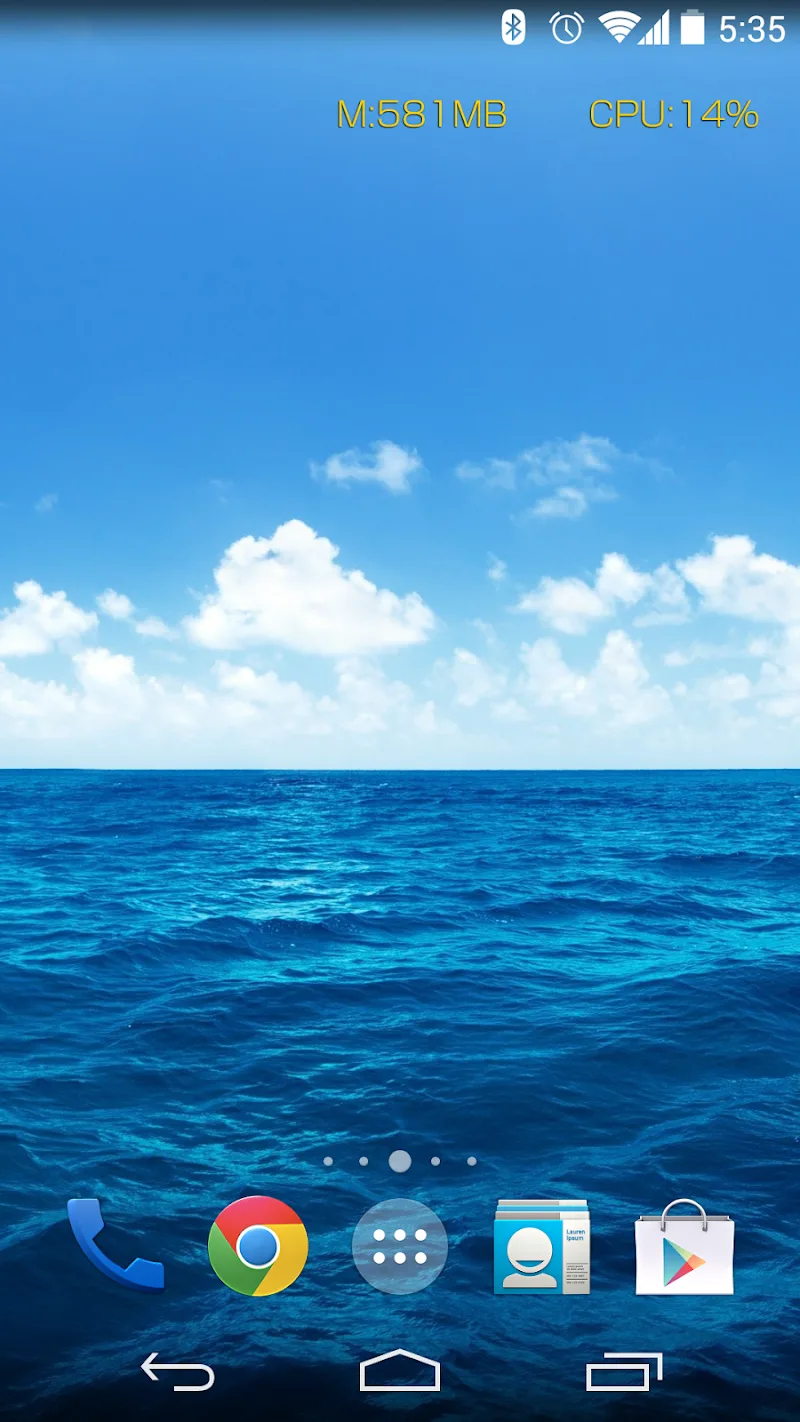
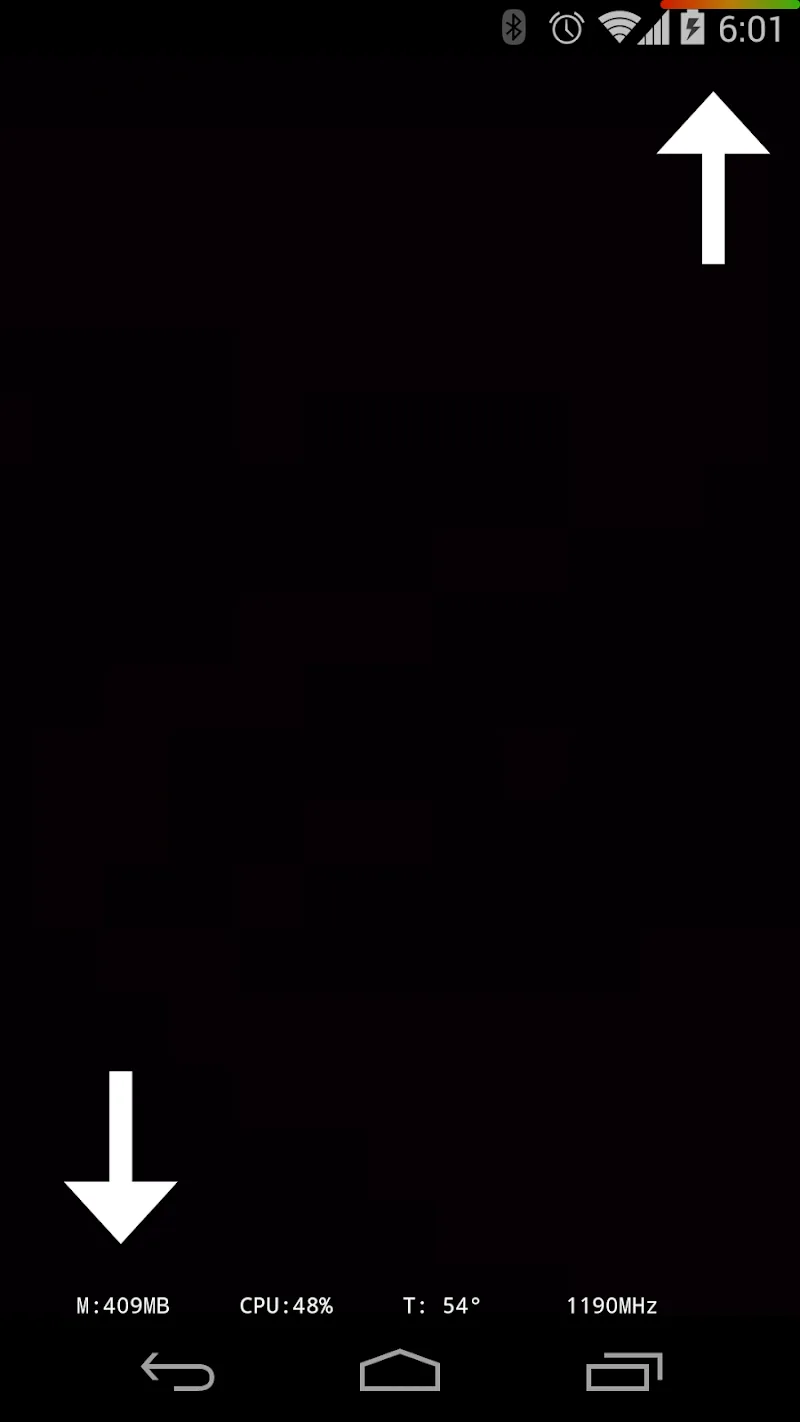
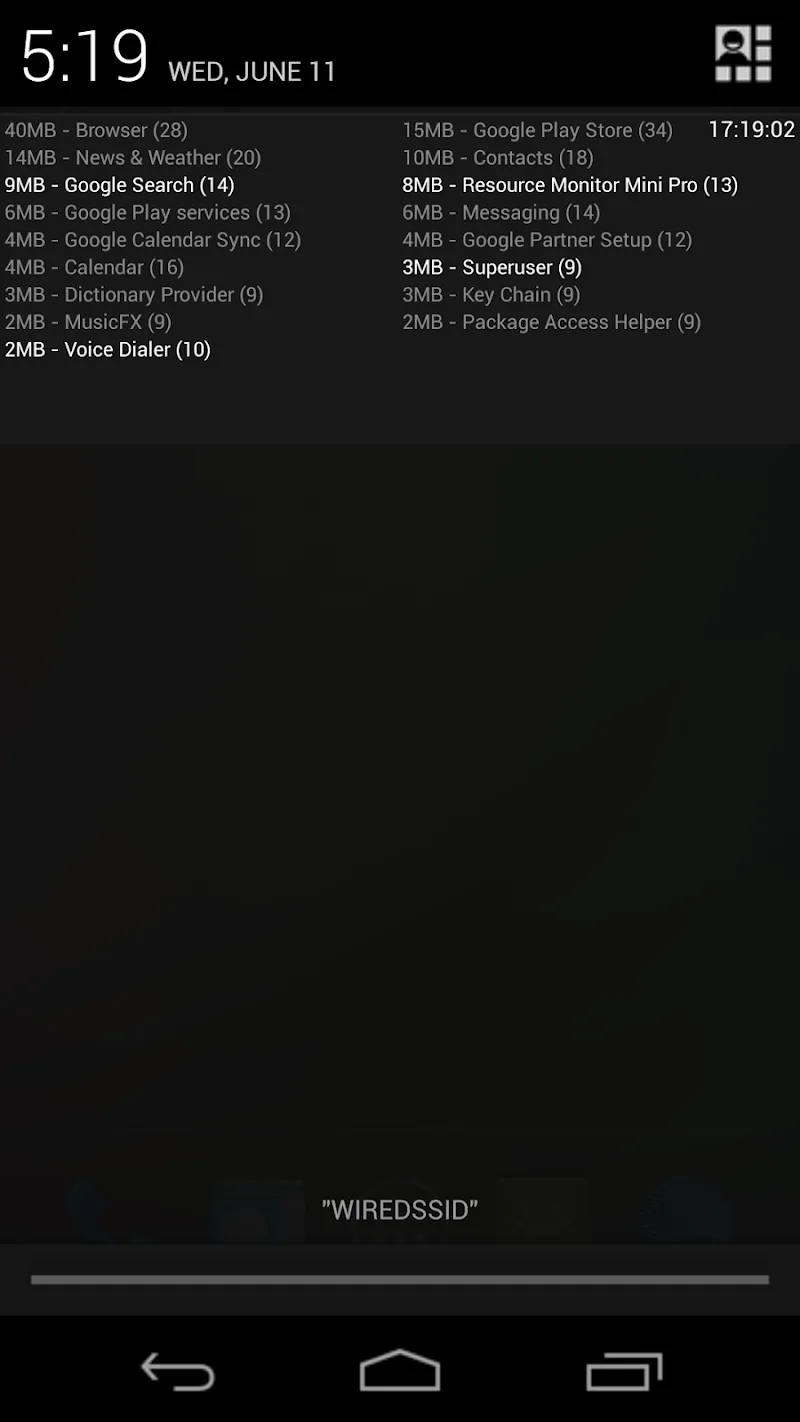
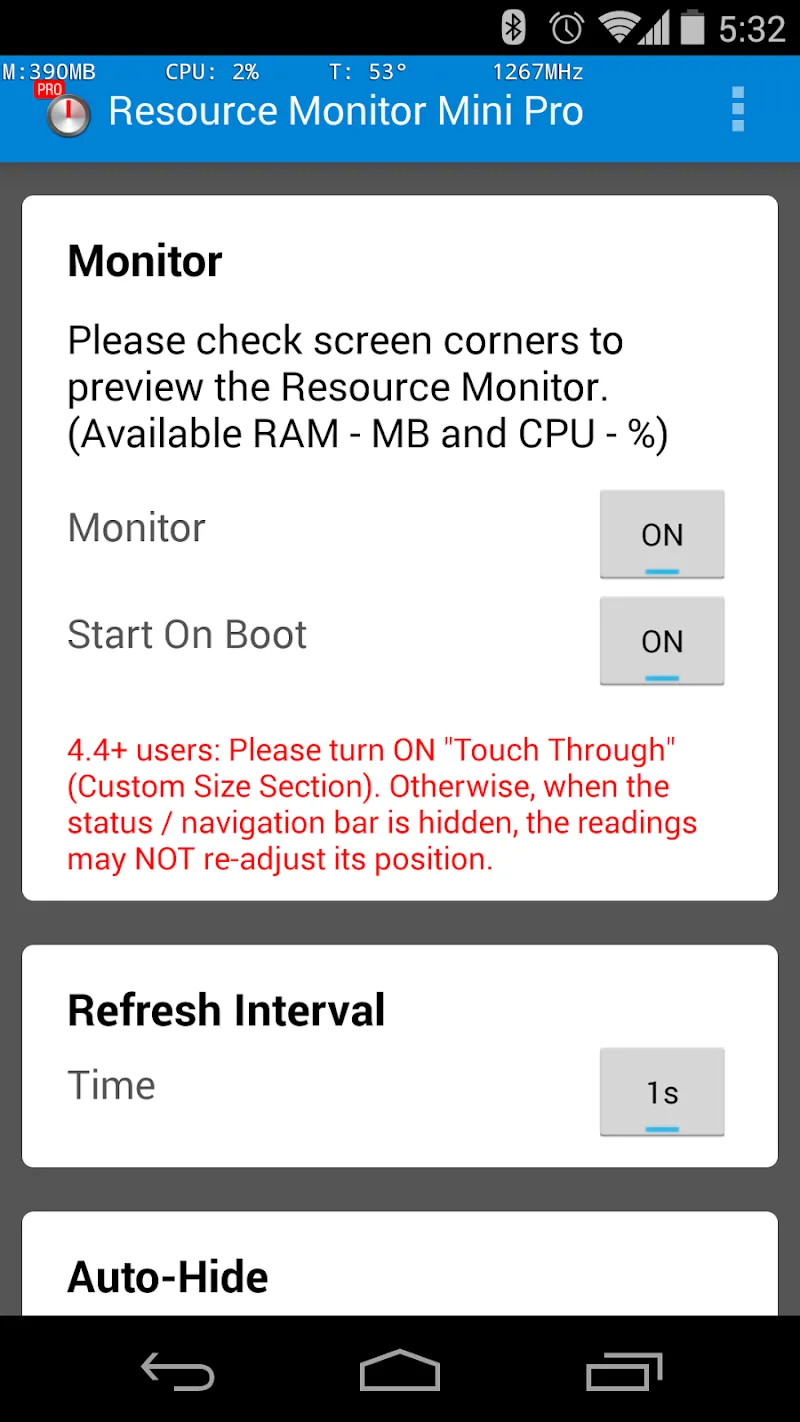
Resource Monitor Mini Pro is a compact, low-overhead utility that delivers clear, real-time insight into your Android device’s performance. Resource Monitor Mini Pro provides second-by-second readings of CPU load, memory usage and live system metrics in a minimalist overlay, so you can observe system behavior without leaving the app you are using. Designed for power users, app testers and anyone who wants immediate status information, this tool favors simplicity: straightforward controls, fast updates and a small memory footprint make continuous monitoring practical on everyday devices.
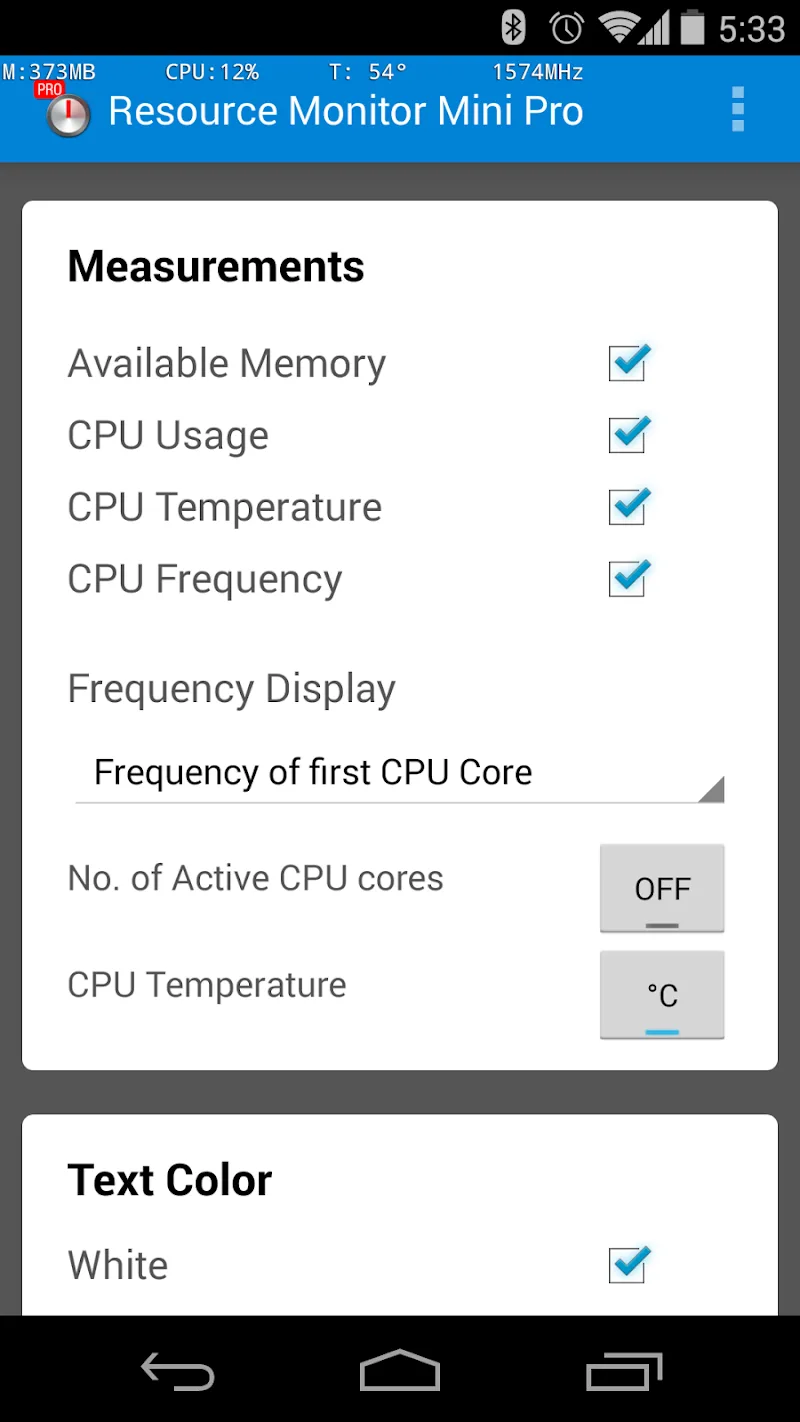
The app shows CPU utilization and per-core load indicators, live memory consumption and overall system metrics updated every second with optional minute summaries. The overlay can display a compact summary or a more extended status panel depending on how much detail you want to keep visible. You can choose which metrics appear, adjust text size and select color and transparency values to make the information readable without blocking important screen content. Frequent updates help you catch brief spikes, while the optional one-minute aggregation smooths short-term fluctuations into a more readable trend for routine checks.
Resource Monitor Mini Pro keeps interaction simple so you spend less time configuring and more time diagnosing. Tap the overlay to expand or collapse the detailed view, drag it to reposition on any edge or corner of the screen, and long-press to open settings. In settings you can change the update interval, enable or disable specific metrics, and switch between compact and expanded display modes. The minimal control set is intentionally lightweight: a small number of taps gives you access to the most useful options without diving into complex menus.
The visual approach is deliberately minimal to avoid distracting you from active tasks. Choose from several display templates that vary in size and information density; for example, a lean single-line compact view for full-screen apps and a wider multi-line view for hands-on testing sessions. Color and transparency controls let you match the overlay to your wallpaper or app themes, and adjustable font sizes improve readability for different devices and viewing distances. These options make Resource Monitor Mini Pro flexible for both everyday users and professionals running extended diagnostic sessions.
Users typically start with basic monitoring—watching CPU and RAM to confirm stable behavior—and progress toward more advanced use as they learn to interpret patterns. Over time, you can refine the overlay to surface the most relevant metrics for your workflow, such as showing only CPU cores during gaming tests or emphasizing memory when checking background services. This practical progression—from casual observation to targeted diagnostics—helps you build familiarity without overwhelming you with raw data immediately.
The app is designed for smooth, always-available monitoring and works fully offline; no online account or cloud service is required to use the core features. Accessibility considerations include adjustable font sizes and high-contrast color options to support visibility needs. Because the overlay is lightweight and configurable, it can remain active while you use other apps, testers can reproduce scenarios in real time, and developers can watch how an app affects system resources during different stages of execution.
Resource Monitor Mini Pro delivers ongoing utility rather than a one-time experience: it’s useful for regular troubleshooting, observing the effects of app updates, or confirming that a device behaves consistently under load. The simplicity of the interface encourages repeated use, and the fast refresh rate helps identify transient problems that other tools might miss. Because the app focuses on clarity and minimal overhead, it becomes a practical part of many maintenance routines instead of an intrusive diagnostic tool.
While Resource Monitor Mini Pro is valuable for on-device observation and quick diagnostics, it is not a replacement for specialized lab-grade hardware or in-depth profiling tools when you need advanced trace-level analysis. Some metrics can be technical and may require familiarity to interpret correctly; users who need deeper insight will typically combine this overlay with native developer tools or platform profilers. Finally, persistent on-screen elements will occupy some screen space, so placement and transparency settings should be chosen to balance visibility and unobtrusiveness.
Overall, Resource Monitor Mini Pro aims to provide concise, real-time feedback in a configurable overlay that supports both casual monitoring and structured testing workflows. With simple controls, flexible display options and offline operation, it is a practical companion for anyone who wants to understand device behavior without launching heavy diagnostic suites.



Stick - Remote Control For TV MOD Premium Unlocked
4.155.27MB

Trending Searches MOD Premium Unlocked
4.34.53MB

PDownloader MOD Premium Unlocked
4.598.95MB

Swift Backup MOD Premium Unlocked
4.031.06MB

Edge VPN – Simple & Fast MOD Premium Unlocked
4.528.16MB

CetusPlay MOD Pro Unlocked
4.324.72MB
Smart Tools Mini
4.38.86MB

Iriun 4K Webcam MOD Premium Unlocked
4.16.70MB