32bit or 64bit
Version: 8
782.68MB
4.2
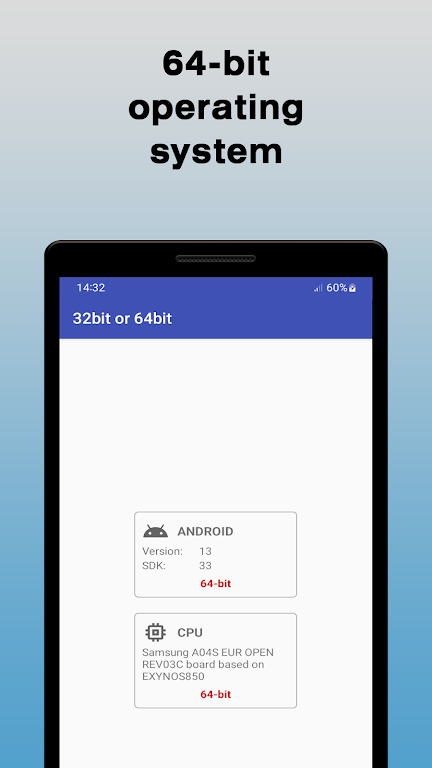
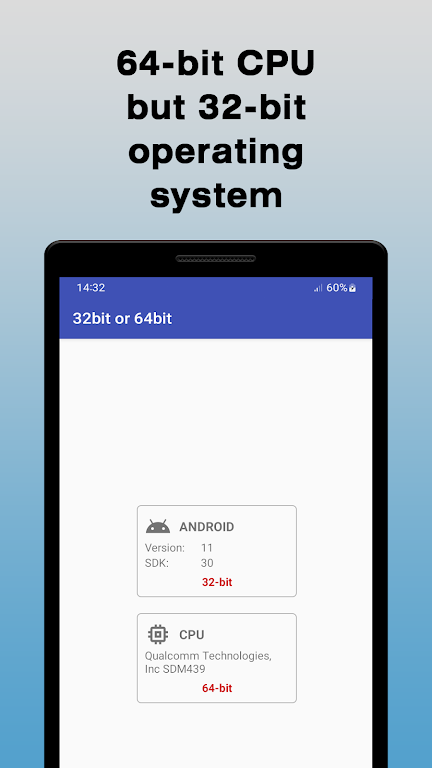
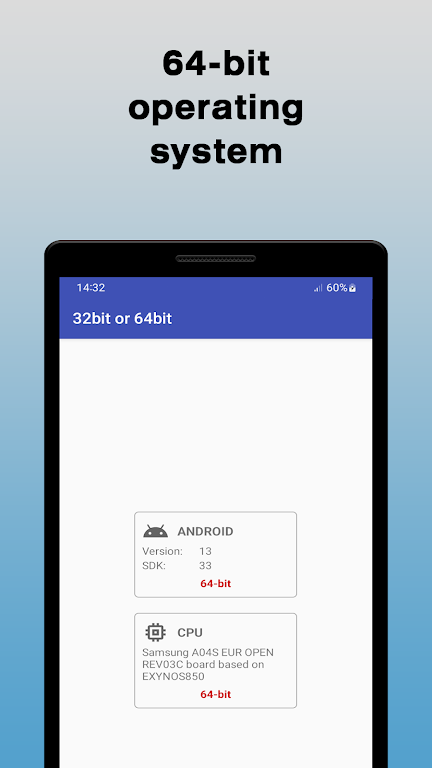
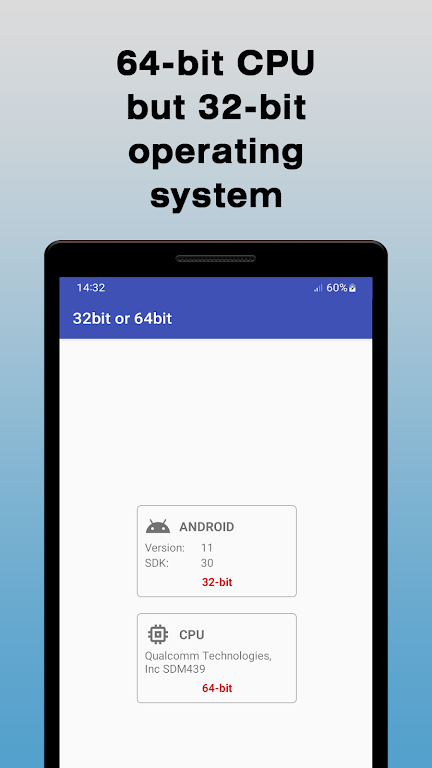
32bit or 64bit is a compact diagnostic tool that identifies whether an Android device supports 32-bit or 64-bit libraries, helping users, developers, and modders choose compatible APKs and native libraries. The app gives a quick system overview, clear compatibility results, and actionable guidance for installing the correct package version.
At its core, 32bit or 64bit inspects the operating system and CPU architecture to determine the device's ABI (Application Binary Interface). It reports supported ABIs, kernel information, and whether the device runs a 32-bit or 64-bit userland. Results are presented in plain language so you can decide which APK split or native library (.so) will run reliably on your device.
The app focuses on clarity and speed. Features include a one-tap scan that lists primary and secondary ABIs, a summary of processor instruction sets, and a compatibility recommendation. It also exposes details such as Android API level, CPU cores, and the presence of 64-bit runtime support. For developers, the output can be copied for bug reports or build scripts.
The interface is intentionally minimal to keep the workflow efficient. Upon launch, a single screen shows the most relevant compatibility flags and a short explanation of each. If deeper information is needed, expandable sections reveal system properties and kernel details. Labels are unambiguous so you can immediately know whether to install an arm64, armeabi-v7a, x86, or x86_64 build.
Performance is lightweight; the app performs checks without heavy resource use and completes inspections in seconds. It is designed to run on a wide range of Android versions and hardware, and it gracefully handles uncommon or mixed-ABI setups by listing every supported interface. The results help prevent crashes caused by mismatched native binaries and improve installation success rates.
Results are categorized clearly: primary ABI indicates the preferred library type, while secondary ABI shows fallbacks. When the device supports 64-bit, the app highlights the benefits such as potential performance gains and larger addressable memory. When only 32-bit support is present, the app explains the limitations and suggests appropriate APK choices.
The tool operates offline and only reads system properties; it does not upload device data or request unnecessary permissions. This makes 32bit or 64bit suitable for privacy-conscious users who want a quick compatibility check without exposing system information to external services.
Developers can use the app to validate devices used in testing farms, ensuring that CI pipelines produce the correct artifact for each ABI. The copy-to-clipboard option simplifies documentation and bug tickets. Small teams benefit from the streamlined verification step when packaging universal APKs or when troubleshooting native crashes tied to architecture mismatches.
Open the app, tap the scan button, and read the short output. The summary shows whether your device is 32-bit or 64-bit, followed by recommended library types. For further details, expand the system report. Most users will get all necessary guidance from the initial summary, while technical users can drill down into kernel and ABI specifics.
Keeping 32bit or 64bit installed is useful for anyone who sideloads apps, tests builds, or manages custom ROMs. It eliminates guesswork when selecting APK variants and reduces the chance of installing incompatible native code. Quick, clear, and reliable, the app fits cleanly into both casual and developer toolkits.


GPS Status
4.15.74MB

Resource Monitor Mini Pro
4.03.19MB

Stick - Remote Control For TV MOD Premium Unlocked
4.155.27MB

Trending Searches MOD Premium Unlocked
4.34.53MB

PDownloader MOD Premium Unlocked
4.598.95MB

Swift Backup MOD Premium Unlocked
4.031.06MB

Edge VPN – Simple & Fast MOD Premium Unlocked
4.528.16MB

CetusPlay MOD Pro Unlocked
4.324.72MB