tinyCam PRO
Version: 17.3.4 - Google Play
93.20MB
4.4
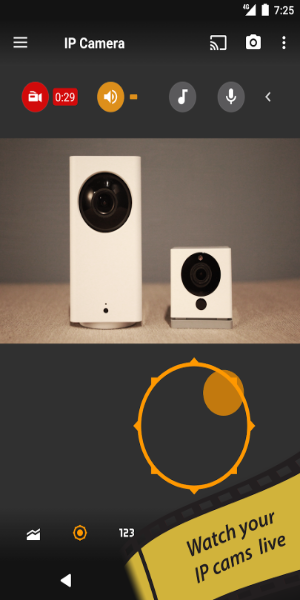
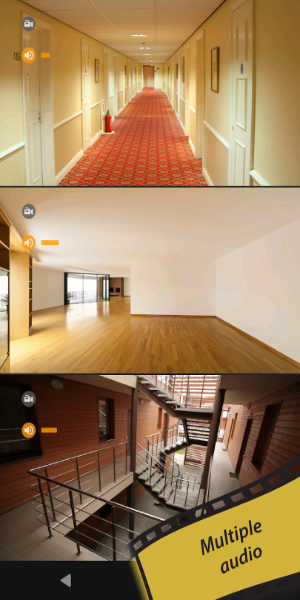
tinyCam PRO is a powerful Android app for viewing and managing IP cameras, DVRs and cloud streams from a single interface. It delivers live monitoring, multi-camera layouts, recording options, and motion alerts while supporting a wide range of camera brands and network protocols for home and business surveillance.
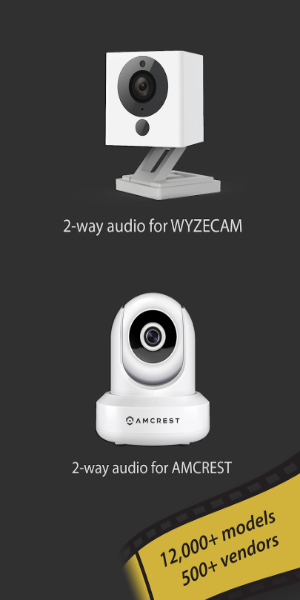
tinyCam PRO bundles essential surveillance tools in a compact package. The app offers simultaneous viewing of multiple feeds, digital and PTZ control, two-way audio on supported devices, and adjustable motion detection. Users can schedule recordings, export video clips locally, and integrate with third-party services for a complete monitoring workflow.
Compatibility is a central strength of this app. tinyCam PRO supports RTSP, ONVIF, MJPEG, and proprietary camera streams from popular brands. Whether you run consumer-grade IP cams, NVR systems, or a mixed set of devices, the app can discover and connect to most setups. Advanced connection options let you define ports, paths, and authentication for secure access to remote systems.
The interface is designed for both quick glances and detailed inspections. Users can switch between single-camera view and tiled multi-camera grids, customize the number of columns and rows, and create favorites for fast access. A dark theme preserves battery and enhances contrast during night monitoring. The app also supports pinch-to-zoom and swipe gestures for intuitive navigation.
Recording in tinyCam PRO can be continuous, scheduled, or triggered by motion. Files are stored locally on device storage or external SD cards, with options to limit file size and retention time. The built-in player allows frame-by-frame review and easy export of clips. For setups that require redundancy, the app can record to network shares using SMB or FTP, extending storage capacity beyond the mobile device.
Real-time notifications keep you informed when activity is detected. Motion events can trigger push alerts, email notifications, or sound alarms. tinyCam PRO works with automation tools and third-party services via webhooks and API endpoints, enabling advanced workflows like turning lights on or creating cloud backups when an event occurs.
Designed to run on a variety of Android devices, tinyCam PRO balances performance with battery and network usage. The app provides configurable frame rates and resolution settings so users can reduce bandwidth when on mobile data. Background monitoring and persistent notifications ensure reliability while offering options to pause or stop feeds automatically to save resources.
Security features include secure authentication, support for HTTPS and encrypted streams when supported by cameras, and local-only operation if you prefer not to route data through external servers. User permissions on Android control access to storage and microphone, and the app keeps logs for troubleshooting connection issues without exposing footage to third parties by default.
Getting started is straightforward: install the app, add a camera by choosing brand or protocol, enter credentials, and tweak the stream parameters. For newcomers, automatic discovery simplifies the first connections, while advanced users can manually configure paths, port forwarding, and ONVIF settings. Templates and saved profiles make it easy to manage multiple cameras across locations.
tinyCam PRO suits users who want a flexible, feature-rich mobile surveillance client. It combines broad device compatibility with professional features like multi-channel recording, motion-triggered alerts, and robust playback tools. Regular updates address new camera models and protocol changes, keeping the app relevant for evolving home and small business security needs.