Diarium
Version: 3.0.88
18.20MB
4.1

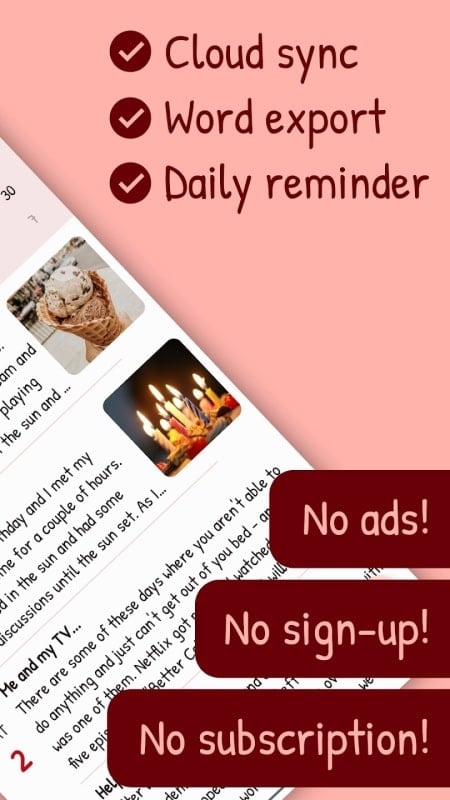
Diarium is a personal journaling app designed to capture daily life, moods, and memories with minimal friction. It combines a clean interface with robust export and synchronization options, making it easy to keep a private log or a detailed diary that integrates photos, tags, and calendar events for organized reflection.
At its core, Diarium is built to help users record moments quickly and revisit them later. Entries can include text, voice notes, images, and location data. The app also reads calendar events and activity from connected accounts to suggest context for entries, reducing the effort needed to maintain regular journaling habits.
The workflow in Diarium emphasizes speed and clarity. Opening the app lands you on today’s entry where you can type, add media, or tag emotions. The timeline view organizes entries by day and month, while search and tagging let you find past notes fast. For busy users, templates and prompts can speed up entry creation.
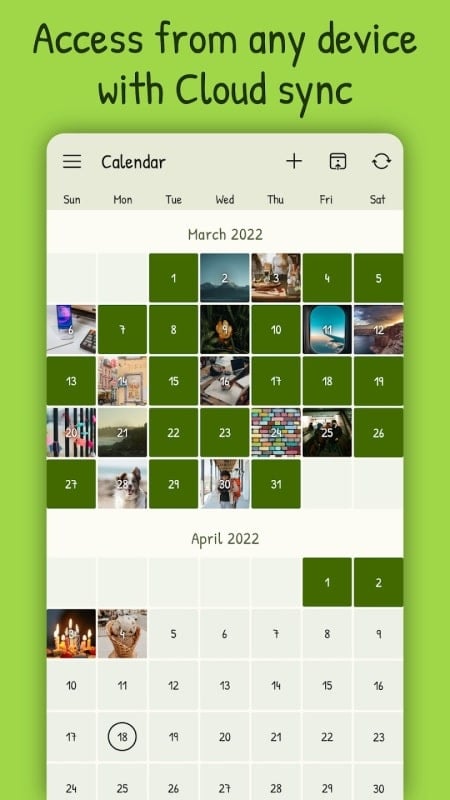
Entries begin as simple text but can be enhanced with inline media and metadata. Each log supports custom tags and mood indicators. You can pin important posts, link related entries, and view a calendar heatmap to spot streaks or gaps in your journaling routine.
Diarium gives control over appearance and storage. Users can switch between light and dark themes and choose font sizes for readability. Synchronization is optional and supports a range of cloud services depending on platform permissions. Local backups are straightforward, and the export features let you create readable, shareable copies in multiple formats.
Security is prioritized: local-only storage is possible for those who prefer not to sync, and password or biometric locks can protect the app. Exported files are user-managed, so you decide when and where an archive is stored.
The interface balances minimalism with functionality. Buttons and menus are kept unobtrusive to encourage writing rather than navigating. Performance is smooth when loading entries, and media attachments are handled without long delays on most modern devices. Search is responsive even with a large number of entries.
The design uses a readable type scale and deliberately simple icons. Calendar and timeline views are optimized for quick scanning, and entry previews show the most relevant information at a glance, such as mood and attachments.
Several utilities make Diarium useful beyond casual journaling. Automated reminders can nudge you to write, while tagging and filtering let you build a searchable archive. The app supports exporting to PDF, plain text, and other formats so your data stays portable and future-proof.
Start small: set a daily reminder and use short entries until journaling feels natural. Use tags to categorize thoughts from the start; this saves time when searching later. Make use of calendar import so you don’t have to retype events, and try exporting a monthly archive as a backup routine.
To begin with Diarium, install the app and create your first entry. Configure sync if you want cloud backups and enable biometric unlocking for quick access. Explore the settings to match typography and theme to your reading preferences, and import calendar events to enrich your first entries.
Diarium is built for people who want a reliable, private place to track their life. Whether you write daily reflections or save occasional notes, the app combines sensible defaults with enough depth to grow alongside your needs.