Afterglow Icons Pro
Version: 9.9.99
60.00MB
4.2

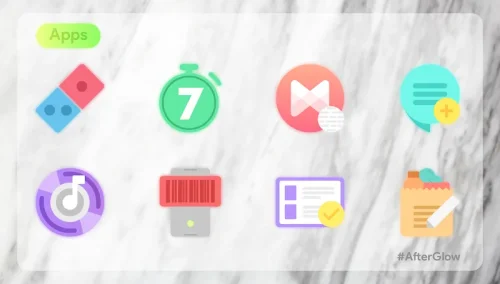
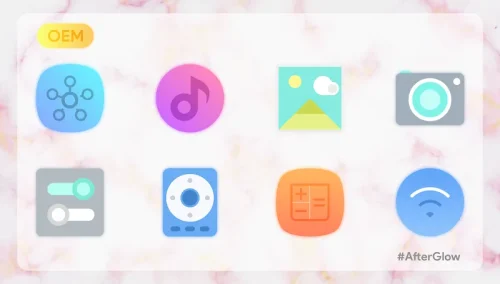
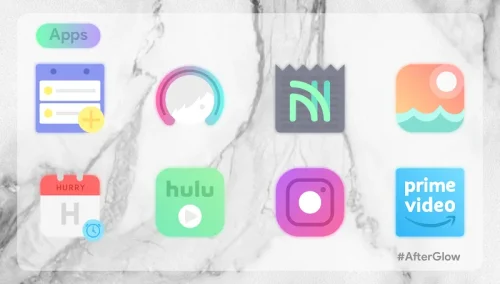

Afterglow Icons Pro transforms your Android home screen with a curated collection of vibrant, handcrafted icons and matching wallpapers. Designed for users who want cohesive aesthetics without heavy setup, it offers one-tap apply options and long-term support, making theme customization fast, reliable, and visually striking.
Afterglow Icons Pro centers on high-resolution icon artwork and a streamlined application process. The package includes thousands of icons, multiple wallpaper choices, and regular updates that add new designs. It supports adaptive icon masking for modern launchers and supplies alternative glyphs for frequently used apps to keep your layout consistent.
The workflow in Afterglow Icons Pro balances automation with hands-on control. Use the automated apply function to quickly theme your entire launcher, or open the built-in icon request tool to replace individual icons. The app remembers your choices and can reapply them after a system reset or when installing a new launcher, minimizing repetitive setup tasks.
Compatibility is a key strength. Afterglow Icons Pro works with popular launchers such as Nova, Lawnchair, Action, Microsoft Launcher, and others that support third-party icon packs. For launchers without direct integration, the app offers simple manual instructions to apply icons or create custom shortcuts, ensuring broad device support across Android versions.
Designers focused on a balanced aesthetic: vibrant accents, subtle shadows, and simplified silhouettes that read well at small sizes. Icons are optimized for various screen densities and include alternative color variations to harmonize with light and dark wallpapers. The result is a uniform appearance across both system apps and third-party tools.
Afterglow Icons Pro is built to be lightweight. Icon assets are compressed and delivered in vector-friendly formats to reduce APK size while preserving sharpness. Applying the icon pack has minimal impact on RAM and battery life, since most of the work is performed by the launcher rather than the icon pack itself. Updates are incremental, so you won't need to download the entire set each time.
To get started, open the app and tap Apply; choose your launcher, and the pack will theme supported icons automatically. For manual customization, the icon browser shows suggested matches and lets you assign icons to specific apps or widgets. Use folders and adaptive shapes to maintain a tidy layout and create themed pages for work, social, and media apps.
Updates arrive frequently with new icons and fixes. The developer provides a straightforward request process for icons that aren’t yet included, and themes are often expanded based on user feedback. For best results, pair the pack with a launcher that supports adaptive icons and enable icon masking to ensure every icon matches the pack's style.
Afterglow Icons Pro is a practical choice for users who value a refined home screen without constant manual tweaking. Its combination of consistent design, easy integration, and lightweight performance makes it a reliable tool for creating a cohesive Android interface that looks polished and performs smoothly.