WatchMaker
Version: 7.6.4
69.20MB
4.4
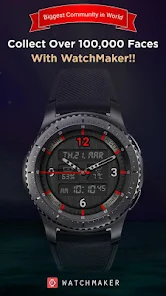
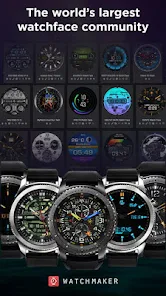
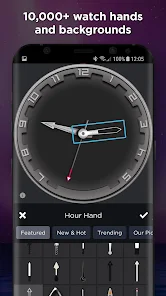
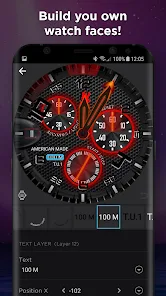
WatchMaker is a versatile watch face design and management app that lets users create, customize, and share digital watch faces for Wear OS and Android devices. It combines a powerful editor, a large gallery of templates, and synchronization tools to make personalized timepieces quick to build and easy to deploy.
At its core, WatchMaker offers a rich toolkit for both hobbyists and professionals who want to craft unique watch faces. The app supports layered artwork, animated elements, and advanced scripting options so you can move beyond static designs. Import images, apply vector shapes, or use built-in components like hands, complications, and indicators to assemble a face that suits your style.
The interface organizes creation into manageable panels: a workspace for arranging elements, a properties panel for fine-tuning appearance, and a timeline for animations. Drag-and-drop placement, snap guides, and alignment options speed up composition. Adjustable parameters include opacity, rotation, scale, color filters, and blend modes. Those comfortable with logic can use expressions and formulas to link elements to time, battery level, or sensor data.
WatchMaker provides multiple ways to personalize a face. Choose from premade templates to get started fast, or build from scratch with layered SVG and PNG support. You can add complications for date, weather, step count, heart rate, and notifications. Animated transitions and dynamic color themes respond to conditions like daytime or low battery, giving your watch a lively, contextual appearance.
The app includes an expansive gallery where creators publish designs for others to download or modify. Browse by category, popularity, or tags to find minimalist digital faces, analog recreations, or futuristic hybrid layouts. Sharing tools let you upload creations and manage permissions, fostering a collaborative space for inspiration and remixing.
Watch faces built in WatchMaker can be synchronized directly to Wear OS watches and many Android watch launchers. The app handles pairing, file transfer, and updates, ensuring your latest designs appear instantly on your wrist. Compatibility settings let you optimize resources for devices with different resolutions, processor capabilities, and battery constraints.
Performance tuning is integral to the experience. WatchMaker provides options to reduce frame rates, limit animation complexity, or disable background updates to conserve battery. Preview and simulation tools let you test how a face behaves under varying CPU loads and sensor conditions before installing it on a device.
While the app is feature-rich, attention to interface design keeps it approachable. Tooltips, contextual help, and a layered undo history help newcomers learn the system without feeling overwhelmed. More advanced creators benefit from keyboard shortcuts and export options for high-resolution assets.
Beyond aesthetics, WatchMaker enables practical customization for everyday wear. Create faces that prioritize readable time, add quick-glance health metrics, or craft specialized layouts for sports and outdoor activities. Conditional elements let the watch display only relevant information at specific times, reducing screen clutter when you need simplicity.
WatchMaker blends creative freedom with functional controls to produce watch faces tailored to personal taste and technical constraints. Whether you want a simple analog look or an information-rich smart face, the app supplies the building blocks and sharing mechanisms to bring your ideas to the wrist with clarity and polish.