3D Modeling App
Version: 1.17.7
22.90MB
4.1
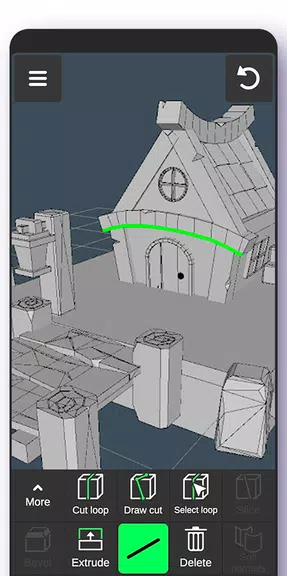
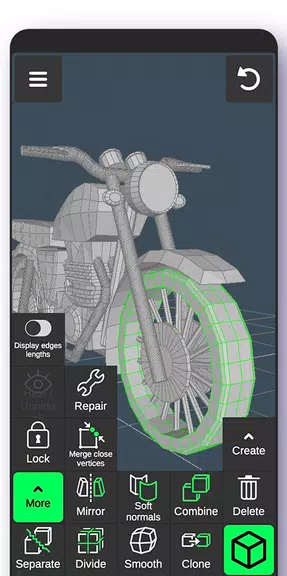
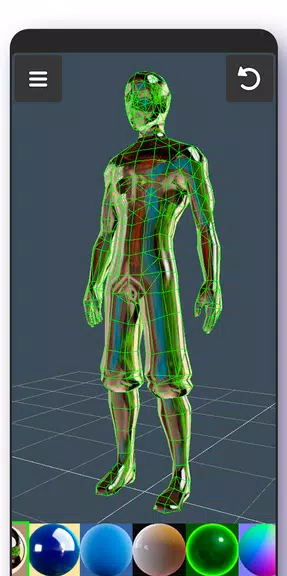
3D Modeling App brings a compact but powerful set of tools for designing 3D objects directly on Android devices. It combines intuitive touch controls with parametric and mesh-editing capabilities, enabling hobbyists and professionals to sketch, sculpt, and export models on the go.
The 3D Modeling App provides a flexible toolkit that adapts to different production needs. Whether you need to prototype a product concept, prepare a model for 3D printing, or build assets for visualization, the app focuses on practical modeling workflows while maintaining accuracy and performance on mobile hardware.
Key features center around modeling, editing, and export. The app includes:
The interface is organized for clarity on smaller screens. Tool palettes collapse and expand, context-sensitive menus reduce clutter, and gesture shortcuts make routine actions fast. Visual feedback includes wireframe overlays, shaded previews, and a split view for reference images to streamline creation without overwhelming the workspace.
Projects follow a straightforward, layered approach. You can build scenes with multiple objects, group elements into assemblies, and toggle visibility for focused editing. The app supports non-destructive adjustments where possible, letting you return to previous states without losing work. Autosave and version history help protect progress during longer modeling sessions.
Export options are wide-ranging to integrate with desktop applications and production pipelines. Common formats supported include STL for 3D printing, OBJ and FBX for game engines and renderers, and GLTF for web and AR applications. File import is equally robust, allowing you to bring reference meshes into the workspace and remix existing assets.
The 3D Modeling App is tuned to run smoothly on modern Android devices. It balances polygon density with responsive interaction, using level-of-detail and lazy tessellation to keep viewport performance stable. Precision tools rely on numerical input and snapping to maintain consistent measurements across devices and exports.
To maximize productivity, start models with low-polygon base shapes before refining with subdivides or sculpting. Use layers or groups to separate structural components from decorative details. If planning for 3D printing, check manifold integrity and wall thickness early to avoid rework later. Regularly export incremental versions for backup or to test in external software.
Designers, makers, educators, and content creators will find the 3D Modeling App suitable for rapid iteration and fieldwork. It’s useful for concepting when away from a desktop, inspecting or editing scanned meshes, and preparing proof-of-concept models that can be exported for manufacturing or visualization.
Begin with a new canvas, place a primitive, and explore the transform and edit tools. The app includes guided tutorials and sample files to shorten the learning curve. For advanced users, the app supports snapping presets, custom hotkeys for paired controllers, and import templates to align with established pipelines.
Regular updates add features and performance improvements based on user feedback. The 3D Modeling App balances accessibility and depth—providing essential tools for on-device modeling while offering the export flexibility needed to continue projects on larger platforms. Try a few small projects to learn gesture shortcuts before tackling larger assemblies for best results.