
VivaVideo
Version: 9.19.8
161.30MB
4
VivaVideo is a mobile video editor designed for quick, polished clips and social sharing. It packs timeline editing, creative filters, and easy export options into an intuitive interface suitable for casual creators and social media managers who need fast, attractive videos without steep learning curves.
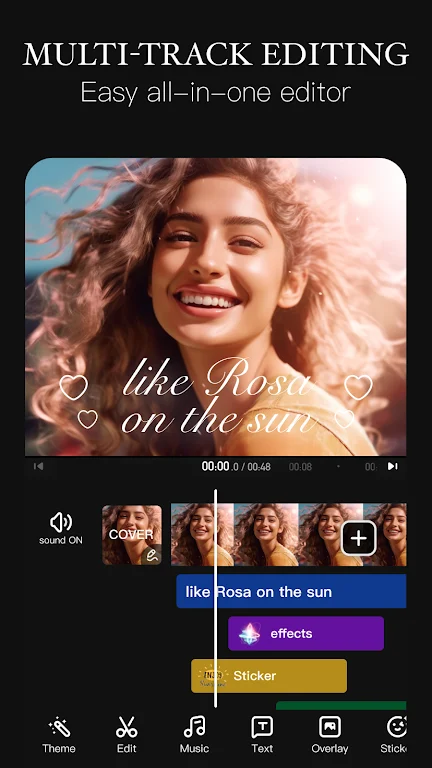
VivaVideo targets users who want a balance between power and simplicity. The app combines clip trimming, multi-track timelines, animated text, and a library of effects so you can produce short-form videos on a phone or tablet. It focuses on speed of production while giving enough control to create distinctive looks.
Open the app, import footage from your camera roll, and start building a sequence. The workflow emphasizes visual tools: thumbnails on the timeline, quick-access trimming handles, and preview playback. For a typical social clip you can cut down raw footage, add a filter and captions, apply a couple of transitions, and export in under ten minutes.
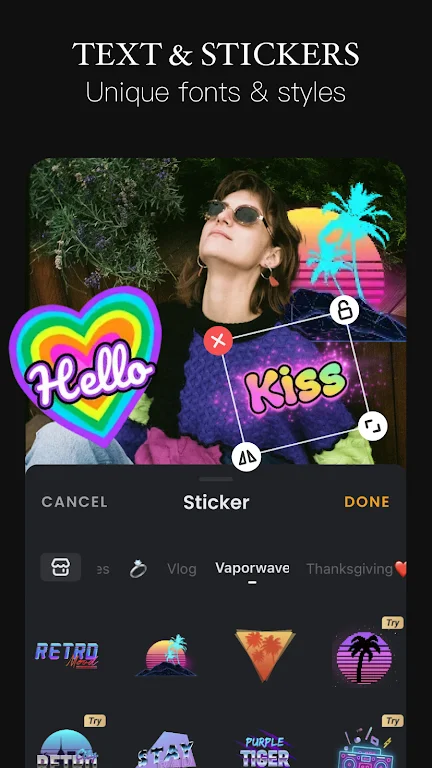
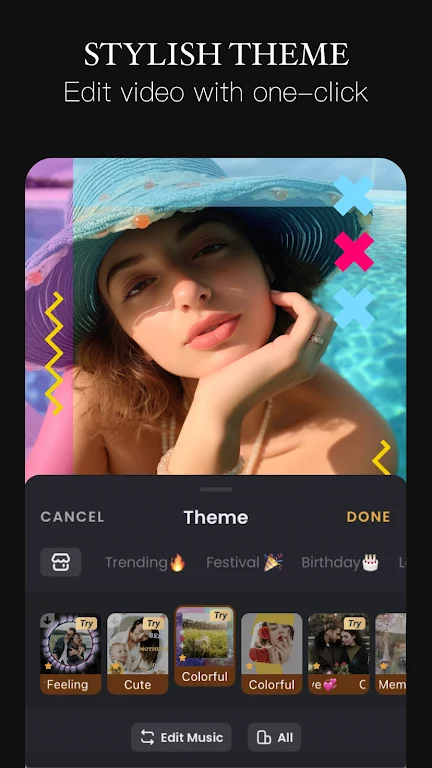
Design choices are abundant without being overwhelming. Choose from preset color grading, tweak brightness and contrast, or layer multiple effects. Text presets include timing and motion patterns, and stickers are grouped by theme—perfect for seasonal content or branded looks. Advanced users will appreciate keyframe control for smooth motion and opacity changes.
The interface is arranged in clear sections: media browser, timeline, and preview. Menus are icon-driven and responsive on modern devices. Performance varies by device and project complexity; longer projects with several layers require more memory and can slow down on older phones. Most edits remain fluid on mid-range and flagship devices.
VivaVideo also supports cloud backup for project files, which helps when moving between devices or collaborating briefly with teammates. The project autosave reduces the risk of losing work during longer sessions.
The app is particularly useful for content creators, marketers, and casual videographers who need fast turnaround without learning complex software. Social media managers will like how aspect ratios and export presets simplify posting, while hobbyists will appreciate the variety of effects and music tracks that help videos feel professional.
Download and install from the app store, grant access to your media library, and run through the short onboarding tutorial to learn the basic gestures. The initial setup is straightforward and guides you to create your first project. Keep an eye on in-app storage and export settings to avoid long waits during rendering.
VivaVideo balances accessible tools with options for deeper customization. Whether you are producing daily social clips or refining a weekend project, the app offers a practical mix of features that speed up production while keeping creative flexibility intact.