iScanner
Version: 5.47.1
209.60MB
4.3
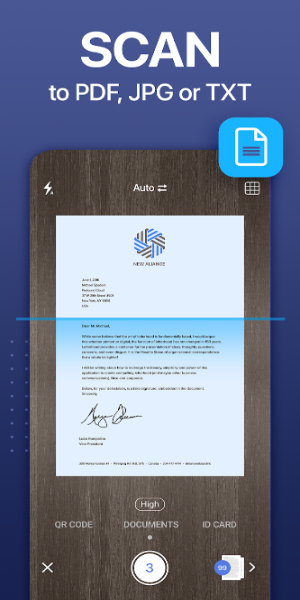
iScanner is a mobile document scanning app that turns your phone into a portable scanner, converting receipts, notes and multi-page documents into sharp PDFs or images. It streamlines capture, cropping and sharing with automatic detection and basic OCR, making everyday paperwork easier to manage and archive.
This review looks at a practical scanning tool designed for busy professionals, students and anyone who needs neat digital copies of paper documents. The app focuses on quick capture, straightforward editing and flexible export options. Relevant for both casual use and light office workflows, it aims to reduce friction between paper and cloud storage.
Feature-wise, the application covers the essentials and adds a few conveniences that speed daily tasks. Highlights include:
Using the app is straightforward: frame the page, let the camera detect edges, confirm the capture and apply an enhancement filter if needed. The processing pipeline is fast and unobtrusive; cropping and perspective correction usually require no extra input. For users who scan receipts or notes frequently, the app supports organizing scans into folders and tagging them for quick retrieval.
The interface emphasizes speed and clarity. iScanner's layout separates capture, edit and export into distinct steps so new users can follow the workflow without confusion. Controls are large enough for one-handed operation, and preview thumbnails make it easy to reorder pages. Processing speed depends on device hardware, but common operations — edge detection, enhancement and OCR — complete in seconds on modern phones. File sizes are adjustable to balance quality and storage.
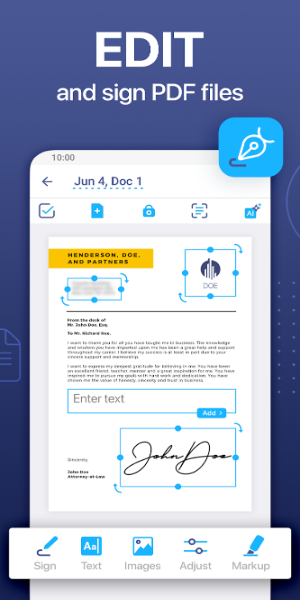
After capture, the app provides several editing tools that matter for polished results. You can rotate pages, apply contrast and brightness adjustments, and choose between color, grayscale and black-and-white filters. There are simple annotation options for highlighting or signing documents before export. For sensitive files, some users can set an app-level passcode to prevent unauthorized access.
Small habits make a big difference in scan quality. Use even lighting, place documents on contrasting backgrounds, and avoid folded or wrinkled pages. When scanning receipts or long documents, hold the camera steady and allow the app to auto-capture multiple frames for stitching. If OCR accuracy is critical, select the highest quality capture option and proofread recognized text.
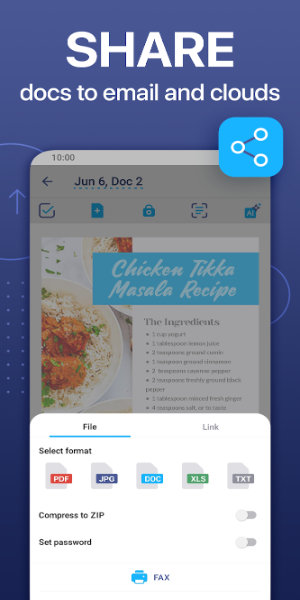
Export options include saving to device storage, creating PDF bundles, attaching to emails and uploading directly to cloud services. The app supports common file-naming patterns and batch export to keep routines efficient. For teams, scanned PDFs can be shared via standard links or sent to collaboration tools supported by third-party integrations.
To start using iScanner, install the app, grant camera and storage permissions, and run a quick sample scan to check settings. Explore the export presets to match your typical workflow — for instance, a compact mode for receipts and a high-quality mode for documents to archive. Many users find it helpful to create a folder structure upfront to avoid reorganizing later.
Overall, the app is a practical tool for turning paper into usable digital files with minimal fuss. It balances a short learning curve with enough advanced options to suit both occasional users and small teams who want a tidy scanning workflow without complicated software.