Talker ACR
Version: 1.0.219
16.98MB
4.3
Talker ACR is a robust Android call recording utility that captures phone conversations automatically and organizes them for easy retrieval. It combines simple controls with advanced options like format selection, cloud backup, and privacy protection to make managing recorded calls straightforward for personal or professional use.
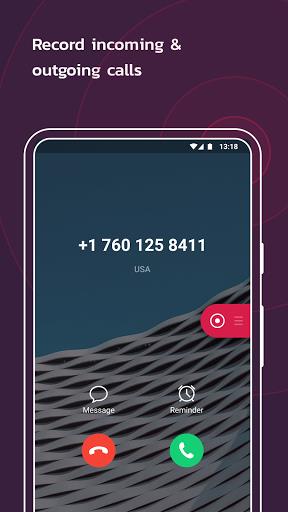
At its heart, Talker ACR records incoming and outgoing calls in the background without interrupting device usage. You can enable automatic recording for all calls or select specific contacts and numbers. The app supports manual recording, so you can start or stop recording mid-call, and it tags each file with caller information, date and time to streamline sorting.
Talker ACR provides multiple audio formats to balance quality and storage. Choose between compressed formats to save space or higher-bitrate options when clarity is critical. Built-in noise suppression and gain controls help produce clearer audio, especially on noisy lines, and sample rate settings allow compatibility with editing tools.
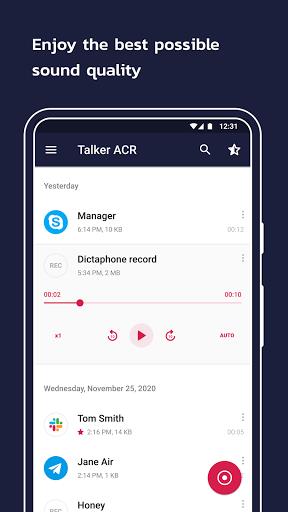
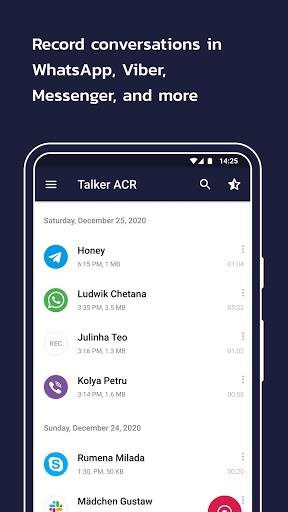
Recorded files are grouped automatically by contact and date. Use the searchable list to find conversations quickly by name, number, or keyword notes. The interface supports star or favorite flags, custom tags, and folders so frequent recordings remain easy to access.
Talker ACR includes an integrated player with skip and rewind controls, adjustable playback speed, and waveform visualization so you can jump to important moments. Export features let you share recordings via email, messaging apps, or upload them to cloud services. Batch export and bulk deletion are available for efficient file management.
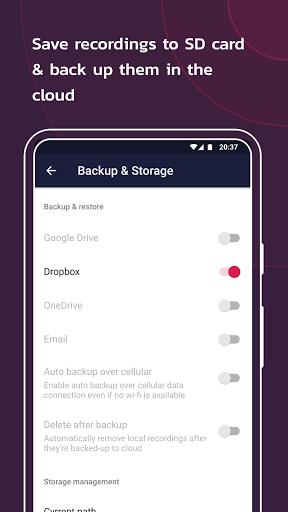
To protect recordings from device loss, the app offers optional cloud sync. Configure automatic backups to Google Drive or other supported services and set retention rules to control how long files are kept. Sync settings can be limited to Wi-Fi only to avoid mobile data consumption.
Privacy controls in Talker ACR include app-level passcodes, biometric lock options, and encrypted storage for sensitive recordings. You can mark recordings as private to hide them from standard lists, and the app requests only the permissions needed for its functionality with clear explanations for each.
Designed for modern Android versions, Talker ACR aims to minimize battery impact and memory use. Compatibility notes and troubleshooting tips are accessible from within the app for devices with manufacturer-specific audio limitations. Where system-level restrictions prevent recording, the app provides guided workarounds and alternative workflow suggestions.
Advanced users can tailor recording rules by contact group, phone number prefix, or time range. Automation options include scheduled recordings, automatic deletion after a set period, and integration with calendar events to start recording during meetings. Visual and notification preferences let you adjust how the app alerts you when a recording starts.
Talker ACR suits professionals who need reliable documentation of phone calls. Use tags and notes to annotate recordings with meeting points, set up automatic uploads to a shared drive, and leverage secure storage to comply with organizational policies. The batch processing tools speed up review and archiving tasks.
Begin by granting the app the necessary permissions and running a short test call to verify audio capture. Configure your preferred format and backup destination, then set up rules for which calls to record. Regularly review storage settings and export important recordings to a secure location.
Talker ACR combines an approachable user interface with professional-grade options for recording, organizing, and protecting call audio. Whether you need simple automatic recording or granular control over files and backups, the app provides practical tools to manage conversations efficiently and securely.