HelpShare
Version: 1.0.0
31.00MB
4.3
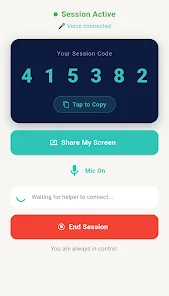
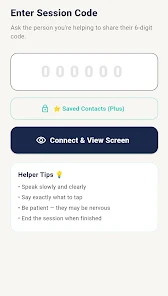

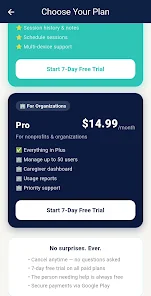
HelpShare is a collaborative productivity app designed to connect people, tasks and resources in one streamlined workspace. It simplifies sharing documents, coordinating volunteer efforts, and managing requests with real-time updates, intuitive controls, and built-in communication tools for teams of any size.
HelpShare organizes requests, resources, and conversations into a single feed so users can see what needs attention at a glance. Whether you are coordinating community volunteers or running a small team's support queue, the app centralizes assignments and tracks completion without heavy setup or training.
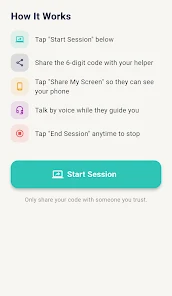
The workflow in HelpShare is built around simple actions: post a request, assign volunteers, and mark completion. Requests move through customizable stages that reflect your process, such as Pending, In Progress, and Completed. Notifications highlight urgent tasks and provide status changes so managers can intervene when needed.
Automated routing rules can direct requests to the right person based on keywords, location, or availability. This reduces manual triage and speeds response times. Scheduled reminders and escalation paths keep tasks from falling through the cracks.
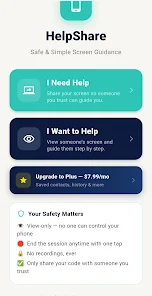
HelpShare presents information in a clean, card-based layout that adapts to phones and tablets. The main dashboard surfaces high-priority items, while filters let users slice the feed by tag, date, or team. The interface emphasizes clarity: large action buttons, concise labels, and visible progress indicators.
Synchronization is designed to be lightweight, minimizing battery and data use. Offline support caches recent activity so volunteers can continue working in low-connectivity areas; changes sync automatically once a connection is re-established.
Administrators can tailor HelpShare to match organizational needs. Custom fields capture the data points you care about, and templates speed up repeat requests. Branding options let groups add logos and custom colors to make the experience more familiar to their contributors.
Permission levels control who can view or edit sensitive information. Activity logs record changes for audit purposes, and export tools allow administrators to generate reports for analysis or external stakeholders.
Organizations appreciate HelpShare for its focus on practical coordination rather than complex project management. The app balances ease of use with enough features to handle varied scenarios: crowd-sourced assistance, disaster response coordination, neighborhood mutual aid, or internal help desks. By reducing friction in communication and tracking, HelpShare helps teams act faster and stay accountable.
Installation requires a quick account setup and optional verification for coordinators. Once configured, teams can invite members, define roles, and begin posting requests immediately. The learning curve is short, and built-in guides help new users adapt within minutes.
For groups that need a dependable, human-centered coordination tool, HelpShare offers a focused, practical platform that blends essential features and straightforward usability to keep tasks moving and contributors engaged.