
kwi Messenger
Version: 1.3.0
108.00MB
4.2
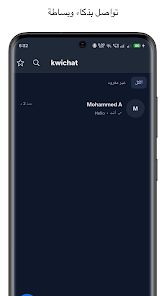
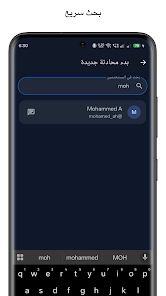
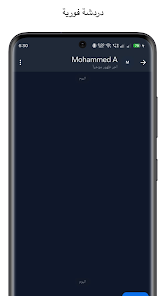
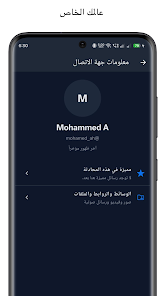
kwi Messenger is a lightweight messaging app designed for speed and privacy, combining instant chat, file sharing, and group management in one interface. It focuses on efficient communication with low data usage, secure message handling, and a clean layout that fits both casual and professional workflows.
The core of kwi Messenger is straightforward: send messages, exchange files, and coordinate groups without clutter. Conversations are threaded and searchable, which makes it easy to find past exchanges. The app supports text, images, voice notes, and quick document transfers while keeping bandwidth consumption low.
The interface prioritizes clarity: large touch targets, a minimal color palette, and consistent iconography reduce cognitive load. Navigation stays predictable whether you switch between chats or manage group settings. On mid-range phones kwi Messenger delivers smooth scrolling and fast message sync, and the app’s small install footprint makes updates quick.
Although minimalistic by default, kwi Messenger includes sensible customization. Choose between compact and roomy chat layouts, toggle notifications per conversation, and add simple themes or accent colors. Profile settings let users manage display names, avatars, and status messages for better identification in busy group threads.
Privacy is addressed through local encryption of message caches and controls for message retention. Users can set chats to auto-delete after a period or keep history indefinitely. Permission requests focus on essentials like storage and microphone access only when needed; this helps keep background data usage and battery drain under control.
Group features are practical rather than flashy: pinned messages, topic-based threads, and member roles streamline coordination for teams and hobby groups alike. Administrators can moderate content, approve new members, and export chat logs for record-keeping. These tools make the app suitable for small businesses and study groups as well as everyday friend circles.
For privacy-minded individuals, tweak the retention and permission settings immediately after installation. That small setup step helps align the app with personal data habits and workplace policies.
Installation is straightforward: download, grant essential permissions, and verify your account via SMS or email depending on your region. The onboarding flow highlights recent contacts and suggests starting group chats. Within minutes you can customize notifications, upload a profile photo, and invite contacts via a share link.
Users often choose kwi Messenger for its balance of performance and practical features. It doesn’t attempt to replace fully featured enterprise suites, but it handles everyday messaging tasks reliably while preserving battery life and data. The clean experience appeals to those who want a focused communication tool without excessive bloat.
Overall, kwi Messenger is a solid choice when you need a fast, practical app for text and file exchange. Whether you coordinate a small team, manage hobby communities, or keep in touch with family, the app’s thoughtful feature set and compact design make it a convenient option on a wide range of Android devices.