
CampusTalk
Version: 1.0.2
42.40MB
4



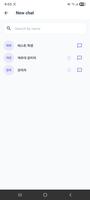
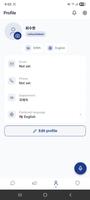


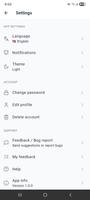
CampusTalk is a streamlined communication and scheduling app designed for students and campus staff. It consolidates announcements, group chats, event calendars, and resource sharing into one platform, helping users coordinate study groups, track deadlines, and stay informed across campus communities with minimal setup and clear organization.
At its core, CampusTalk functions as a centralized hub for campus communication. Rather than scattering messages across email, social feeds, and different chat apps, it brings conversations, notices, and event logistics together so that students and faculty can find what they need quickly.
Users join campus networks using institutional credentials or a verified campus email. Once inside, it's easy to subscribe to course channels or join clubs. Notifications are customizable so you can mute elective groups and stay alerted only to the channels that matter. The calendar integrates with reminders, so assignment due dates appear alongside social and academic events.
CampusTalk offers a clean, responsive interface built for mobile and tablet screens. The design emphasizes legibility: clear typography, compact message threads, and color-coded channels for fast scanning. Performance focuses on low data consumption and quick syncs, which is helpful for users with limited bandwidth on campus networks.
Collaboration tools go beyond chat. CampusTalk supports document previews, collaborative note-taking, and the ability to create polls for choosing meeting times. Group organizers can assign tasks and set milestones, turning casual study meetups into coordinated study sessions with accountability.
CampusTalk includes role-based permissions to control who can post announcements, moderate groups, or access sensitive documents. Settings allow admins to restrict external invites and set retention policies for archived channels to meet institutional guidelines.
The app lets users personalize their experience with notification preferences, channel themes, and display density. Study groups can pin important messages and reorder resources, while individuals can star conversations for quick return. These small adjustments make CampusTalk feel tailored to different academic workflows.
Getting started with CampusTalk is straightforward. New users can sign in using a campus email or single sign-on, join recommended groups based on registered courses, and import calendar events from institutional systems. A guided tour highlights key areas so users can begin posting and sharing in minutes.
Students appreciate CampusTalk because it reduces friction when coordinating across classes and clubs. The combination of messaging, calendar, and document sharing in a single app streamlines workflows that previously required several tools. Additionally, institutional integration means fewer manual imports and cleaner data handling.
Before adopting CampusTalk, check that your institution supports integration and review group moderation policies. The app performs best when campus leaders take an active role in organizing channels and maintaining clear posting guidelines. For individual users, a short period of customization pays off with more focused notifications and a better-organized academic life.