Ad Restauração
Version: 2.01.02
37.00MB
4.1

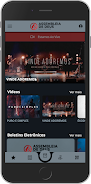
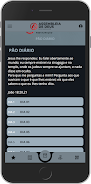
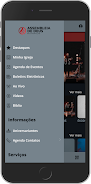
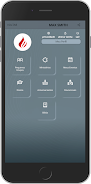

Ad Restauração is a compact Android utility that simplifies restoring apps, contacts, messages, and media after resets or accidental deletion. It provides selective recovery, cloud synchronization, and secure transfers to bring a device back to your preferred state quickly and with minimal setup.
Ad Restauração focuses on practical tools that cover everyday recovery needs. The app supports selective file retrieval so you can restore only photos, chats, or specific app data without reloading your entire backup. It includes incremental backups to reduce storage use, direct cloud integration for Google Drive and FTP servers, and an option to schedule automatic restorations after system updates or ROM changes.
The restoration workflow emphasizes simplicity. After granting the necessary permissions, Ad Restauração scans available backups and local cache files. You can preview recoverable items and mark the ones to retrieve. The engine then reassembles data in their original locations where possible, reconstructing app settings, message histories, and multimedia files while maintaining timestamps and folder structure.
The interface is organized into clear sections: Backups, Restore, Scheduler, and Settings. Each section guides you through the steps with concise prompts and progress indicators. In practice, users tap Restore, choose a backup source, preview entries, and confirm the operation. For frequent users, the Scheduler automates routine tasks so you can maintain a ready backup set without manual intervention.
Ad Restauração makes selective recovery straightforward. Choose from categories like Contacts, SMS, Call Logs, Photos, Videos, and App Data. Filters let you target time ranges or file types, and the app provides conflict management options when restored items would overwrite newer data. Custom backup profiles can be created for different scenarios—daily photo backups, weekly full snapshots, or pre-update exports.
Security is built into the app with optional encryption for stored backups and password protection for restore sessions. Transfers to cloud storage use encrypted channels, and local backups can be sandboxed to prevent unauthorized access. Ad Restauração also runs integrity checks before restoration to detect corrupted or incomplete backup files and warns users when a full restore might affect current device data.
Designed for modern Android devices, Ad Restauração optimizes CPU and memory use during scans and transfers. The app supports Android versions commonly used today and is compatible with a wide array of storage formats, including compressed archives and database exports. On lower-end hardware the app offers a lightweight mode that reduces background activity and splits large operations into smaller, less resource-intensive steps.
Ad Restauração receives regular updates that expand supported data types and improve compatibility with new Android releases. The support section includes a guided restore wizard, troubleshooting FAQs, and an exportable log file that helps technical staff diagnose complex recovery issues. Community-driven feedback has shaped many of the app’s usability improvements.
To begin, install Ad Restauração, grant storage and access permissions, and create an initial backup. Use the preview feature to confirm recoverable items, then run a test restore to a non-critical folder to observe how the app rebuilds your data. From there, configure schedules and profiles to match your routine so the system remains ready when you need it.
With a focus on reliability, flexible restoration options, and straightforward controls, Ad Restauração is a practical solution for Android users who want to protect and recover their data with minimal fuss.