
SiBrowSer
Version: 1.1.2
16.60MB
4.5
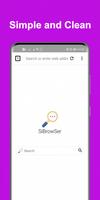

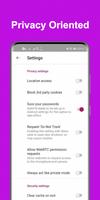


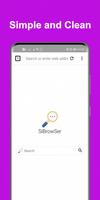
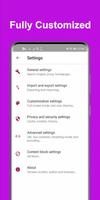
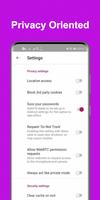
SiBrowSer is a lightweight Android browser designed for fast, private web access with minimal resource use. It combines essential browsing tools—tabbed windows, ad blocking, and customizable search—with a focus on speed and battery efficiency, making it a practical choice for on-the-go users and devices with limited memory.
SiBrowSer targets users who want a no-frills browsing experience without sacrificing privacy controls or useful extensions. The app loads pages quickly, keeps background activity low, and offers a clean interface that removes clutter while preserving useful functionality like bookmarks, downloads, and reading mode.
The user workflow in SiBrowSer is straightforward. Launch the app, type a query or URL into the combined address bar, and the browser directs you to the result. Tabs can be opened and closed with simple gestures. The built-in blocker reduces bandwidth by preventing heavy third-party scripts from loading, which is especially helpful on cellular connections.
The interface is deliberately minimalist: an address bar, a compact tab strip, and a small menu for settings and tools. Navigation focuses on accessibility—back and forward controls are always reachable, and long-press actions offer quick access to bookmarks and sharing. Users who prefer a more traditional layout can toggle optional UI elements in settings.
Privacy is a key selling point for SiBrowSer. The app includes private browsing tabs that do not store history, cookies, or form data. HTTPS enforcement alerts users when a secure connection is not available. There is also a permissions manager that makes it easy to review and revoke site access to location, camera, and microphone.
SiBrowSer offers several ways to personalize the experience. Users can switch between light and dark themes, configure the default search engine, and manage a whitelist for sites that should be exempt from ad blocking. Bookmark folders, a reader mode for distraction-free reading, and adjustable font sizes make the app adaptable to different reading habits.
One of the strong points of SiBrowSer is its low memory footprint. On older or budget devices it maintains responsive scrolling and tab switching by limiting background processes and caching selectively. Battery consumption tends to be modest because the browser avoids resource-intensive animations and background scripts.
Installing SiBrowSer is straightforward from standard app distribution channels. After first launch, the setup wizard guides users through selecting a default search engine, enabling optional privacy features, and importing bookmarks from other browsers. The experience is designed to get you online within a minute.
Users who choose SiBrowSer often cite its speed, clarity, and efficient battery use. The app balances useful browsing tools with a lightweight architecture, making it suitable for commuters, students, and anyone who wants reliable browsing without unnecessary extras. Regular updates and a short learning curve add to its appeal.
SiBrowSer is a practical option for people who want fast, private browsing on Android. Its combination of performance, essential features, and simple customization makes it a solid alternative for those seeking a focused, utility-driven web experience.