OptimaVPN - Fast & Secure Prox
Version: 1.0.0
25.00MB
4.2



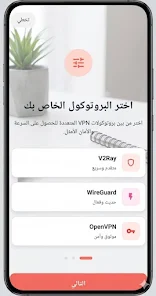
OptimaVPN - Fast & Secure Prox delivers a focused Android VPN that puts simple protection and practical controls first. From the moment you open OptimaVPN - Fast & Secure Prox the interface emphasizes a one‑tap connection, clear status indicators and concise explanations of permissions so new users can become confident without wading through complex menus. The app is designed for people who want reliable encryption and sensible defaults while still having access to advanced settings when needed.
This VPN routes your device traffic through optimized servers to mask your IP address and reduce exposure on public Wi‑Fi or mobile networks. Core features include server selection by region, protocol choices, DNS leak prevention and an optional kill‑switch that blocks app traffic if the secure tunnel drops. Background reconnection maintains sessions as you move between cellular and Wi‑Fi, and the app intentionally keeps logs minimal to limit retained metadata.
The controls favor clarity: a prominent connect button, a compact server list with region labels and latency figures, and a persistent status icon that shows when the tunnel is active. Server entries include round‑trip time so you can choose a nearby node for low latency or a distant one for a specific geolocation. A notification widget and quick tile let you toggle protection without opening the full app, and touch targets and labels are sized for comfortable use on small screens.
For users who want more control, the app provides protocol selection and split tunneling to route only chosen apps through the VPN. You can pin favorite servers for fast access, create automatic reconnection rules for spotty networks, and set private DNS options to further reduce DNS‑based leaks. These settings let you balance speed and privacy according to the task, for example prioritizing bandwidth for streaming while keeping banking apps on the secure endpoint.
The visual design is intentionally minimal to limit cognitive load: clear icons, concise labels and latency figures that aid quick decisions. Performance tuning targets low CPU and network overhead so the app avoids unnecessary battery drain and thermal throttling on older phones. In everyday use this translates to smooth browsing, stable video playback and responsive mobile apps when connected to a nearby optimized server.
When a connection fails, built‑in diagnostics help identify common causes such as network restrictions, protocol mismatches or DNS problems. The diagnostics page exposes basic logs and recommends remedies — switching servers, toggling protocols, or temporarily enabling the kill‑switch — and a support link inside the app connects you to customer help for issues that need deeper investigation. Regular background reconnection and leak prevention work to maintain coverage during short network transitions.
Onboarding is concise and written in plain language so users understand connection states, icon meanings and permission prompts. The app supports accessibility features such as readable status text, appropriately sized touch targets and clear contrast for status indicators. These choices make the app approachable for a broad range of users, including those who are less technically inclined or who rely on assistive technologies.
Choose geographically closer servers for lower latency during gaming or video calls and enable the kill‑switch when performing sensitive transactions. Use split tunneling to keep trusted, high‑bandwidth apps off the VPN when you need local speed. Keep the app updated to receive security and performance patches, and consult the diagnostics when you encounter intermittent drops — often a different server or protocol will restore a stable route quickly.
The app minimizes stored logs and offers optional private DNS support to reduce leak risk, but bear in mind that VPN protection requires network connectivity; offline use is limited to viewing settings and saved preferences. OptimaVPN - Fast & Secure Prox does not alter app-level permissions beyond what Android requires and is built to respect platform privacy controls while providing the tunnel services that protect online traffic.
Designed for frequent travelers, commuters and everyday users who want consistent protection with minimal fuss, this app balances essential privacy controls with accessible defaults. Regular reconnection, server optimization and clear troubleshooting guidance make OptimaVPN - Fast & Secure Prox a pragmatic choice for secure browsing, streaming and working on public networks without overwhelming users with unnecessary options.