VidConnect
Version: 5.33.0
109.00MB
4.3

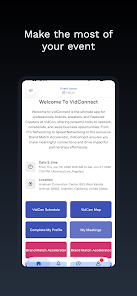
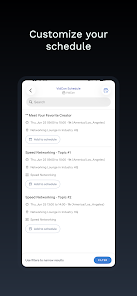
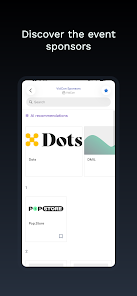
VidConnect is a versatile video communication app designed to simplify meetings, group chats, and content sharing across devices. It combines high-quality video, intuitive controls, and lightweight performance to help professionals, educators, and friends connect reliably, whether on cellular networks or Wi‑Fi.
VidConnect focuses on making real-time communication practical and productive. Video and audio streams adapt to changing bandwidth, while a built-in chat, meeting scheduling, and file exchange tools keep conversations organized. The app supports multi-user calls, individual screen sharing, and session recording so important moments can be saved for later review.
The interface prioritizes clarity: a clean top bar shows connection status and meeting duration, large thumbnails display participants, and one-tap controls let you mute, switch camera, or raise a hand. New users can join a room via link or meeting ID without long setup steps, while frequent users benefit from customizable quick actions and keyboard shortcuts for faster workflows.
Designed for mobile and tablet environments, VidConnect uses efficient codecs to reduce data consumption and battery drain. It works on a broad range of Android versions and is optimized for both low-latency calls and large group sessions. When network conditions fluctuate, the app automatically lowers resolution to preserve continuity instead of dropping the call.
Privacy is built into the fundamentals of the platform. VidConnect offers optional end-to-end encryption for private meetings, password protection for rooms, and granular permissions that control camera, microphone, and screen access. Meeting hosts can manage participants, lock rooms, or remove disruptive attendees to maintain a safe environment.
Beyond one-on-one meetings, VidConnect includes collaborative features that support remote work and learning. Annotate shared screens in real time, transfer files during a session, and pin documents so everyone sees the same content. Integrations with calendar apps allow quick scheduling and reminders, and links to cloud storage services let you attach references without leaving the call.
Users can tailor their experience with adjustable video quality, background blur, and selectable notification preferences. Profiles display display names and status indicators, and developers can opt into advanced settings such as SIP interoperability or enterprise single sign-on. Admin controls in paid tiers help organizations enforce policies and manage user roles across teams.
Recordings are saved either locally or to the cloud depending on the settings and account level. Each recording includes a searchable transcript when transcription is enabled, which makes it easy to jump to key moments. Hosts can download, share, or archive recordings for compliance and training purposes.
VidConnect offers a free tier with basic one-on-one and small-group capabilities along with limited recording. Paid plans expand participant limits, add cloud storage, and provide advanced administration tools for teams. Educational and nonprofit discounts may be available to eligible organizations.
VidConnect blends dependable performance with practical collaboration features that fit everyday communication needs. Its adaptive networking, straightforward controls, and privacy options make it suitable for remote teams, virtual classrooms, and personal use. Regular updates add features and optimizations to keep the app current with evolving user needs.