Liboo AI
Version: 0.0.2
38.00MB
4.1

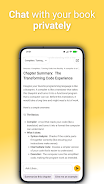
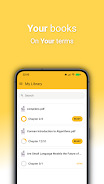
Liboo AI is a mobile productivity app that uses conversational AI to help you write, summarize, and organize text quickly. Built for on-the-go creativity, Liboo AI offers intelligent editing, multi-format export, and adaptive suggestions to streamline writing tasks across devices.
Liboo AI combines a clean editor with AI-driven tools that assist with drafting emails, composing articles, creating notes, and condensing long documents. The app emphasizes speed and clarity: one-tap summaries, tone adjustments, and context-aware rewriting let you shape content without switching apps. A built-in outline view helps you structure longer pieces, while quick templates jumpstart common tasks.
At its heart, Liboo AI analyzes the text you provide and generates suggestions based on context and intent. Prompts can be entered naturally — ask for a friendly summary, a professional rewrite, or a concise subject line — and the system returns multiple alternatives to choose from. Settings allow you to tune creativity versus precision, producing outputs that align with your editorial goals.
The user interface focuses on minimalism and speed. A distraction-free editor takes up most of the screen, with a collapsible sidebar for history, templates, and saved snippets. Inline suggestions appear as you type, and a single tap accepts or edits them. File import supports plain text, markdown, and common document formats, so you can pick up work started elsewhere without friction.
Liboo AI offers a library of customizable templates for blog posts, press releases, microcopy, and social captions. You can create and save your own templates including preset tones and length limits, which makes repetitive tasks fast and consistent. Advanced users can chain prompts to create multi-step workflows, such as generate-outline → expand-sections → rewrite-for-tone.
Collaboration tools in Liboo AI let you share drafts and comments with colleagues through links or export options. Exports include plain text, markdown, and PDF, and there are options to copy content formatted for email or social platforms. Revision history keeps track of changes, so you can revert to earlier drafts or compare versions.
Designed for modern Android devices, Liboo AI balances responsiveness with battery efficiency. Offline capabilities cover basic editing and access to saved templates, while online mode unlocks the full AI feature set. Compatibility spans a wide range of Android versions, and the app adapts its layout for phones and tablets to make the most of available screen space.
Privacy is treated as a priority: user data and drafts are stored with encryption, and clear settings let you control cloud syncing. Liboo AI documents its data practices and provides options to export or delete your content. For sensitive projects, you can keep documents local to your device and disable cloud assistance.
Liboo AI is suitable for professionals who need fast first drafts, students summarizing study material, and content creators iterating on ideas. It reduces time spent on routine edits and helps sharpen messaging across formats. The adjustable suggestion strength makes the tool flexible for precise technical writing as well as more playful creative work.
To begin, install Liboo AI and create an account to enable cloud features. Start with one of the included templates, paste or import a document, and run a summary to see how the assistant interprets your text. Explore tone and length controls, save custom templates, and link the app to your preferred export destinations.
Liboo AI blends automated assistance with hands-on editing rather than replacing human judgment. The app is built to speed up repetitive writing tasks, offer fresh phrasing, and maintain a consistent voice across projects. Frequent updates continue to refine suggestions and expand format support, making it a practical companion for everyday writing needs.