
AVO TV
Version: 1.0
10.00MB
4.5
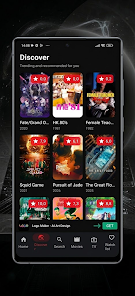
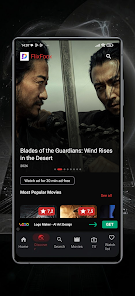
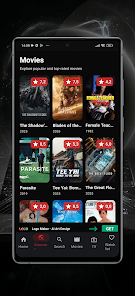
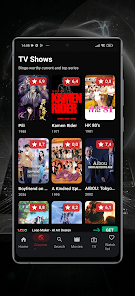
AVO TV puts live television and on-demand streaming into a compact Android app, offering channel browsing, personalized playlists, and easy casting to smart devices. Designed for intuitive navigation, AVO TV aims to streamline how users discover shows, sports, news, and movies without cluttered menus or complicated setup.
The app delivers a collection of tools that make viewing flexible and efficient. Highlights include an electronic program guide (EPG) for planning ahead, a searchable on-demand library, and dedicated sections for news, sports, and entertainment. Users can create favorite lists, set reminders for upcoming broadcasts, and use sleep timers for late-night viewing.
AVO TV focuses on a clean layout that reduces friction between finding and watching content. The main screen separates live channels from on-demand recommendations, and a persistent search bar helps locate programs by title, genre, or actor. Thumbnails and short descriptions are used throughout so users can preview content before committing to play, cutting down on trial-and-error browsing.
Playback controls are simple and responsive: play, pause, rewind, and fast-forward work reliably across most streams. Adaptive bitrate streaming helps maintain smooth playback on varying network speeds, while subtitle and audio-track options are available where supported. The app also includes picture-in-picture (PIP) functionality on supported Android versions so you can keep watching while using other apps.
To tailor the experience, AVO TV provides profile support and parental controls. Each profile can save watch history, preferences, and recommended content. Parental locks let guardians limit access to mature channels and block specific programs by rating. Recommendation algorithms learn from viewing habits to surface shows and channels that match individual tastes.
The app is optimized for Android phones and tablets and performs well on mid-range hardware. Network conditions influence streaming quality, so a stable Wi-Fi or 4G/5G connection is recommended for HD viewing. AVO TV supports casting to third-party devices and is compatible with recent Android OS releases, making it simple to extend playback to a living room display.
AVO TV adheres to standard privacy practices: account authentication, optional user sign-in, and basic access controls for paid or restricted channels. Personal data usage is limited to improving the viewing experience through personalization and remembering preferences. Users who prioritize privacy can opt out of analytics or personalized recommendations in the settings menu.
For reliable performance, keep the app updated and restart it after major Android updates. If you plan to stream on a mobile network, enable the low-bandwidth mode to reduce data consumption. Use the favorites feature to create quick-access lists for frequently watched channels, and try the EPG to schedule reminders so you never miss a live event.
AVO TV balances simplicity with useful features, providing a straightforward way to watch live and on-demand content without a steep learning curve. The combination of robust search, profile customization, and adaptable playback makes it a practical option for users who want a polished mobile viewing experience. Whether you prefer catching up on shows or tuning into live sports, the app keeps core controls accessible and minimizes unnecessary complexity.