VyMerge
Version: 1.0.0
61.92MB
4


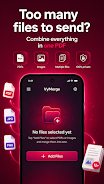
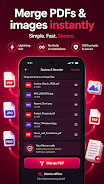

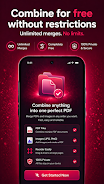

VyMerge is a compact PDF merging utility designed to run entirely on your Android device, and VyMerge keeps every file local so nothing is uploaded to external servers. In the first use you can select multiple PDFs or image files and within seconds join them into a single clean document; VyMerge emphasizes privacy, speed and a minimal learning curve so you can complete common document tasks without creating an account or connecting to the internet.
The app supports merging PDF, JPG and PNG files into one PDF and converts images to PDF automatically with an option to add page numbers. You can reorder files and individual pages with drag and drop, inspect thumbnail previews before export, and save the finished document directly on your device for immediate sharing. VyMerge provides a progress indicator during export and keeps the interface uncluttered to avoid distractions during routine tasks.
Choose files from your device storage or share them into the app from a file manager or gallery. Thumbnails are generated for every page so you can rearrange content visually; tapping a thumbnail opens a preview where pinch to zoom and page swipe let you inspect details. When you confirm the order, VyMerge processes the files locally and writes a single PDF to a destination folder you choose, using straightforward export steps and clear naming guidance.
The controls are intentionally simple: long press to select, drag to reorder, and tap to preview. A short toolbar guides you through common tasks such as adding files, toggling page numbers, and starting an export. The app avoids deep menus and keeps actions within a few taps, which reduces friction for repeated jobs. Small visual cues and concise labels help new users move quickly through merging sessions.
VyMerge focuses on essential export options without overwhelming settings. You can set the output filename and enable or disable sequential page numbers before exporting. The app preserves original page orientation during conversion and produces a single consolidated PDF compatible with standard viewers and printing tools. These lightweight options cover most everyday needs while keeping file creation predictable and consistent.
Because processing happens on-device, VyMerge works reliably when you are offline or on restricted networks and it minimizes privacy concerns by never transmitting your documents. The interface supports larger touch targets and readable labels for easier operation, and the design is compatible with common Android accessibility tools and screen readers so a wide range of users can merge documents with confidence.
The app is optimized for quick merges and handles typical multi-page documents without noticeable delay. For very large files, VyMerge processes documents in batches to manage memory efficiently and provide a smooth progress indication. Recommended workflows include assembling lecture notes from scans, combining receipts and invoices for expense reports, or collecting pages from several PDF handouts into one file for sharing or printing.
VyMerge is intentionally focused on merging and basic image-to-PDF conversion and is not a full PDF editor. It does not provide advanced editing features such as text editing inside PDFs, form filling, or cloud synchronization and backup. If your needs are limited to fast local merges, converting photos into a paged document, or producing a single consolidated file for distribution or printing, VyMerge is a practical, private and easy-to-use choice.
Users select VyMerge when they want a small, dependable tool that gets a single job done well: combine files, adjust order, preview, and export a clean PDF without accounts or uploads. The straightforward workflow, clear controls and offline operation make it especially useful for students, professionals on the go, and anyone who needs to prepare documents quickly while keeping data local to their device.