
Assistive Touch 2026
Version: 1.0.2
10.00MB
4.4
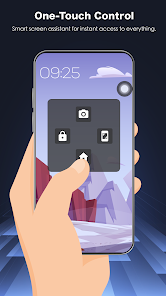
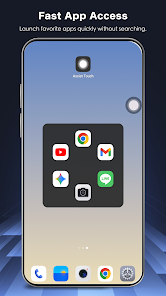
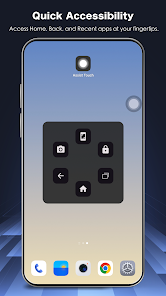
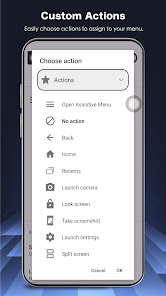
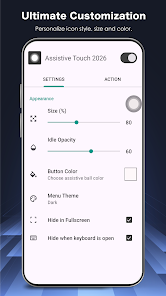
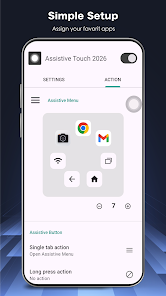
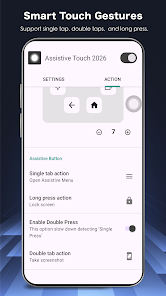
Assistive Touch 2026 brings a floating shortcut panel to your Android device, making navigation faster and less dependent on physical buttons. The app places virtual Home, Back, Recent and volume controls on-screen and bundles quick toggles for Wi‑Fi, Bluetooth, flashlight, rotation, brightness, location, airplane mode and screenshots so common tasks are a tap away. Designed for large-screen phones and one-handed use, it also offers multiple icon styles, color themes and adjustable size and transparency. Assistive Touch 2026 requires the Accessibility Service API for global actions and the developer states it does not collect personal data.
⭐ Assistive Touch 2026 provides a virtual control center with Home, Back, Recent, device lock and virtual volume buttons for fast navigation.
⭐ Quick access settings let you toggle Wi‑Fi, Bluetooth, flashlight, screen rotation, brightness, location (GPS), airplane mode and capture screenshots from the panel.
⭐ Quick launch lets you pin favorite apps and shortcuts so messaging, video and social tools are reachable from any screen.
⭐ Fully customizable interface: choose icon styles, panel colors, and adjust size and transparency to suit your layout.
⭐ Sound modes are adjustable from the panel, including mute, vibrate and normal volume profiles.
✅ Protects physical buttons and helps extend the lifespan of power, volume and home keys—Assistive Touch 2026 reduces repeated hardware use.
✅ Optimized for one-handed use on large phones, making common actions quicker and more comfortable.
✅ Lightweight and responsive design aims for minimal lag and low battery consumption during everyday use.
✅ Privacy-conscious approach: the Accessibility Service is used only for global actions and the app declares it does not collect or share personal data.
❎ Requires the Accessibility Service permission to perform global actions, which some users may be hesitant to grant.
❎ The floating panel can sometimes overlap app content or in-app controls, even though size and transparency can be adjusted.