Screenshot touch
Version: 2.1.3
8.00MB
4
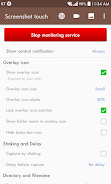
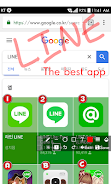
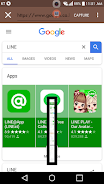
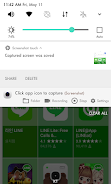
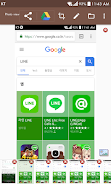
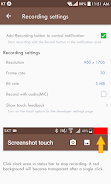
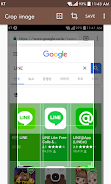
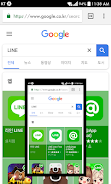
Screenshot touch is an Android app that allows users to capture and record their device's screen in various ways. Users can capture screenshots by touch, record video casts of the screen, and even capture entire web pages. The app offers features such as photo viewing, image cropping, drawing on images, and sharing screenshots to other apps. It also includes dynamic features like customizable capture options, persistent notifications, and multiple saving folders for organizing screenshots. The app respects user privacy by not automatically sharing images or videos and only capturing with the user's explicit consent. Screenshot Touch requires certain permissions for functionality, such as the RECORD_AUDIO privilege for voice recording. It is not an accessibility tool but utilizes minimal features from the Accessibility Services API for screen capture on Android 11 and higher.
Screenshot touch supports Android 5.0 Lollipop or higher, making it compatible with a wide range of devices.
It offers various ways to capture screenshots, such as by touch, shaking the device, or capturing a web page's entire scroll.
The app includes features like image cropping, drawing on captured images, and sharing screenshots with other apps for easy editing and sharing.
Users can customize capture options, save directories, and create multiple saving folders to organize screenshots efficiently.
The app respects user privacy by not automatically sharing images or videos and requiring explicit consent for screen capture.
Screenshot touch also offers in-app purchases to remove ads and unlock additional features like full multiple saving folders and Settings-Backup/Restore with Google Drive.