DuckStation
Version: 0.1
28.00MB
4
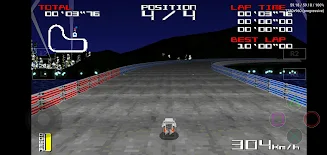
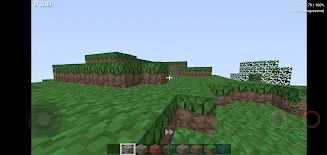

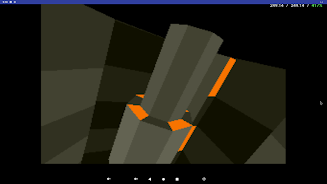
DuckStation is a high-performance PlayStation 1 emulator for Android that focuses on accuracy, speed, and user-friendly controls. It reproduces classic PS1 titles with modern enhancements like upscaling, shader support, and seamless save states, delivering a polished way to play retro games on contemporary devices.
DuckStation aims to recreate the original PS1 experience while adding conveniences expected on mobile platforms. The app emphasizes per-game configuration, hardware-accelerated rendering, and responsive input mapping so that titles run reliably across a wide range of phones and tablets.
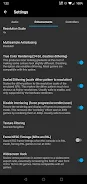
DuckStation balances visual enhancements with efficiency. On capable hardware, you can render PS1 games at higher-than-native resolutions and apply post-processing shaders to reduce artifacting. The emulator supports texture scaling, CRT simulation, and polygon smoothing while keeping frame pacing stable. Compatibility is broad across many classic PS1 titles; however, individual results can vary depending on a device’s GPU and CPU.
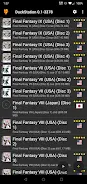
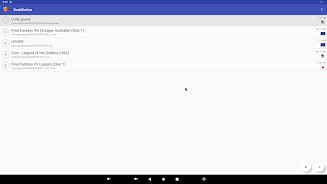
The user interface prioritizes quick access to game libraries and settings. Scanning a folder of game images is straightforward, and each discovered title can be configured with custom options. The UI also exposes advanced options like CPU timing, threading, and audio buffering for users who want to fine-tune performance.
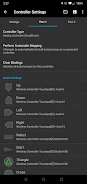
Whether you prefer touch controls or a Bluetooth gamepad, DuckStation provides flexible mapping. Layout presets are available for common controllers, and you can assign multiple inputs to the same action or create macros for complex button combinations. On-screen controls are scalable and can be positioned to avoid obscuring important HUD elements.
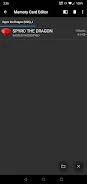
DuckStation accepts a variety of disc image formats commonly used for PS1 games, making it easy to load ISO, BIN/CUE, and other standard archives. Save states supplement in-game saves so players can preserve progress instantly. The storage system also supports data export and import, enabling backups of saves and configurations.
Enthusiasts will find options to tweak emulation latency, enable speed hacks for demanding titles, and adjust audio resampling to reduce crackling or timing issues. The emulator exposes debug and logging tools for diagnosing problems. Per-game performance profiles let you experiment without affecting your entire library.
To begin, place your legally obtained game images in an accessible folder, grant the app file permissions, and let DuckStation scan your collection. Plug in a controller or configure touch controls, then try a short session to tweak resolution and audio latency. Regularly update the app to gain improvements and bug fixes.
DuckStation brings a pragmatic blend of emulation accuracy and modern conveniences to mobile devices, making it a capable choice for rediscovering PlayStation 1 classics with improved visuals and flexible controls.