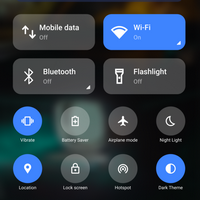
Notification Bar
Version: 18.5.9.1
15.40MB
4.1
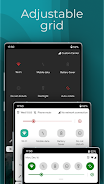
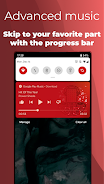
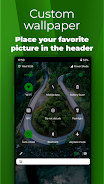
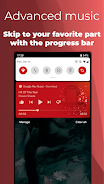
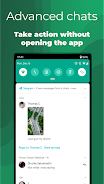
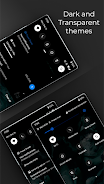
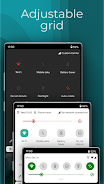
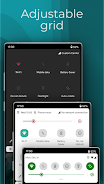
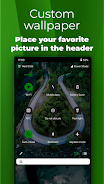
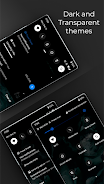
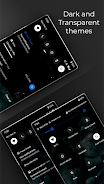
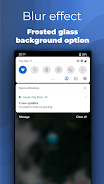
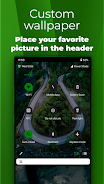
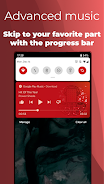
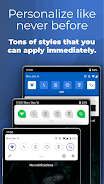
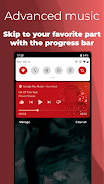
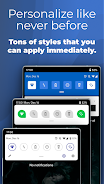
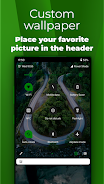
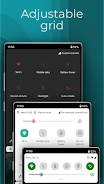
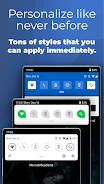
Notification Bar is a customizable Android utility that replaces or enhances your device's notification panel, putting theme, icon and quick-action control into your hands within seconds. Notification Bar integrates swipe gestures, quick reply and built-in media controls so you can manage alerts without opening apps, and it also offers dynamic album-driven colors, custom backgrounds and a small library of notification wallpapers for a more personal shade. The app focuses on speed and clarity: real-time alerts, swipe-to-dismiss behavior and an unobtrusive music controller make routine tasks faster and visually consistent across devices.
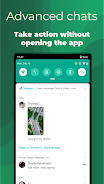
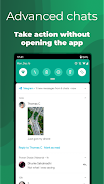
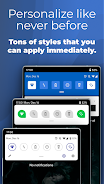
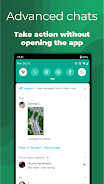
The core of Notification Bar is a set of appearance and interaction controls that work together rather than as isolated switches. Full color customization lets you recolor layout elements and adjust icon treatments so notifications match a chosen theme. Quick actions and swipe gestures are mapped to common tasks — dismiss, snooze or open — with long-press and swipe-left/right behavior that you can learn and adapt to your workflow. Advanced notifications support inline quick replies so you can answer messages without switching apps, and bundled notifications reduce clutter by grouping repetitive alerts into tidy stacks that you can expand when needed.
Controls are intentionally simple: touch, swipe and long-press are the primary interactions, and the interface is designed to teach these gestures as you use them. Customization progresses naturally: start with one of the included presets to change colors, icon shapes and compact versus expanded layout behavior, then save your own preset once you fine-tune spacing, transparency and background imagery. This preset system turns experimentation into repeatable profiles so you can switch looks for work, travel or low-distraction modes without rebuilding settings from scratch.
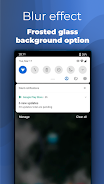
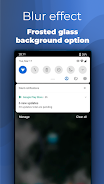
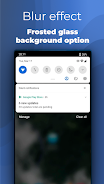
Visual feedback plays a big role in Notification Bar. Dynamic color features detect album artwork and apply complementary hues to the notification shade when music plays, while a visible progress bar and play/pause/skip controls make media navigation immediate and tactile. The app keeps animations subtle to avoid distraction but responsive enough that interactions feel direct and natural. Custom background images and the built-in wallpaper library let you set mood or contrast for readability, and you can adjust opacity and blur levels for a balance between content and style.
Notification overload is treated as a usability challenge rather than a bug. The app provides auto-bundling and snooze to temporarily hide noisy alerts, and priority handling ensures important messages remain visible. Instead of adding complex rules, the interface favors direct actions you can apply to an app or a group—bundle, mute, or allow—so managing interruptions becomes a straightforward task that improves with a few minutes of setup. These simple controls are the primary means to reduce distraction and regain control over a busy notification stream.
Notification Bar includes accessibility-minded options such as larger text sizes, higher contrast color presets and simplified layouts that make essential information easier to scan for users with different needs. Because the core functionality hooks into the device notification system and media session APIs, most features work locally and do not require constant network access; real-time alerts are delivered by the originating apps, and the customization and appearance controls operate offline for reliability and privacy. The app is designed to respect system-level Do Not Disturb settings so it integrates politely with existing device behavior.
The user experience emphasizes short setup time and ongoing refinement: initial presets provide immediate improvements, and spending a little time on colors and compact/expanded settings yields a personalized panel you’ll keep adjusting over weeks. Replay value comes from seasonal re-theming, switching presets for different contexts and exploring dynamic color responses when you play different music. Notification Bar aims for broad device compatibility by relying on standard Android notification and media APIs, but behavior can vary slightly across manufacturers due to system overlays; the app includes guidance and simple on-screen tips to help you get the most consistent results.
Overall, Notification Bar is a practical tool for users who want a cleaner, more adaptable notification experience without learning a complex system. It delivers immediate visual improvements, faster interactions, and straightforward ways to reduce interruptions while offering enough depth for users who enjoy customizing their device interface.