
JioJoin
Version: 1.3.3
19.21MB
4.5
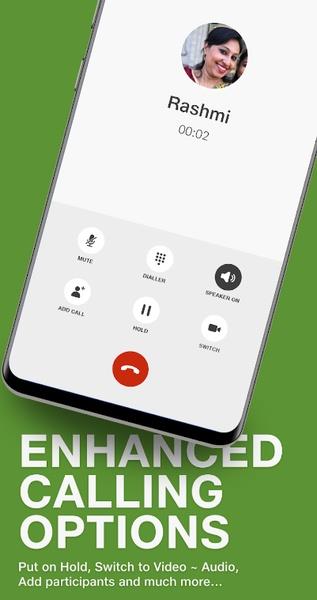
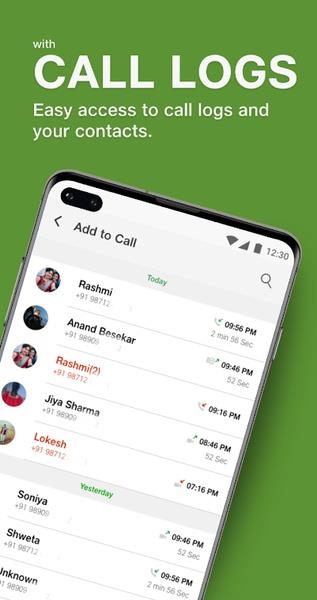
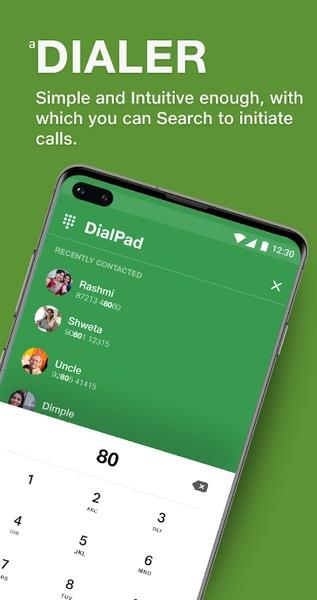



JioJoin is a cross-device communication app that connects your smartphone to other devices for voice calls, messaging, and file transfer. It centralizes call management and enables seamless handoffs between Wi-Fi and cellular networks, offering practical tools for users who need consistent connectivity across multiple devices.
Designed for everyday connectivity, JioJoin aims to simplify how you manage calls and share content. Instead of juggling multiple tools for messaging, file exchange, and VoIP, the app brings these capabilities into a single interface. Its target users include professionals, remote workers, and anyone who uses more than one device at a time.
Setting up JioJoin involves linking your primary phone number to other devices through a secure pairing process. Once paired, notifications and call controls appear on the secondary device, so you can answer or transfer calls without picking up your phone. Messaging sync ensures that conversation history remains intact across devices, making it easy to pick up where you left off.
The app supports common Android versions and works with a range of hardware profiles. It relies on standard network protocols to keep latency low and uses encryption to protect voice and data. Integration with the native dialer and contacts streamlines workflows and reduces the need to switch apps during calls or while sending files.
JioJoin presents a clean, no-nonsense interface that focuses on utility. Buttons and menus prioritize the most-used functions: answer, hold, transfer, and share. Performance is responsive on modern devices, with optimizations to reduce background battery drain. Call quality depends on network conditions, but the app includes toggles to prefer Wi‑Fi or cellular links to maintain call stability.
Professionals will appreciate the ability to route business calls to a desktop when stepping away from a phone. Remote teams can use the app to quickly share annotated screenshots or recordings during troubleshooting. For casual users, the convenience of answering calls on a tablet while a phone charges is a notable time saver.
People choose JioJoin because it reduces friction when moving between devices and centralizes communications. The app is particularly useful for those who multitask across a phone, tablet, and computer and need reliable call handoffs. Its straightforward controls and compact feature set appeal to users who prefer functional tools over complex suites.
Expect a short learning curve for the device pairing and notification settings. Once configured, JioJoin blends into daily routines and makes task switching smoother. Regular updates improve stability and introduce small enhancements to the interface and network handling, keeping the experience current with evolving device ecosystems.