
PTE Exam Practice
Version: 9.4.4
16.53MB
4.4
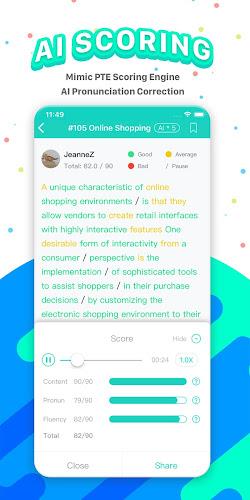
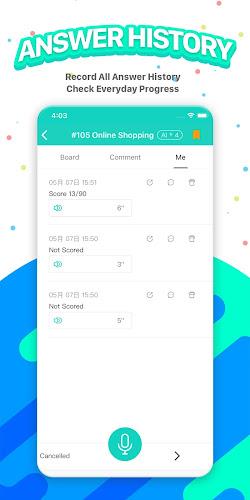
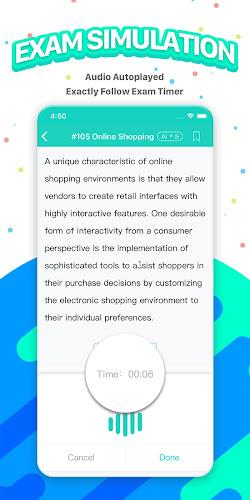
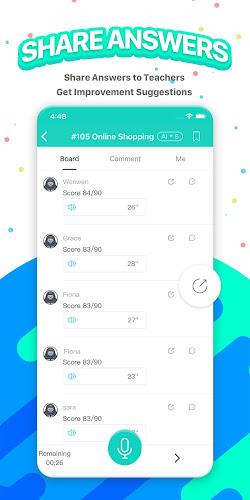
PTE Exam Practice is a focused simulation and study app designed to recreate the PTE testing experience and help learners build confidence before the real exam. PTE Exam Practice offers a realistic scoring engine, a growing bank of question types, and task-level feedback so users can understand not just what they got wrong but why. The app is written for learners who need a structured, repeatable way to improve time management, note taking and response clarity across speaking, listening, reading and writing modules.
The heart of the app is a scoring engine that mirrors official PTE scoring logic and provides detailed feedback aligned to individual tasks. Responses are analyzed for accuracy, timing, and key content points, and the feedback highlights concrete improvements such as pronunciation targets for speaking tasks, pacing cues for timed items, and phrase-level corrections for written answers. Question coverage spans common PTE formats including Fill in the Blanks, Highlight Correct Summary, Highlight Incorrect Words, multiple-choice and Select Missing Word, plus integrated audio prompts for tasks that pair listening with speaking or writing.
Practice sessions are configurable so learners can simulate either full-length test runs or short focused drills. Timers are visible and adjustable, and audio controls let users replay prompts at reduced or normal speed. Items are randomized within topic sets to increase replay value, and the app records past attempts so users can revisit specific questions and compare progress over time. Frequent content updates keep the question bank fresh and aligned with evolving exam patterns.
Training follows a modular structure so users can focus on individual skill areas or complete mixed-skill sessions that mirror the real exam. Each module contains levels of increasing difficulty, starting with guided practice that highlights common traps and moving toward timed evaluation rounds that emphasize accuracy under pressure. Controls are straightforward: touch to play or pause audio, tap to select answers, type or record spoken responses directly within the app, and use simple gestures to navigate between questions and review screens.
Progression is tracked at the task and module level. After each session learners receive a snapshot of predicted scoring, time usage patterns and a breakdown of strengths and weaknesses. This data can be used to create short-term study goals, such as focusing three sessions on Summarize Spoken Text or repeating Fill in the Blanks drills until accuracy improves. The app encourages spaced repetition by surfacing items that users previously answered incorrectly.
The interface emphasizes clarity and calm: clean typography, well-separated audio controls and distraction-free review screens that mimic real test layout without unnecessary embellishment. Visual cues highlight response areas and timing bars so users always know how much time remains. Customization options let learners adjust text size, playback speed and the length of practice blocks, improving accessibility for a wide range of study preferences and needs.
Offline play is supported for downloaded practice sets so users can train while commuting or in locations with limited internet access. Local progress is stored on device and synchronized to cloud backup when a connection is available, ensuring practice records are preserved. The app also includes brief guided tutorials for new users explaining how to approach common task types and where to focus when time is limited.
Replay value comes from randomized items, layered difficulty levels and adaptive practice sequences that recommend harder questions as user accuracy improves. Challenge systems are built around personal targets rather than public rankings: users can set daily or weekly goals, track streaks of completed practice, and unlock longer timed simulations as they demonstrate consistent improvement. These features are intended to keep study engaging without introducing competitive pressure that may not suit every learner.
PTE Exam Practice includes community features where users can exchange study tips, sample answers and strategies. Community discussions are moderated to keep exchanges constructive and exam-focused. While the app produces scoring estimates that closely match official results, actual test results depend on multiple factors including test-day performance and official marking. Users should combine app practice with official materials and, when possible, feedback from qualified instructors.
Limitations are acknowledged: some question types contribute relatively little to the total score yet still require careful technique, and the most demanding items reward consistent review rather than quick fixes. Regular, focused practice with the app is the best path to improved accuracy and timing. PTE Exam Practice aims to be a reliable study companion for learners who want measurable progress, clear feedback and a structured way to prepare for the PTE exam.