myBCA
Version: 2.6.0
751.40MB
4.1
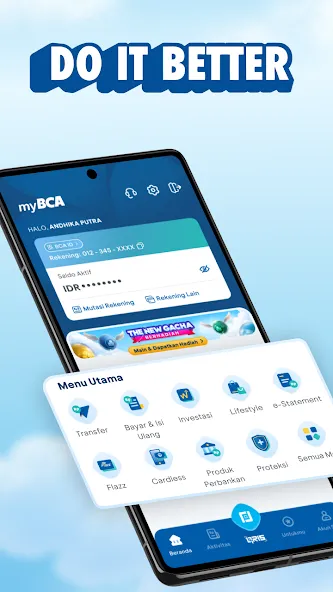

myBCA is a mobile banking application designed for customers who want quick access to account management, transfers, and bill payments from a single, secure interface. It blends everyday banking tools with simple navigation to speed up routine transactions while keeping controls within reach for power users and beginners alike.
The app focuses on enabling core financial tasks without forcing users through multiple screens. myBCA provides an account dashboard, transfer options across local and linked accounts, e-wallet top-ups, and a history view that helps users track spending. The goal is to reduce friction for common banking activities and centralize services in one place.
Using myBCA is straightforward: authenticate once, then navigate through tiles or menus to select an action. Transfers prompt for payee and amount, and the app displays estimated processing times. For frequent tasks, users can set favorites or use QR codes to initiate payments quickly. The interface reduces keystrokes and provides contextual help where needed.
Beyond basic banking, the app integrates with other financial tools and services. You can link external accounts for easier transfers, integrate with digital wallets for instant top-ups, and use QR payments at participating merchants. Integration points aim to lower the number of apps you must open to complete a single financial task.
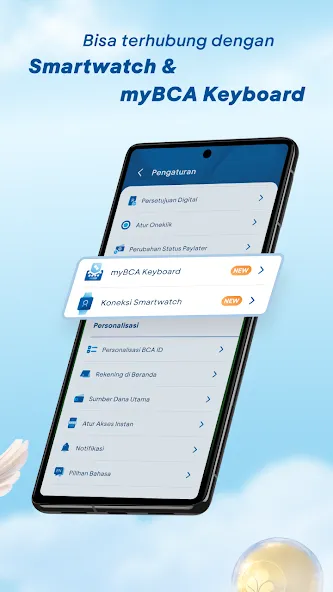
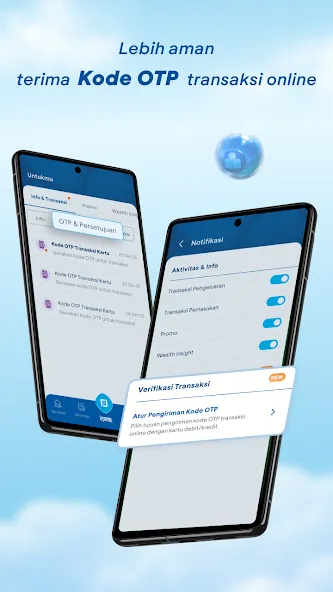
Security is a major focus. myBCA applies multi-factor authentication, session timeouts, and device recognition to protect access. Sensitive actions require PIN or biometric confirmation, and the app routinely prompts users to update security settings. Performance-wise, the app performs smoothly on modern devices with optimized loading for low-bandwidth environments.
The layout emphasizes clarity: primary functions are reachable from the home screen, while secondary features sit behind expandable menus. Visual hierarchy uses cards and icons to help users identify functions quickly. For first-time users, contextual tooltips guide the most common workflows without being intrusive.
Users often highlight convenience and reliability. The combination of clear navigation, fast processing for everyday tasks, and the ability to handle both simple and complex transactions from one app makes myBCA a central tool for personal finance. Customer support links and FAQs are embedded to reduce friction when issues arise.
Installing and configuring myBCA requires a verified account and basic device permissions. After a one-time registration flow that links your account, the app walks you through setting up PINs and biometric options. Regular updates add features and security patches, so keeping the app current is recommended.
For users who value efficient, secure, and well-integrated mobile banking, myBCA delivers a focused feature set without overwhelming complexity. It suits people who want to manage finances on the move, track transactions, and complete payments rapidly while maintaining control and security.