
SuperMoney
Version: 1.1.143
82.86MB
4.1
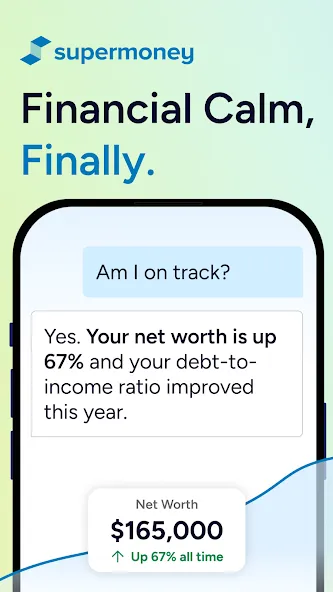

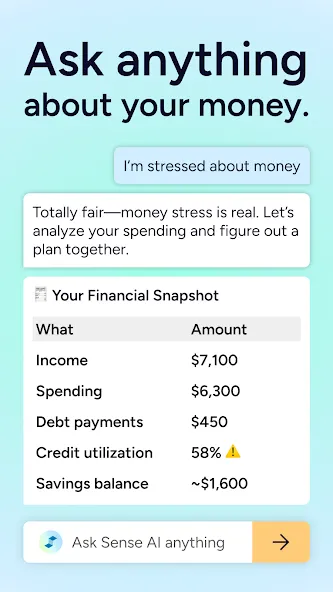

SuperMoney is a personal finance app that helps people budget, track bills, and spot spending patterns. SuperMoney brings account aggregation, goal tracking, and clear visuals into one dashboard so users can act on simple insights. SuperMoney balances automated categorization with manual control to keep your finances accurate and understandable.
This editor introduction describes how the app organizes your financial life without assuming background knowledge. The app collects read-only balances from multiple accounts and presents them as grouped summaries, recent transactions, and an upcoming bill calendar. Rather than burying data in tables, SuperMoney surfaces trends and recurring charges so you can quickly identify subscriptions, seasonal expenses, or an unusually large purchase. The emphasis is practical: set a target, watch progress, and receive nudges when patterns change.
The central workflow follows three simple steps: connect, review, act. Connecting is a guided process that links accounts for read-only access so balances and transactions appear together. Reviewing uses interactive charts and color-coded categories that respond to taps and swipes, letting you drill down from monthly totals to individual merchant details. Acting means adjusting categories, creating rules, or scheduling reminders; each action is performed with familiar mobile gestures and clear confirmation screens so you always know what changed. A compact home widget and in-app shortcuts let you reach balances or add a manual transaction without navigating through multiple menus.
Progression is designed around measurable milestones rather than opaque levels. Create savings goals, emergency funds, or debt payoff plans and break large targets into smaller recurring contributions. SuperMoney shows projected completion dates and adjusts timelines if income or spending changes. To help reinforce habits, the app includes optional challenge-style nudges such as weekly spending limits or streaks for consecutive on-budget days; these features are aimed at behavior change and can be customized or turned off to match each user’s preference.
Personalization is available at multiple layers: rename categories, create custom rules for merchants, and pin the accounts or goals you check most often. The dashboard layout is adjustable so you can reorder widgets, choose between daily or weekly summaries, and toggle concise or detailed transaction views. Category edits and rule changes are applied locally and reflected across future transactions so accuracy improves as you use the app.
The visual approach favors clarity over decoration. Color-coded categories, minimalist charts, and readable typography reduce cognitive load when scanning balances or trends. Information is structured by levels—accounts, budgets, goals—so you can move from a high-level overview down to transactional detail in a couple of taps. Replay value comes from ongoing tracking: regular syncing, periodic summaries, and goal progress create a reason to revisit the app daily or weekly, turning financial management into a short recurring habit instead of a one-time task.
Security is handled with encrypted connections and read-only links so no transfers are initiated through the app. Multi-factor authentication and session controls help secure access, while in-app privacy settings let you manage what is visible on the device and what triggers push notifications. Accessibility features include larger text options, high-contrast themes, and compatibility with common screen readers so people with different needs can use the app comfortably. The app aims to provide transparency about data handling and gives clear in-app explanations of permissions and storage.
SuperMoney caches recent data so you can view balances, recent transactions, and locally created categories even when a connection is unavailable; edits made offline are queued and synchronized when you return online. Background syncing is optimized to be unobtrusive and to preserve battery life, and initial syncing is fast for most common account setups. Installation is straightforward: download the APK, create an account, and follow guided steps to connect a first institution and set an initial budget. Onboarding highlights explain category editing, notification settings, and goal creation to help new users gain confidence quickly.
The app is well suited to households and individuals who prefer an actionable overview without manual spreadsheets. Freelancers and people with multiple income streams will find consolidated balances and customizable rules helpful for tracking irregular payments. People working on repayment strategies can use the goal planner to prioritize balances and visualize the impact of extra payments. Overall, SuperMoney is designed to scale from lightweight day-to-day oversight to more disciplined budgeting as needs evolve.