
MetaTrader 5
Version: 500.4240
23.74MB
4.3
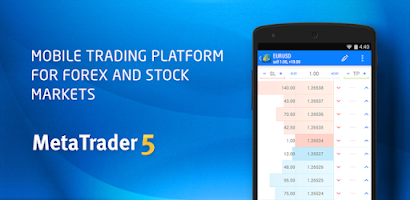
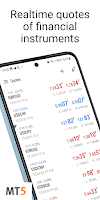
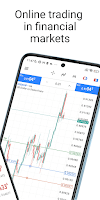
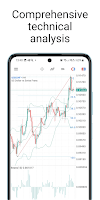
MetaTrader 5 is a professional trading platform for Android that delivers multi-asset access, advanced charting and automated trading tools. It lets traders monitor markets, place orders, and run expert advisors from mobile devices, combining desktop-grade features with a compact, touch-friendly interface for on-the-go decision making.
MetaTrader 5 brings a rich toolkit to smartphones and tablets, supporting forex, stocks, futures and CFDs. The application focuses on reliability and speed: live quotes, depth of market, and multiple order types are packaged into a portable client that syncs with your broker account. Designed for active traders, it balances sophisticated functionality with accessible controls.
The app provides a range of built-in instruments to support both discretionary and automated strategies. Charting includes dozens of timeframes and visual styles, while an integrated economic calendar helps you track macro events that move markets. Order execution supports market, pending and stop orders, coupled with flexible position accounting for hedging or netting depending on your broker's setup.
Chart performance is a highlight: MetaTrader 5 renders candlesticks, bars and line charts with smooth zoom and pan gestures. Users can add technical indicators, draw trendlines and apply custom templates. Analytical tools are designed to remain responsive under live ticks so you can test ideas and follow trends without lag.
One key advantage of MetaTrader 5 is support for automated systems. The platform accepts Expert Advisors and custom indicators written for its environment, enabling algorithmic strategies to run on mobile when connected to a running account. Signal subscriptions and copy-trading features let less technical users follow experienced traders while still keeping oversight from their device.
The interface groups market watch, charts, trading and account history into clear sections for fast navigation. Tabs and contextual menus are optimized for touch, and the layout adapts to both portrait and landscape orientations. In terms of performance, the app is engineered to minimize data usage while maintaining quick price updates and reliable order submission.
MetaTrader 5 simplifies portfolio oversight with detailed position lists, balance and equity metrics, and transaction histories. Trade reports can be filtered by symbol, period or order type, making it easier to audit past decisions. Notifications and push alerts keep you informed of fills and price thresholds without constant screen monitoring.
Security is built into the platform through encrypted data channels and secure authentication workflows. Multiple servers are supported to ensure continuity during volatile market conditions. If you connect across Wi-Fi and cellular networks, the client automatically manages reconnection to prevent session interruptions.
Installing MetaTrader 5 is straightforward: download from the store, register or log in with credentials from your broker, and choose account type. Demo accounts are available instantly for practice. Depending on your broker, certain features like depth of market or netting may require specific server access, so consult your provider if something appears unavailable.
Day traders, swing traders and algorithm developers will find the app especially useful because of its fast execution, scripting capabilities and comprehensive charting. Casual investors can also use it as a monitoring tool to view balances, receive alerts and follow signal providers.
MetaTrader 5 remains a competitive choice for mobile trading due to its feature depth, security focus and support for automated workflows. Whether you need a compact execution terminal or a portable analytics hub, it provides tools that scale from beginner practice to professional strategy deployment.