Octa trading app
Version: 2.8.13
49.93MB
4.4

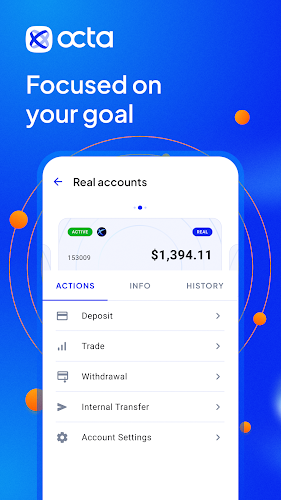
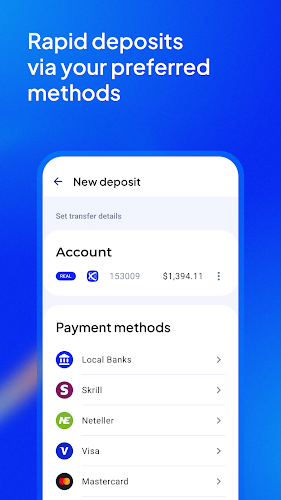

Octa trading app combines real-time market data, streamlined order execution, and customizable charts to help retail traders make informed decisions. It delivers multi-asset access, low-latency quotes, and an intuitive mobile interface built for fast analysis and order placement, suitable for both beginners and experienced investors.
The Octa trading app is a mobile trading platform designed to bring desktop-class tools into your pocket. It supports equities, forex, commodities, and CFDs with a focus on speed and clarity. Traders can monitor live feeds, place market and pending orders, and review account metrics without switching devices.
Octa trading app centralizes data and execution into a compact workflow. The main screen presents a watchlist with key metrics, leading to detailed chart views where you can analyze patterns and apply indicators. When a trade decision is made, the order ticket lets you set size, type, stop loss and take profit before sending the order directly to your broker's matching engine.
The design prioritizes readability on small screens: high-contrast charts, collapsible side panels and swipe gestures shorten common tasks. Performance optimizations reduce latency for quote updates and order confirmations, helping active traders avoid delays. Settings let you balance visual richness and battery use for extended trading sessions.
The app bundles practical tools rather than overwhelming features. Use the integrated screener to filter instruments by volatility, volume and performance over selectable periods. The economic calendar flags events by impact and links to relevant symbols, while strategy templates let you save favorite indicator combinations for quick recall.
Personalization extends to chart layouts, color themes and default order sizes. You can create multiple workspaces for different strategies—swing, intraday or long-term—and switch between them with a tap. Notifications are configurable so you only receive alerts that matter to your plan.
Security features include two-factor authentication, biometric login and encrypted communication. Account screens provide a clear audit trail of deposits, withdrawals, fees and margin requirements. Risk settings allow maximum position sizes and automated stop placement to enforce discipline.
Begin by creating an account and completing verification steps. The onboarding sequence introduces core functions with interactive tips and sample trades on a demo balance. Once comfortable, move to live trading by linking bank transfer or card payment methods supported by the platform.
Users favor Octa trading app for its balance of depth and simplicity. It provides powerful charting and execution features without a steep learning curve. The combination of responsive performance, modular tools and robust security makes it suitable for both active traders and those building longer-term portfolios.
For anyone seeking a compact, capable mobile platform, Octa trading app is worth evaluating. Its modular approach means you can scale usage as your trading style matures, from focused intraday routines to diversified portfolio management.