
My TTS: Text-to-Speech
Version: 1.5.0
28.00MB
4.5
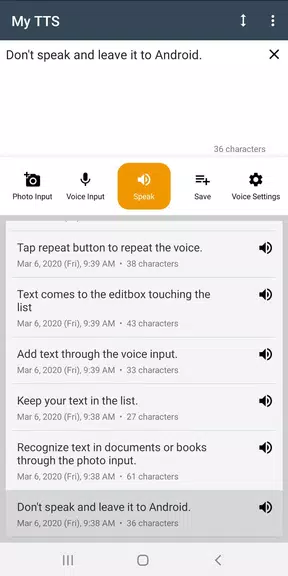
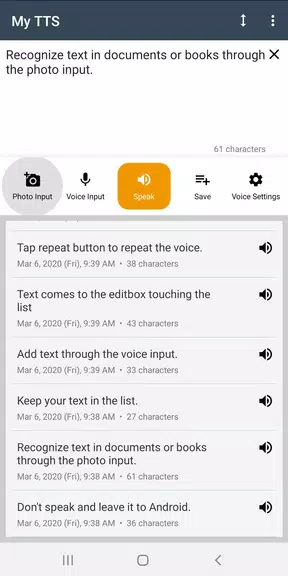
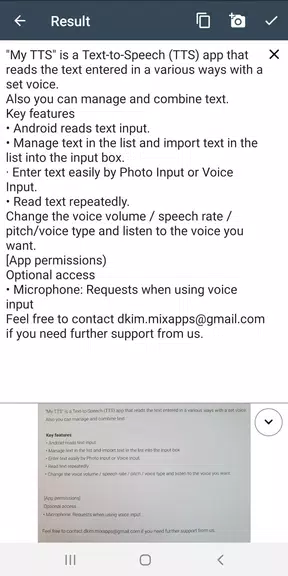
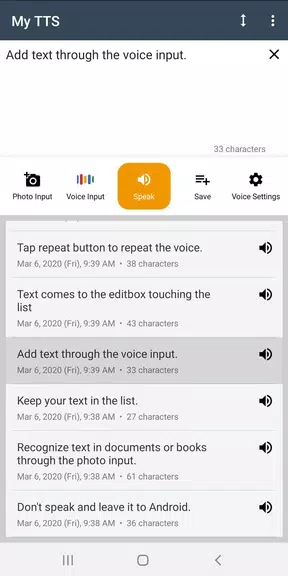
My TTS: Text-to-Speech turns written text into natural-sounding audio for reading articles, messages, and notes aloud. It combines clear voice options, adjustable speed and pitch, and quick export to MP3. Designed for accessibility and productivity, it helps users listen to content hands-free on phones and tablets.
My TTS: Text-to-Speech is a compact utility aimed at people who want fast, reliable voice playback from any text source. It sits between lightweight readers and advanced studio tools, making speech synthesis accessible without a steep learning curve. The app supports multiple voices, common file formats, and an uncluttered interface that focuses on core tasks.
Load or paste text into the editor, pick a voice and playback settings, then press play. The app converts the text into synthesized speech in real time. For longer documents you can set bookmarks and create playlists of texts to be read sequentially. Background playback lets you continue other tasks while audio plays.
Customization is practical rather than flashy. Sliders for speed and pitch let you adapt speech for comprehension or dramatization. The interface offers high-contrast themes and large controls for accessibility. Users with reading difficulties can assign shortcuts to start and stop reading, while language learners can slow playback to study pronunciation phrase by phrase.
The interface prioritizes readability: large text blocks, clear action buttons, and contextual help on first use. Performance is lightweight, with minimal CPU impact when using device-native voices. When advanced cloud voices are selected, expect more natural timbre at the cost of small data transfers. Battery usage is modest during playback, and exporting audio files is processed efficiently.
My TTS: Text-to-Speech fits naturally into productivity workflows. Integrations include a share extension so web pages and articles can be sent directly to the app, and a bookmarklet for quick clipping. Exported audio files can be imported into podcast editors or language learning tools. For power users, the app supports batch processing of short texts into a single audio file.
Beginners often overlook voice selection. A slightly slower speed paired with a midrange pitch improves intelligibility, especially when reading technical documents or lengthy reports.
Feedback from users highlights the app's steady performance and straightforward controls. Occasional network-dependent features can introduce latency, but overall reliability remains high for daily use. Error messages are clear and suggest actionable steps, such as switching to offline voices if the network times out.
Installation is straightforward through standard app stores. After opening the app, the onboarding tour covers voice selection, exporting, and accessibility settings. Permissions are minimal: microphone access is optional for voice input, while storage permission enables saving files locally. No advanced setup is required to start converting text to speech.
Whether you need hands-free article consumption, accessibility support, or quick audio exports for projects, My TTS: Text-to-Speech provides a focused set of tools that balance quality and simplicity. Its combination of customization, export flexibility, and integration makes it a practical choice for everyday listening tasks.



Dr.Fone MOD Premium Unlocked
4.4108.70MB

ArduinoDroid MOD Premium Unlocked
4.5160.70MB

OrNET: Dark Web Browser MOD Premium Unlocked
4.325.20MB

AdGuard VPN MOD Premium Unlocked
4.033.50MB

Room Planner
4.422.60MB

Pixel Studio
4.431.50MB

Multi Timer Plus
4.021.89MB

Privify: Fast Secure VPN Proxy
4.433.42MB