
Beelinguapp
Version: 3.153
16.60MB
4.2
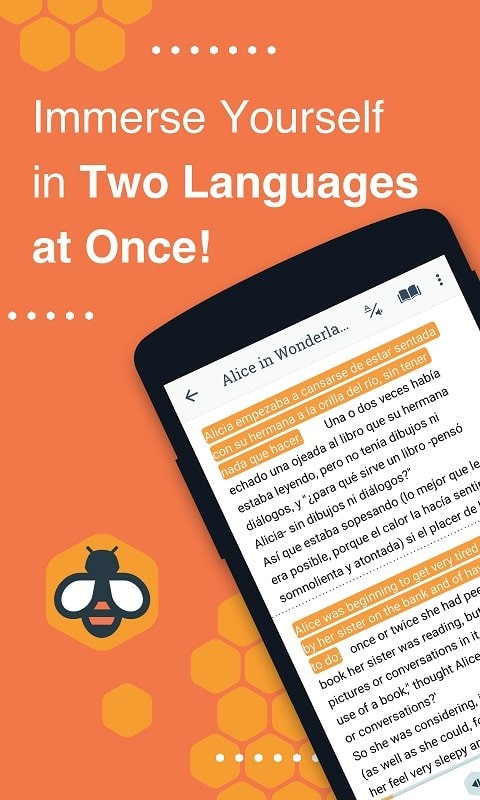
Beelinguapp is a language-learning reader that pairs bilingual texts with audio narration to help you learn vocabulary and grammar in context. It mixes side-by-side translations, read-along audio, and themed story libraries so learners can practice reading, listening, and comprehension in a single focused experience.
Beelinguapp transforms passive exposure into active practice by presenting stories, news, and short texts in two languages simultaneously. This approach aims to reduce the friction of looking up unknown words while keeping learners engaged with real content instead of isolated drills.
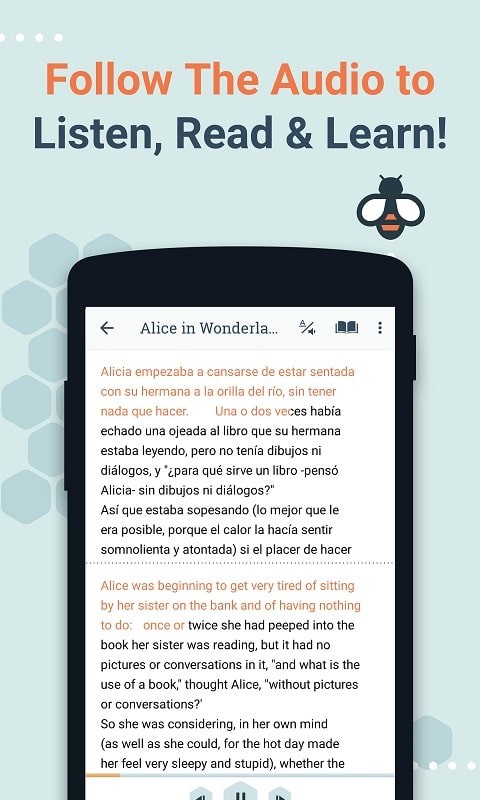
At its heart, Beelinguapp combines synchronized audio playback with parallel text display. Each passage shows the native and target language side-by-side so you can compare structures and meaning instantly. Audio narration highlights words as they’re spoken, reinforcing pronunciation and pacing.
Rather than memorizing isolated vocabulary lists, Beelinguapp encourages pattern recognition by exposing learners to complete sentences and everyday contexts. Seeing grammar used naturally reduces the need for constant dictionary lookup and helps learners form mental models of syntax more quickly.
The layout is straightforward: the target language is usually presented on one side and the learner’s base language on the other. Fonts, text size, and color highlighting are adjustable so you can create a comfortable reading environment. Playback controls sit within easy reach for instant pausing, replaying, or speed adjustments.
On modern Android devices Beelinguapp runs smoothly during reading and audio playback. Downloads are managed efficiently, though large collections of audio files will consume storage. The app is optimized to run without draining battery excessively during normal use.
Combine Beelinguapp with spaced-repetition flashcards to lock in vocabulary you encounter in stories. Export or note down unfamiliar words, then review them with targeted exercises. The app’s contextual examples make it easier to remember collocations and idiomatic uses.
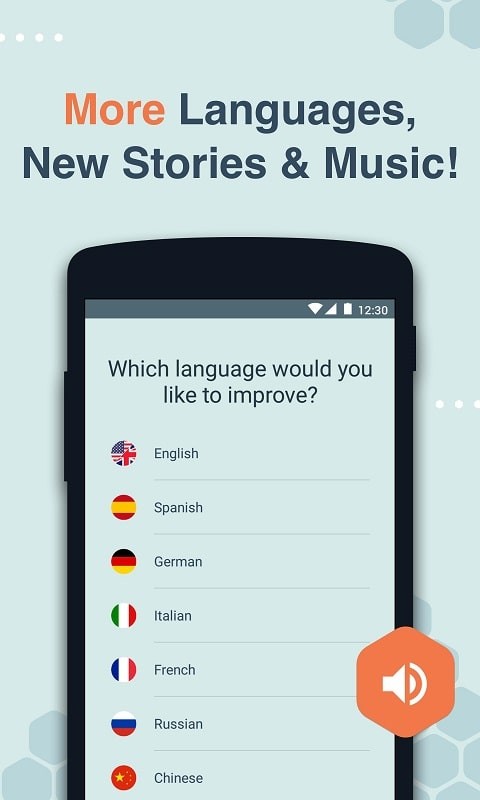
Many learners praise Beelinguapp for making reading enjoyable and less intimidating. The variety of genres—from fairy tales to non-fiction—keeps the experience fresh. Some users request more language pairs and higher-quality audio for less common languages, but updates have steadily increased available options.
Beginners gain confidence by seeing simple sentence structures alongside translations. Intermediate learners benefit from richer texts and native-speed narration. Advanced users can refine listening skills and pick up idiomatic expressions by exposing themselves to more complex narratives.
Install the app from the store, select your native and target languages, then browse the library. Download a few sample stories and try a short listening-and-reading session. Adjust text size and audio speed to match your comfort level, then build a weekly plan to maintain steady progress.
Beelinguapp is a practical tool for learners who prefer contextual learning over flashcard-only methods. Its combination of parallel texts and synchronized audio creates a scaffolded environment where reading, listening, and vocabulary acquisition reinforce one another. For learners who want to make reading a central part of their study routine, it’s a robust, user-friendly option.



LingQ MOD Premium Unlocked
4.339.20MB

Smarter Bookmarks MOD Pro Unlocked
4.112.68MB

Win-X Launcher MOD Premium Unlocked
4.021.07MB

CamScanner MOD Premium Unlocked
4.370.70MB
Kilonotes MOD Premium Unlocked
4.571.90MB
TapScanner MOD Premium Unlocked
4.521.40MB

Logo Maker Designer
4.220.90MB

My Passwords Manager
4.510.60MB